53
UM150 User’s Manual
53
UM150 User’s Manual
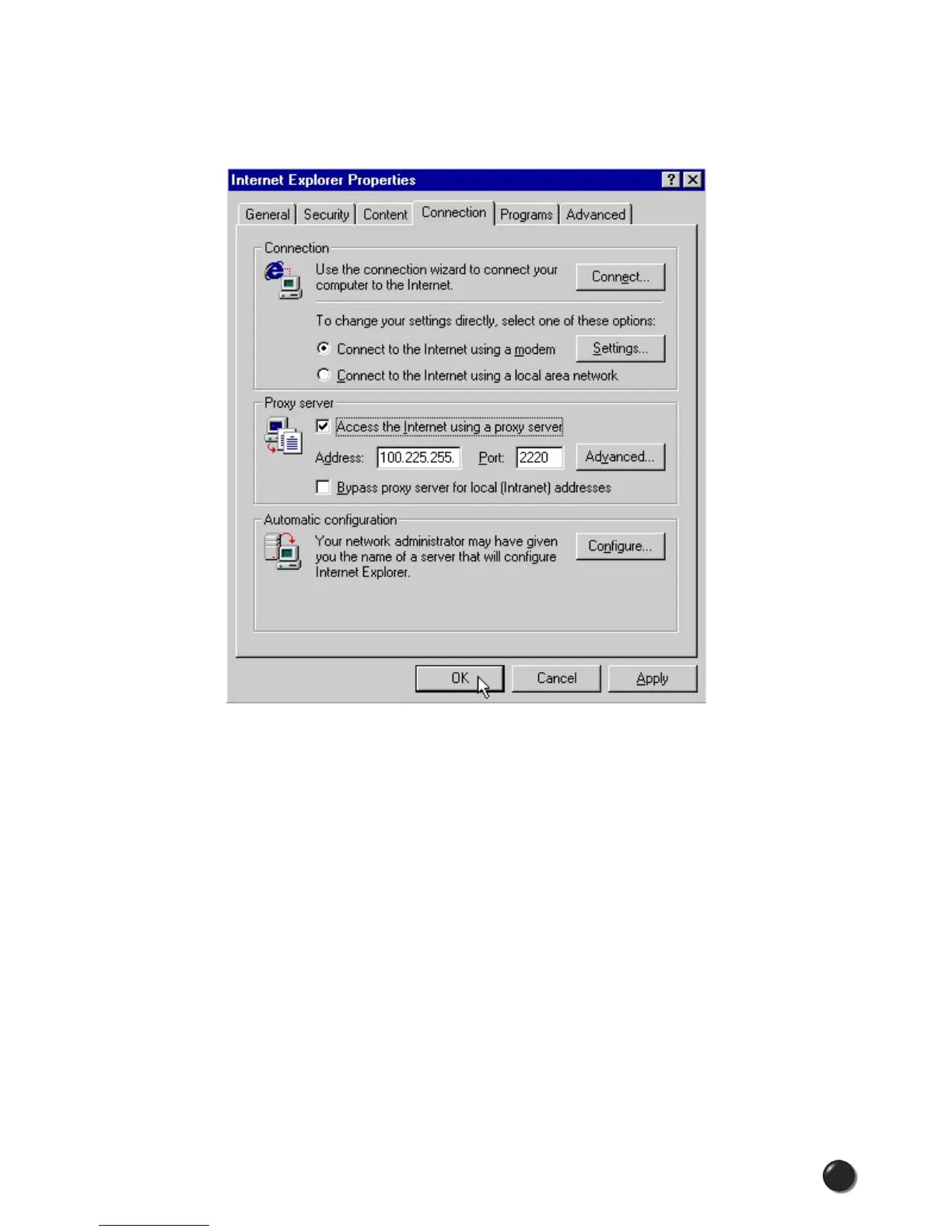
STEP 2: Click on the “Connection” tab. Uncheck the box labeled “Access the
Internet using a proxy server” then click “OK” or “Apply.” You may now access the
Internet through BroadbandAccess or NationalAccess.
When you wish to access the Internet through your corporate network proxy server,
you must repeat these steps, checking the box labeled “Access the Internet using
a proxy server.” If your proxy setting is incorrect for the connection you are
using, you will get an error whenever you try to go to any site.
Proxy Settings if using Netscape Navigator 4.0 and higher
In Netscape Navigator 4.0 and higher, proxy settings are global and have
to be turned off when accessing the Internet directly through VZGlobal,
BroadbandAccess or NationalAccess and back on if required by your company
when using their network to access the Internet or when using VPN.



 To Next Page