48
UM150 User’s Manual
48
UM150 User’s Manual
For Microsoft ActiveSync
®
:
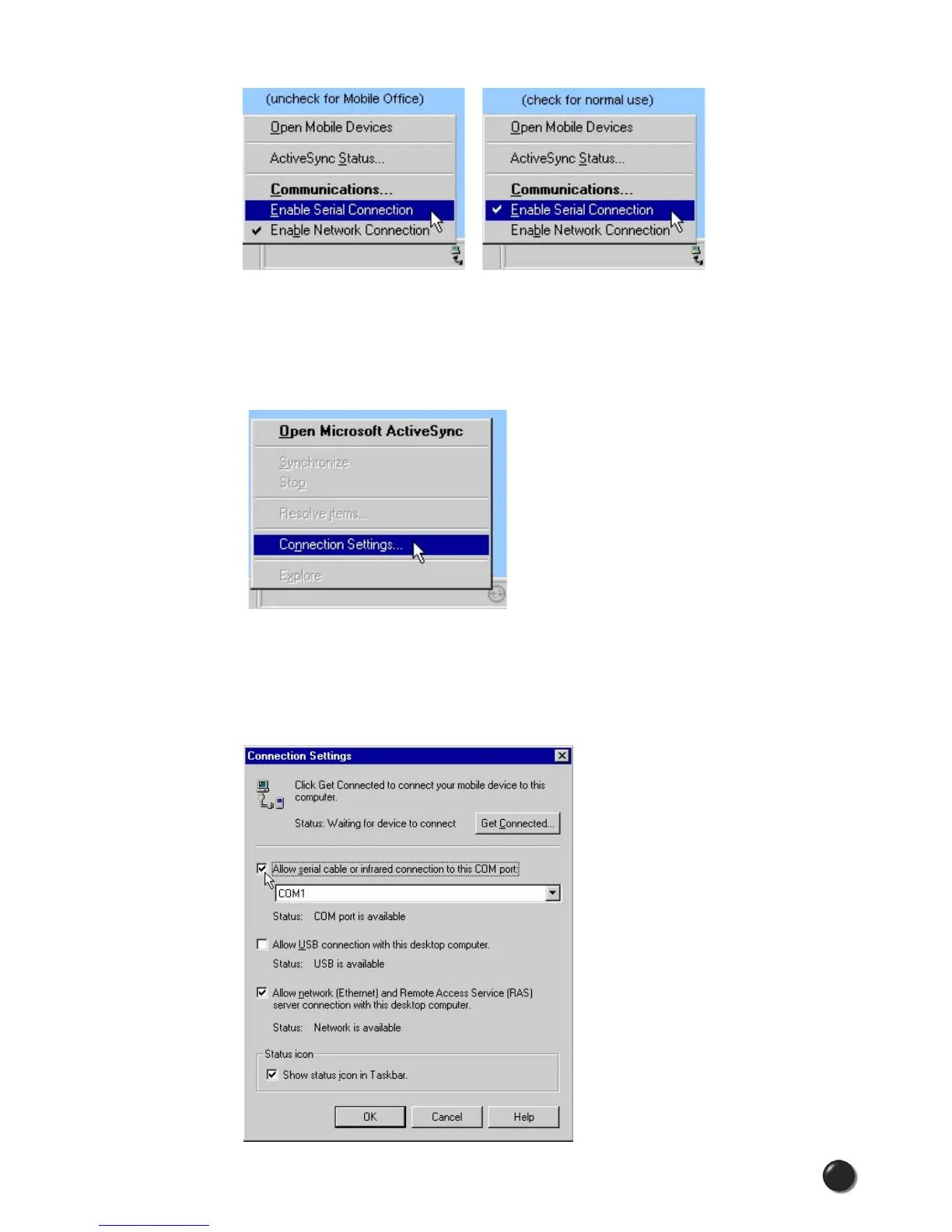
Right click on the ActiveSync
®
icon in your task tray and select “Connection
Settings.”
Select/deselect “Allow serial cable or infrared connection to this COM port:” and
“Allow USB connection with this desktop computer.” Make sure they are unchecked
if you are having trouble connecting with your WWAN device and restore them to
their original settings when syncing your PDA. Click “OK” when finished.



 To Next Page