Touchscreen Display42
3.4.10. Viewing Teamwork, Stand-by, Cascade and Operating Status
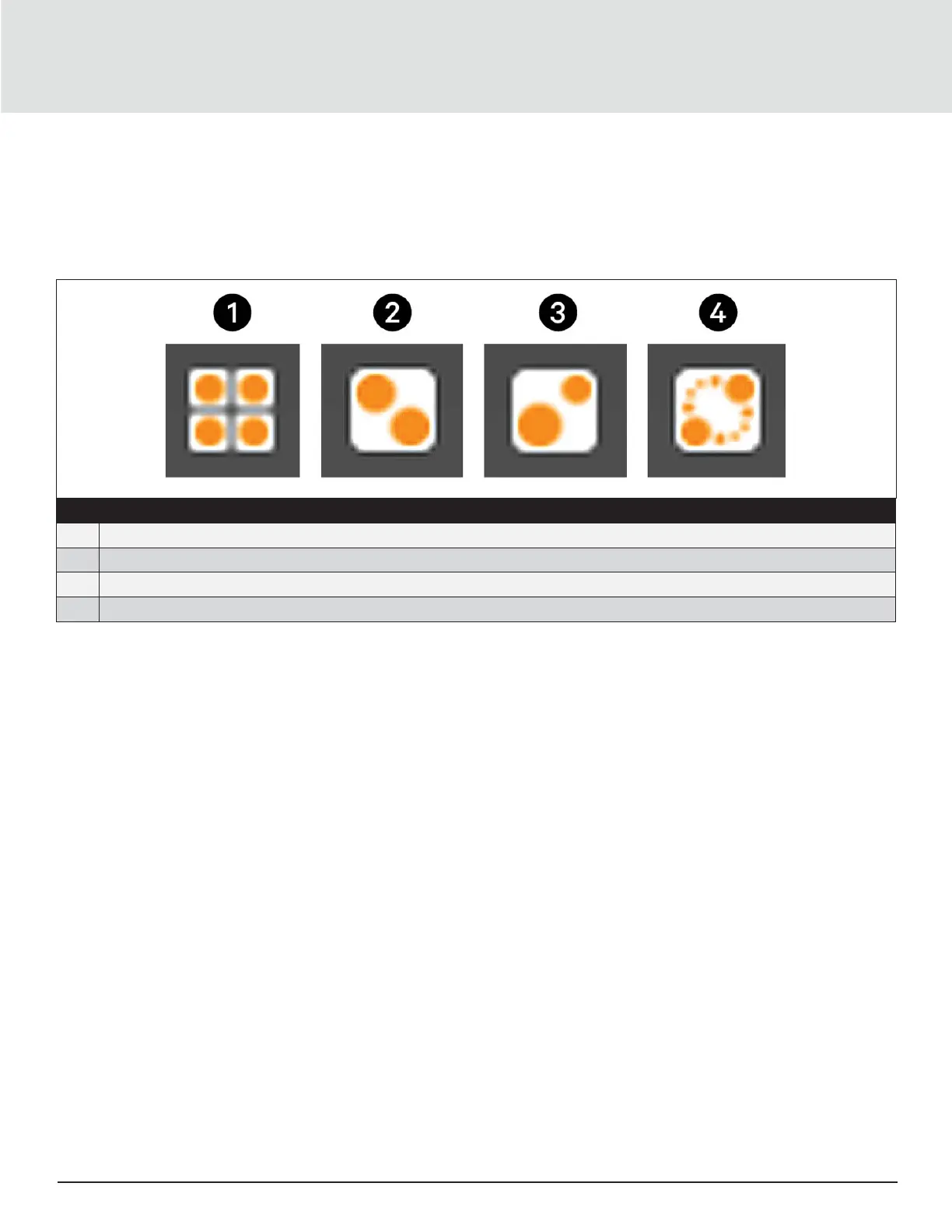
In the main User panel, the Teamwork Mode icon indicates the mode selected, see Figure 3-5.
To view the teamwork details
1. Press the Teamwork-mode icon.
2. The teamwork dialog opens display the teamwork mode, number of units in stand-by, and number of operating units.
No. Description
1 No teamwork
2 Mode 1- Parallel Teamwork
3 Mode 2- Independent Teamwork
4 Mode 3- Optimized Aisle Teamwork
Figure 3-5 Teamwork Icons
Note: User must be logged-in with the Service Password to edit teamwork mode. Refer “Powering-On iCOM and Logging-
in/Unlocking Controls” on page 34.







 To Next Page