ICOM Embedded Unity Setup Guide44
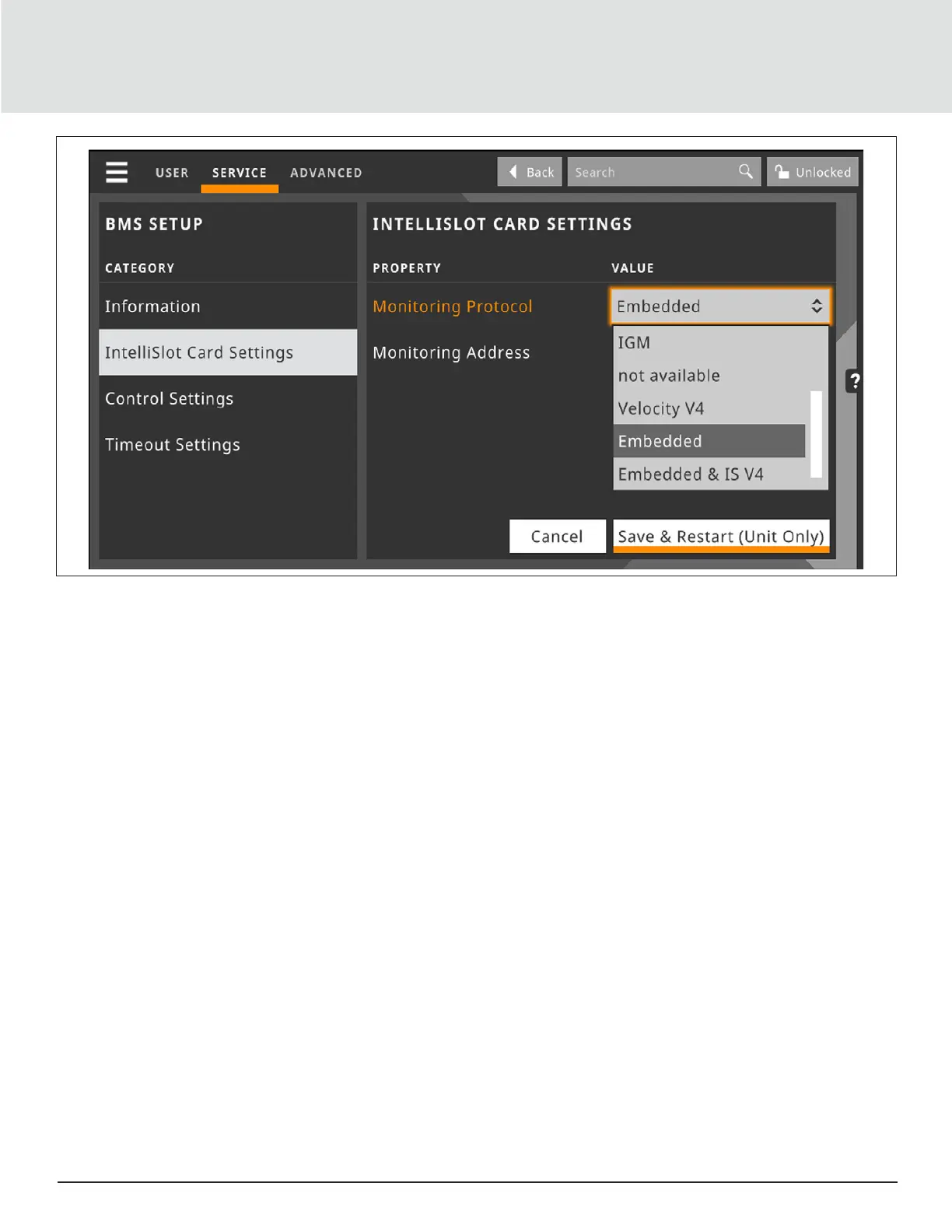
Figure 4-2 iCOM Service Screen
4.4. Creating Administrator Account
The Embedded Unity service requires the end-user to create a new username and password to authenticate any Unity
configuration change. The iCOM controller stores the login credentials used for all configuration changes. The stored
username/password must match that of a user account with the Embedded Unity service.
Upon first use of the Embedded Unity service, the end-user must create a new username/password. To create the
username/password, from the Service Menu, navigate to BMS & Teamwork Setup > IS-Unity Setup and tap the icon in the
upper-right corner. To modify the username/ password, from the Service menu navigate to BMS & Teamwork Setup - IS-
Unity Settings.
Note: After enabling the Embedded Unity feature in iCOM, the end-user must wait minimum 5 minutes to allow the
Embedded Unity features enough time to boot prior to creating the mandatory administrative account. New credentials
shall be saved to the iCOM control unless the end-user does not wait the minimum amount of time.
It is important to take note of or save on-hand the newly created credentials and communicate them to the personnel
responsible for accessing/configuring the monitoring/BMS aspect of the iCOM controller.
The Administrator shall remain logged in until the end-user manually logs out by tapping the icon in the upper-right
corner or if the iCOM display has been locked or times out.
4.5. Browsing network settings
Once the Embedded Unity service is running, you can view the running BMS network information. This is especially useful
to obtain the IP address when DHCP is enabled. From the Service menu, navigate to BMS & Teamwork Settings - IS-Unity
Setup - Support - Active Networking.







 To Next Page