Vertiv | Liebert® CRV4 | User Manual 53
Micro-Controller (Color Screen)
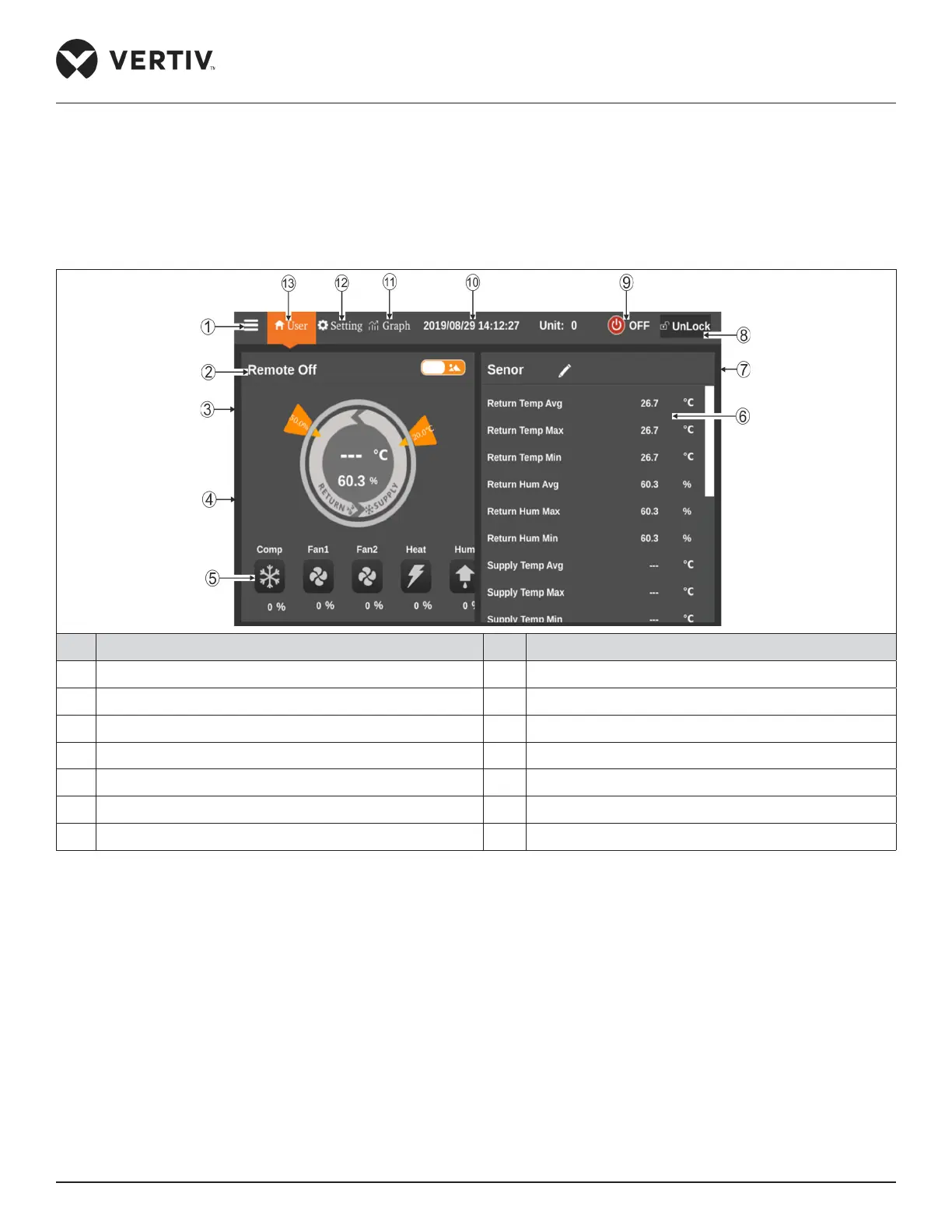
one means the air supply humidity setpoint and the right one means the temperature setpoint in current mode.
Clicking toggle button 1 can switch the display between the graphic display and table display. Click the setting
button can enter the temperature / humidity setting interface to set the temperature / humidity.
As shown in the right half of Figure 6-2, the sensor data or alarm data is displayed. Click the toggle button 2 to
switch between the sensor data and the alarm data.
No. Description No. Description
1 Menu button 8 Unlock button
2 Operating status 9 On/ O button
3 Toggle button 1 10 Time display
4 Control mode 11 Graph button
5 Status display 12 Setting button
6 Real-time data 13 User button
7 Toggle button 2
Figure 6-2 Color Display Screen - Unlock








 To Next Page