Chapter 4 Configuring the 6000A V2 Platform
Defining the Audio parameters of the 6000A V2 Platform
User Manual 76100000200 Rev. 001 21
Screen Saver
Click on Screen Saver if you wish to activate a screen saver to the equip-
ment, to extend the life of the battery, in case the
6000A V2 Platform is
not used for some time.
Instead of the normal screen, a small animated picture of the
6000A V2
Platform
is displayed on the blackened screen.
To configure the screen saver:
1 Click on Delay and select the time of inactivity
before the screen saver starts:
60s, 3 min, 5 min.
The parameter No deactivates the screen saver
function.
Defining the Audio parameters of the 6000A V2 Platform
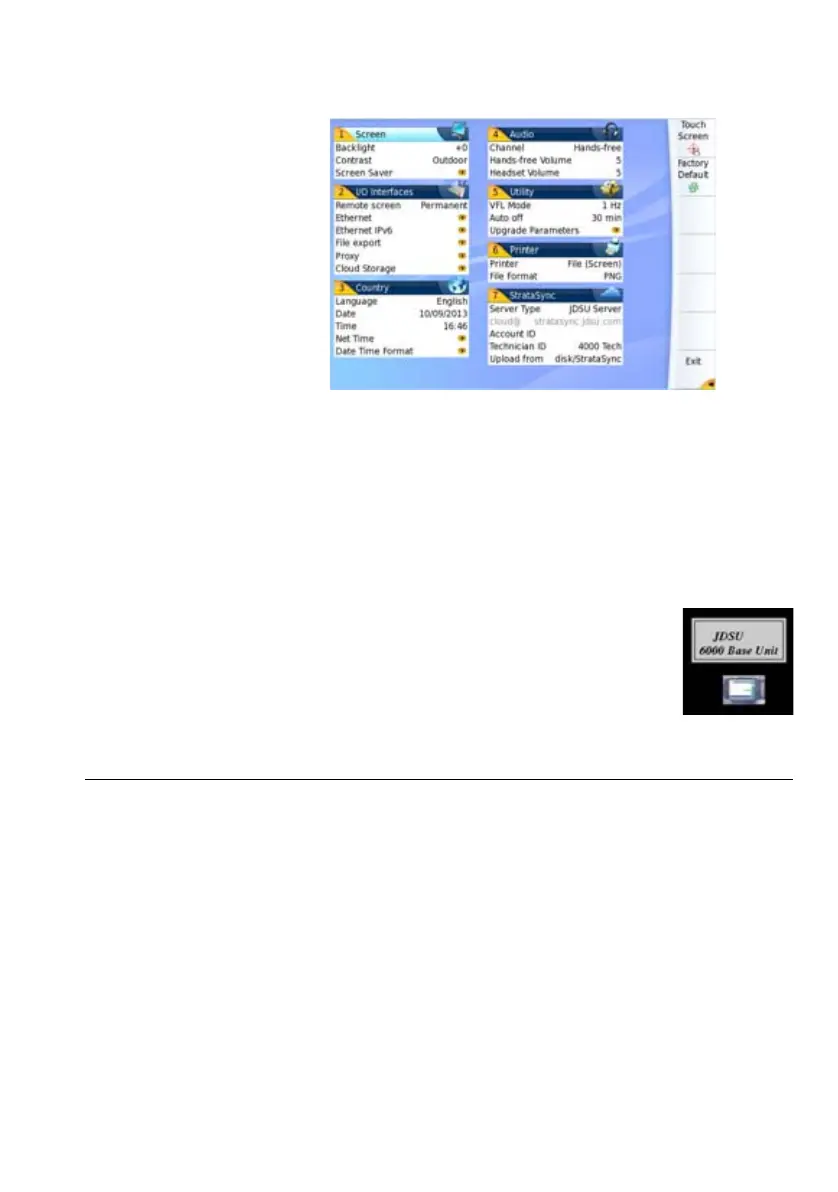
In the Audio box of the System Settings screen, you can configure the
audio parameters according you are using a headset with the 6000A V2
Platform
.
1 Adjust the volume on the line Hands-free Volume using the left and
right direction keys, or the Numeric keypad (displayed with the
softkey Edit Number)
– Min volume for Hands-free function: 0
– Max volume for Hands-free function: 100
Fig. 9 Example of outdoor contrast








 To Next Page