Chapter 6 Scope
Launching a test of the connector and fiber end-face
User Manual 76100000200 Rev. 001 45
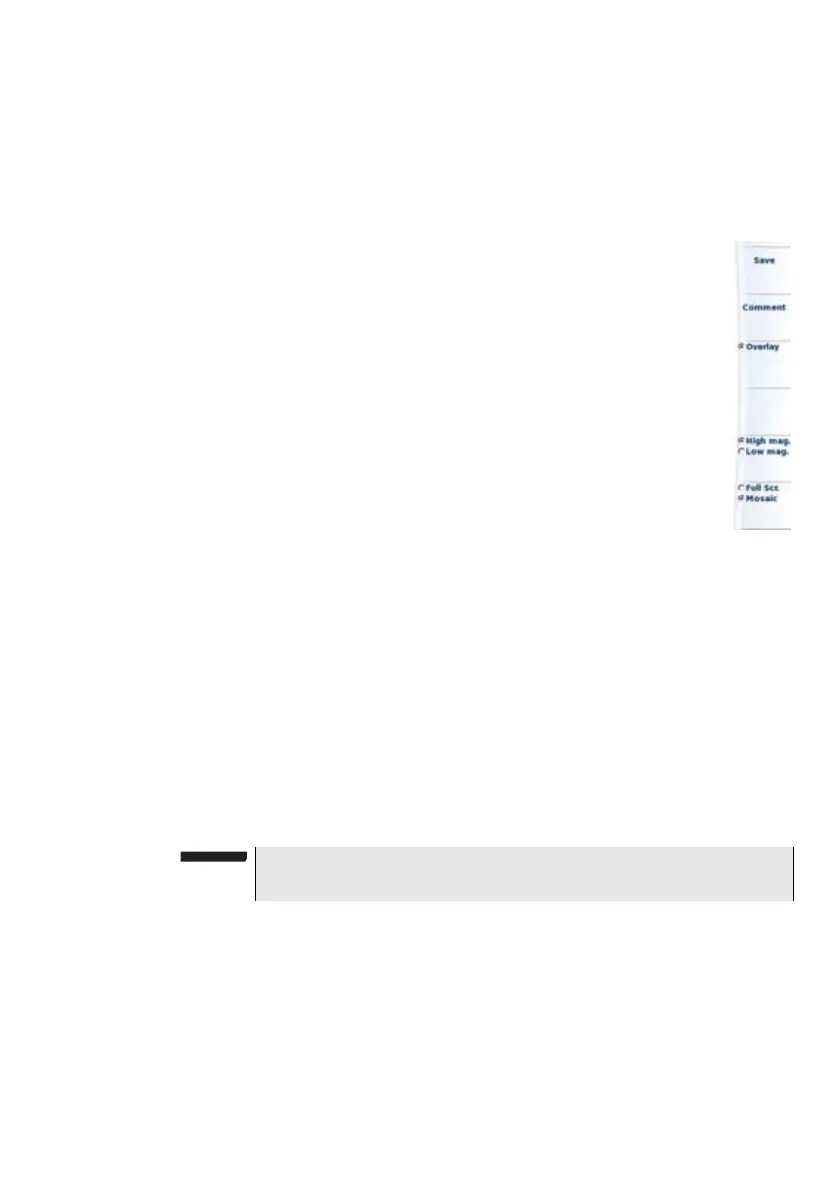
High mag./Low mag. Allows to switch all the images from high to low
magnification and vice-versa. This key is not
available with jpg files other than those resulting
from scope application.
Picture selected: Image
Save Allows to save the selected picture in
the directory Scope, in the disk of the
Platofrm. Press Save key, enter a
name for the jpg file and validate. This
key is not available with jpg files other
than those resulting from scope
application.
Comment Allows to add a comment to the
selected picture (see
“High Mag. / Low
Mag.” on page 42
)
Overlay Allows to display or hide the limits of
each zone and the defaults on image
from a test result (see
“Overlay” on
page 43
). This key does not work on
jpg image which do not result from
scope application.
High mag./Low mag. Allows to switch all the images from high to low
magnification and vice-versa. This key is not
available with jpg files other than those resulting
from scope application.
Adding a comment
A key Comment allows you to enter/modify a comment to your picture if
necessary. This comment appears at the bottom left of the picture.
The right bottom of the frozen picture also contains the date of the acqui-
sition (where the picture was frozen).
Loading a
picture
It is possible to retrieve and load a picture stored in the Scope directory
and display it in the Scope page.
1 Press the
FILE button.
2 Select Explorer.
3 Select the JPEG file to be loaded via the Explorer
NOTE
Both the comment and the date will be saved with the picture.








 To Next Page