Chapter 7 Applications
Web browser
User Manual 76100000200 Rev. 001 53
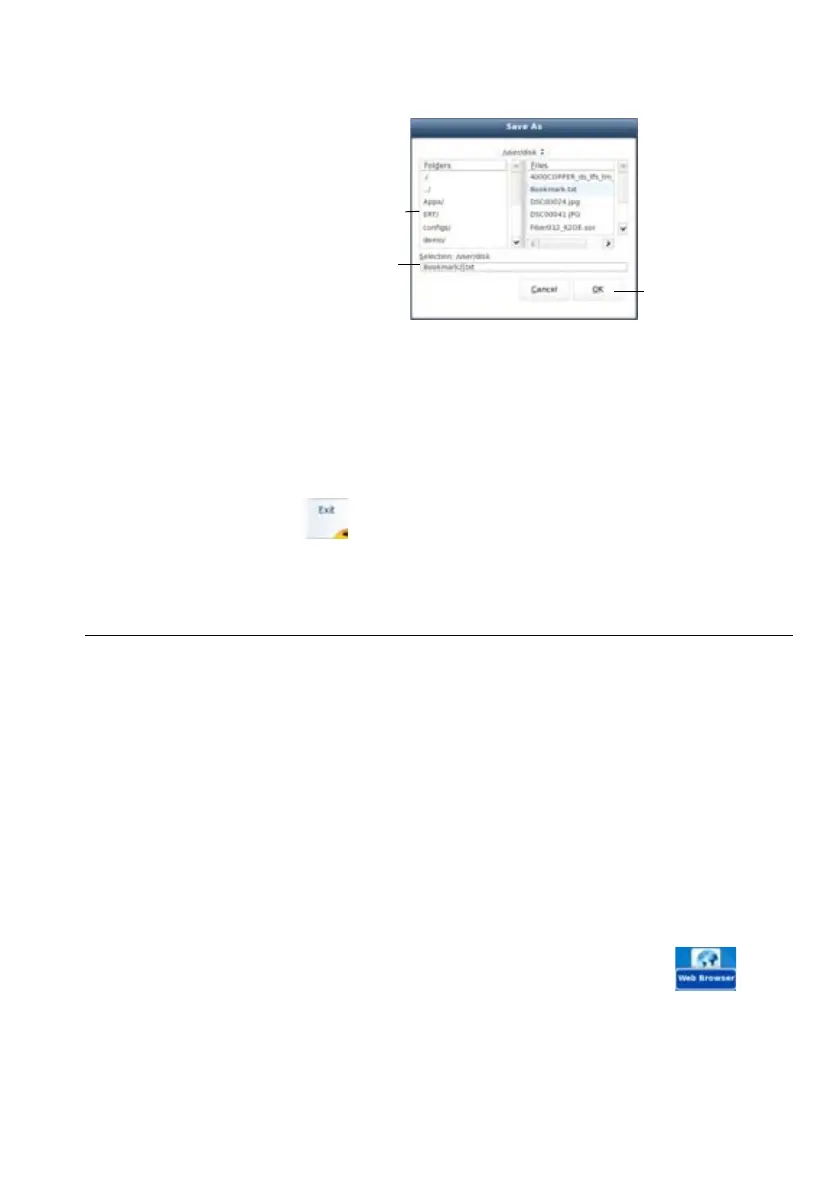
4 Click on Ok to validate
The file is saved and still opened
– You can modify it and click on Save at any time
– If you modify the file and click on Save as....you can choose another
folder and/or another name
Press to exit the text editor and go back to the Applications page.
Press
HOME to go back to the Home page, and keep the application
active.
Web browser
Configuring the
Web access
Before using the Web Browser onto the 6000A V2 Platform, check/
modify the proxy configuration in the System Settings page:
1 On the Home page, press System Settings menu key
2 Select Use proxy parameter in the I/O Interfaces box
–If Manual is selected, enter the Proxy Address using the edition
keypad
–If Auto is selected, enter the Pac Address using the edition keypad.
Starting the
web browser
To access this application, on the Home page click on the soft key App’s.
In the Application screen, activate Web Browser icon .
The web browser is launched.
Fig. 25 Save file
Select the folder
Enter file name
Save the file








 To Next Page