Chapter 7 Applications
Tex t E ditor
52 User Manual 76100000200 Rev. 001
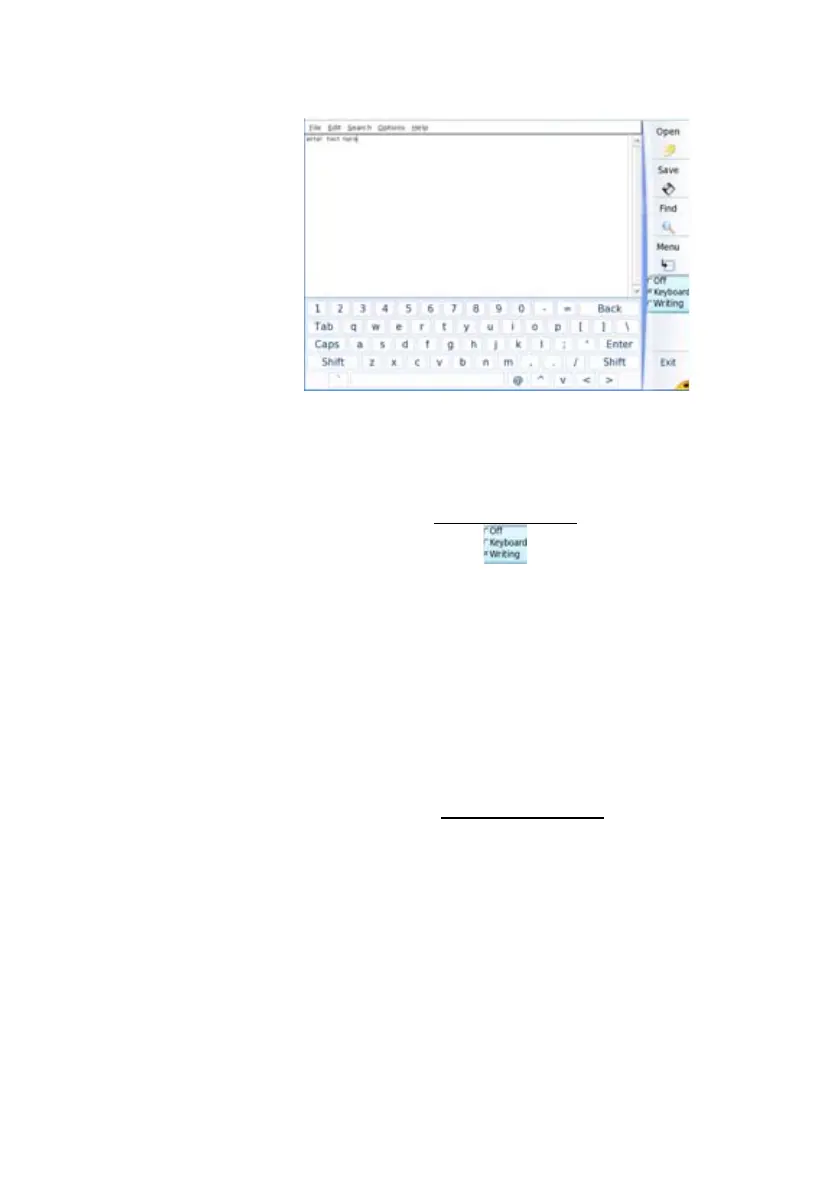
b Use the arrow keys or the touchscreen to enter the text.
or
– Enter manually the text using
touch screen.
a Select Writing on the key
b Write the letter manually, using the stylus for touch screen
You can click on Train, in order to draw each character on its cell.
This allow to store the characters with your writing characteristics, in
order to get the good letters when writing with the stylus.=
Saving the text
in a file
Once the text is entered, you can save it in a file onto the 6000A V2 Plat-
form.
1 Click on File > Save or Save as...
2 In the dialog box, select the folder in which the file must be saved
3 Enter a name for the file with the file extension
(.txt or .csv if it must
be opened with the 6000A V2 Platform).
Fig. 24 Keyboard of the Text Editor








 To Next Page