Chapter 9 Transferring the 6000A V2 Platform Interface
Transferring the Interface
User Manual 76100000200 Rev. 001 67
3 Wait about 10 seconds the connection is established.
The 6000A V2 Platform Interface can now be transferred onto the PC, or
the internal memory/USB key contents can be transferred on PC.
Transferring the Interface
Once the connection is established between the 6000A V2 Platform and
the PC, proceed as follow:
1 Open Internet Explorer on the PC.
2 Considering
10.33.17.113
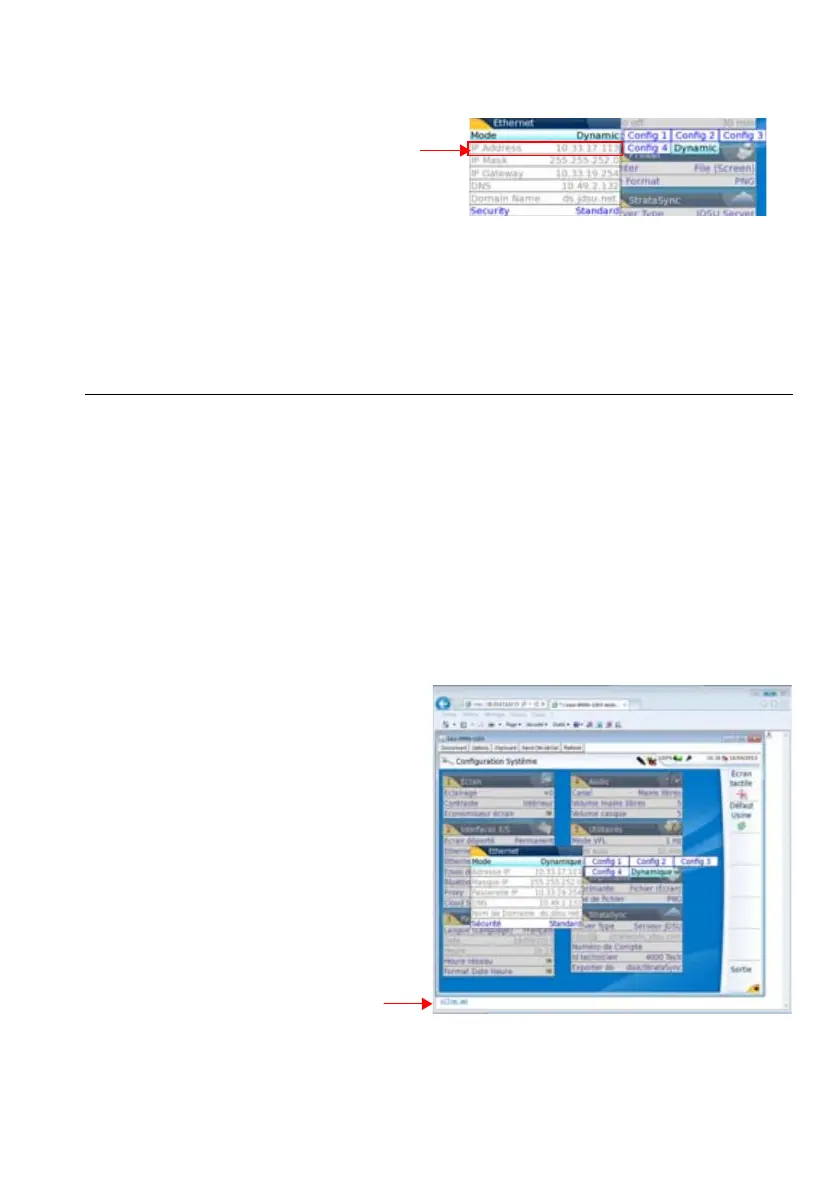
is the IP Address of the 6000A V2 Plat-
form (as shown Figure 36 on page 67), enter the following address
in the Internet Explorer window:
http://10.33.17.113:5800
3 Press Enter to validate.
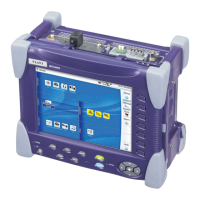
The screen of the 6000A V2 Platform appears offset on your PC.
Fig. 36 Example of configuration for Ethernet
Note the 6000A V2
Platform IP Address
Fig. 37 VNC window
Click to install TightVNC software
on your PC (not mandatory)





 To Next Page