21
NM & PG PLUS FID STATIONS
USER MANUAL
Version 1.03.0000
www.vicidbs.com
6.6. STARTING THE HYDROGEN GENERATOR
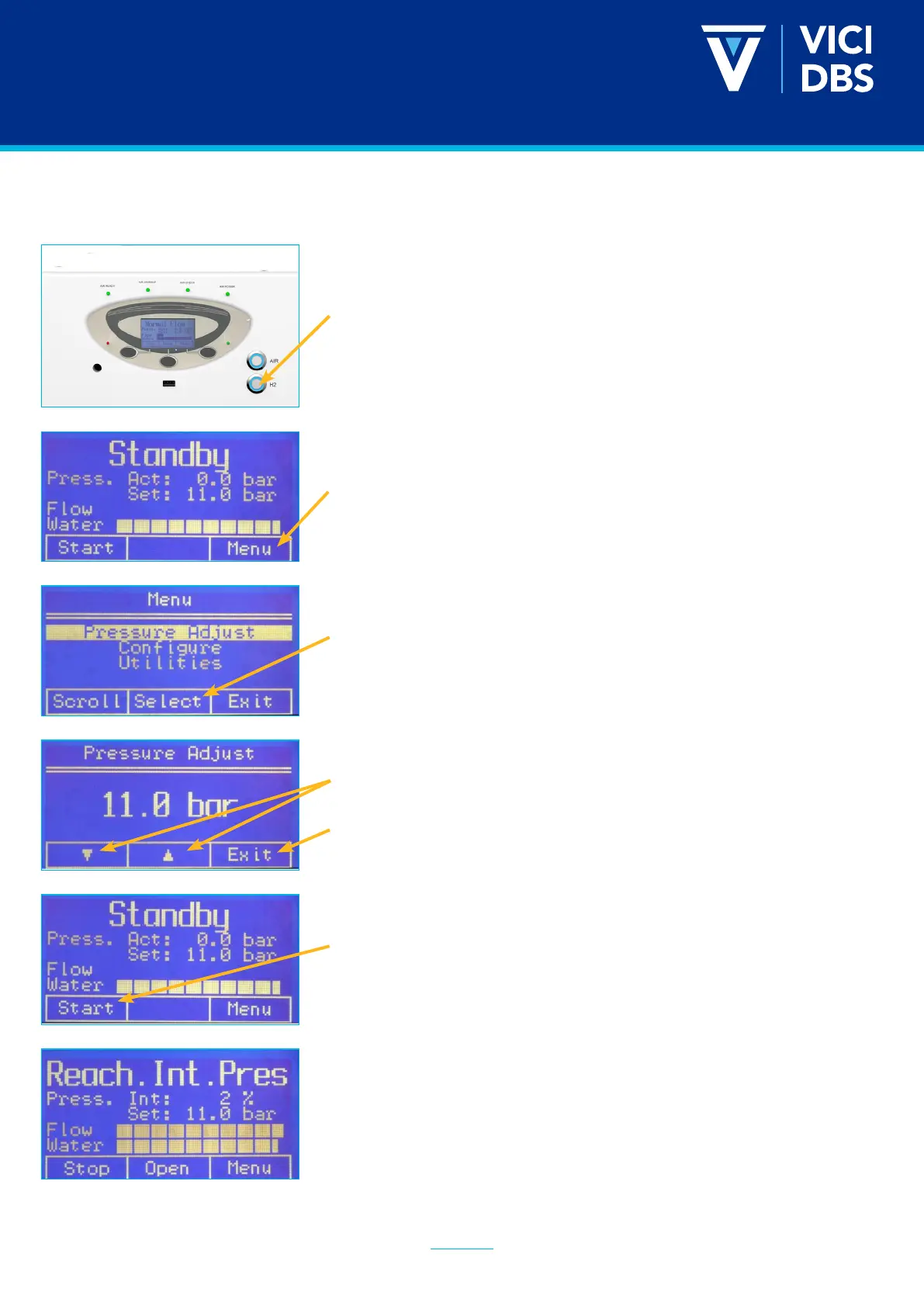
Press the H2 ON/OFF button to start the hydrogen ow (button
will illuminate). When it is ready the button will change color and the
following screen will appear.
Press Menu to select the correct submenu (to set the pressure).
Pressure Adjust will be highlighted. Press Select to continue.
Use the up and down arrows to select the desired outlet pressure.
Once done, press Exit.
Press Start.
The generator will rst build the internal pressure. Wait until it
reaches 100% before moving on to the next step.


 To Next Page