6
NM & PG PLUS FID STATIONS
USER MANUAL
Version 1.03.0000
www.vicidbs.com
4.1. COMMON OPTIONS
4.1.1. Remote Connections
Requires the I/O board option.
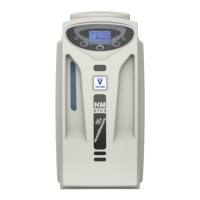
The hydrogen generators are tted with an optional remote control feature, which allows the user to check
the status of the machine from a remote position, and to start/stop the production of hydrogen. The contacts
used in the remote control are potentially free relay contacts. The contacts can be congured via software as
normally-open or normally-closed (see the Conguration section). The maximum voltage and current ratings
for the contacts are 1A / 48V. The pin conguration of the remote connector is shown in the table below.
Remote connector pin conguration:
PIN DESCRIPTION
1+2 Start (12-30 VDC polarity not important)
3+4 Standby
5+6 Reaching external pressure
09+10 Low water level
11+12 Bad water
13+14 Change water
4.1.2. Cascading
Requires the I/O board option.
The RS-485 interface allows up to 10 generators to be operated in parallel mode. The generators are
connected with an external non-return valve to a gas line. The pressure must be controlled with an external
pressure regulator. The outlet pressure is xed to 10.3 bars. This mode allows up to 10 generators in a
cascading group.
How does cascading work:
The communication of the generators is done via the RS-485 interface. For a correct communication each
generator needs a unique ID number. Each generator must know how many generators are connected in the
cascading group.
As soon as the generators are powered up, one generator becomes the master, and controls the others
(slaves). If there is a problem with the master, one of the slave generators will become the master. Every
generator can be forced to be the master, by entering into the menu you will see the function “force to
master”, just select this function and acknowledge. When a generator is the master, you can see the letter
“M” in the menu button, while the slaves show the letter “S”.


 To Next Page