22
1.5. INSTALLATION
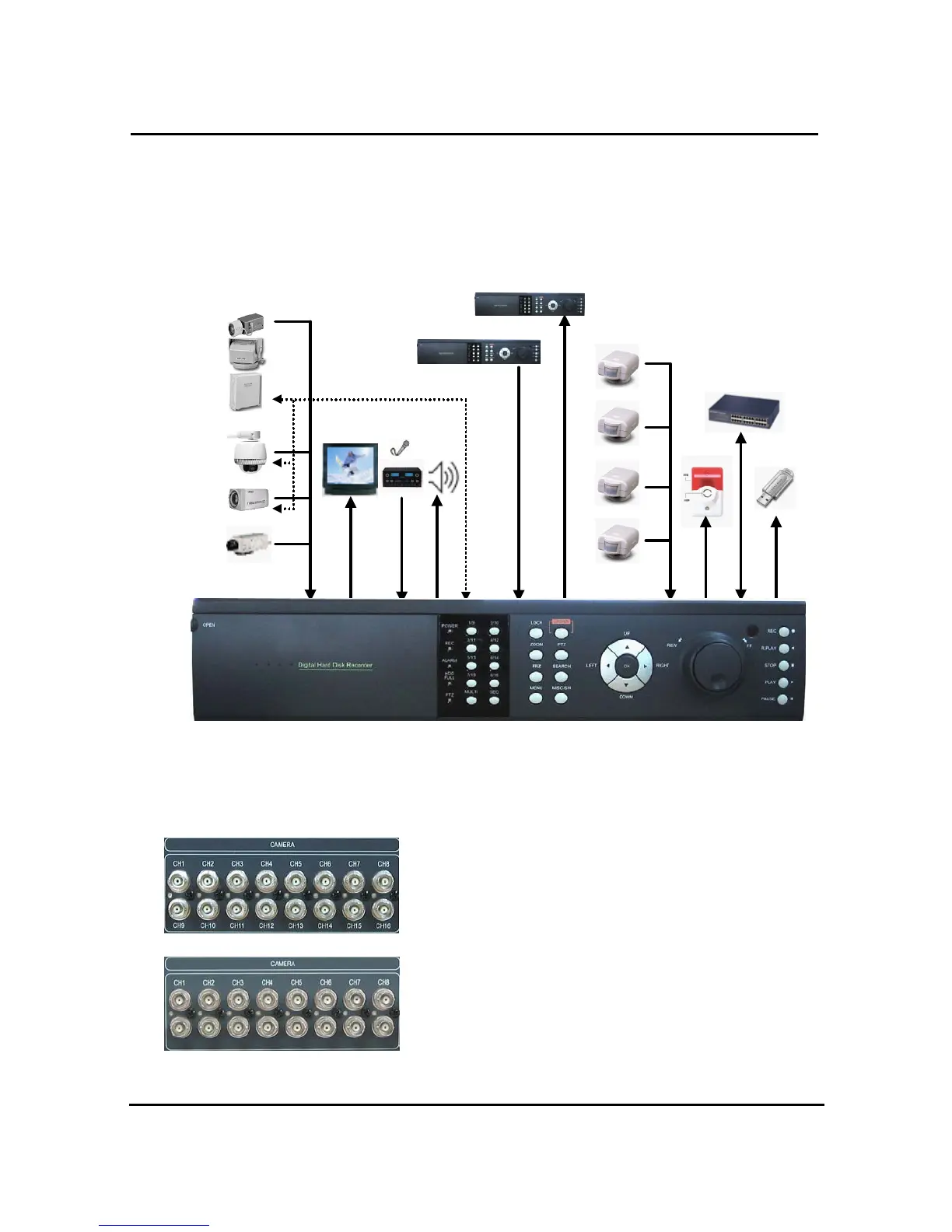
1.5.1. Installation and connection
Camera 1
Camera16
Camera 2
Monitor
Speak
Sensor 1
PTZ
Reciever
Alarm
Network
USB
Sensor16
~
Sensor 2
RS-485
AUX IN
AUX OUT
Mic
~
1.5.1.1. Camera
UDR-216 : The unit comes with 16 video IN and 16 video
OUT for up to 16 cameras connection. In order to use Loop-
Through, please enter into DVR setting menu and set up
Termination ( through Y-cable or T terminal).
UDR-208 : 8 cameras can be connected.
The below video connectors are for Loop through.


 To Next Page