83
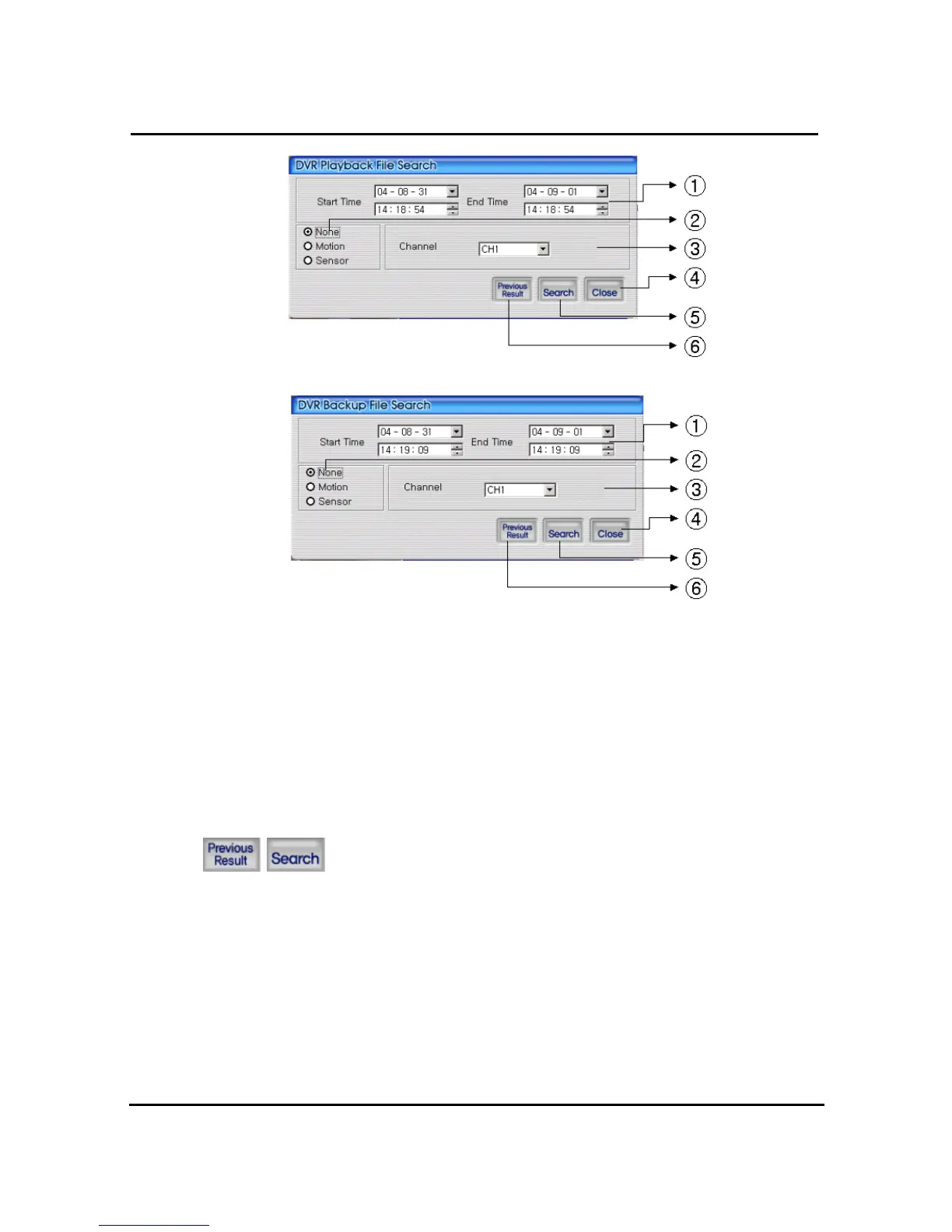
① Enter search time from start time to end time
② Check if user want to search event condition
③ Select targeted channel for search
④ Close DVR playback search
⑤ Start to search by selected searching condition
⑥ Previous research result will appears
4.7.8. DVR playback search
Search data will appear list form if users push two buttons at DVR
playback screen.


 To Next Page