42
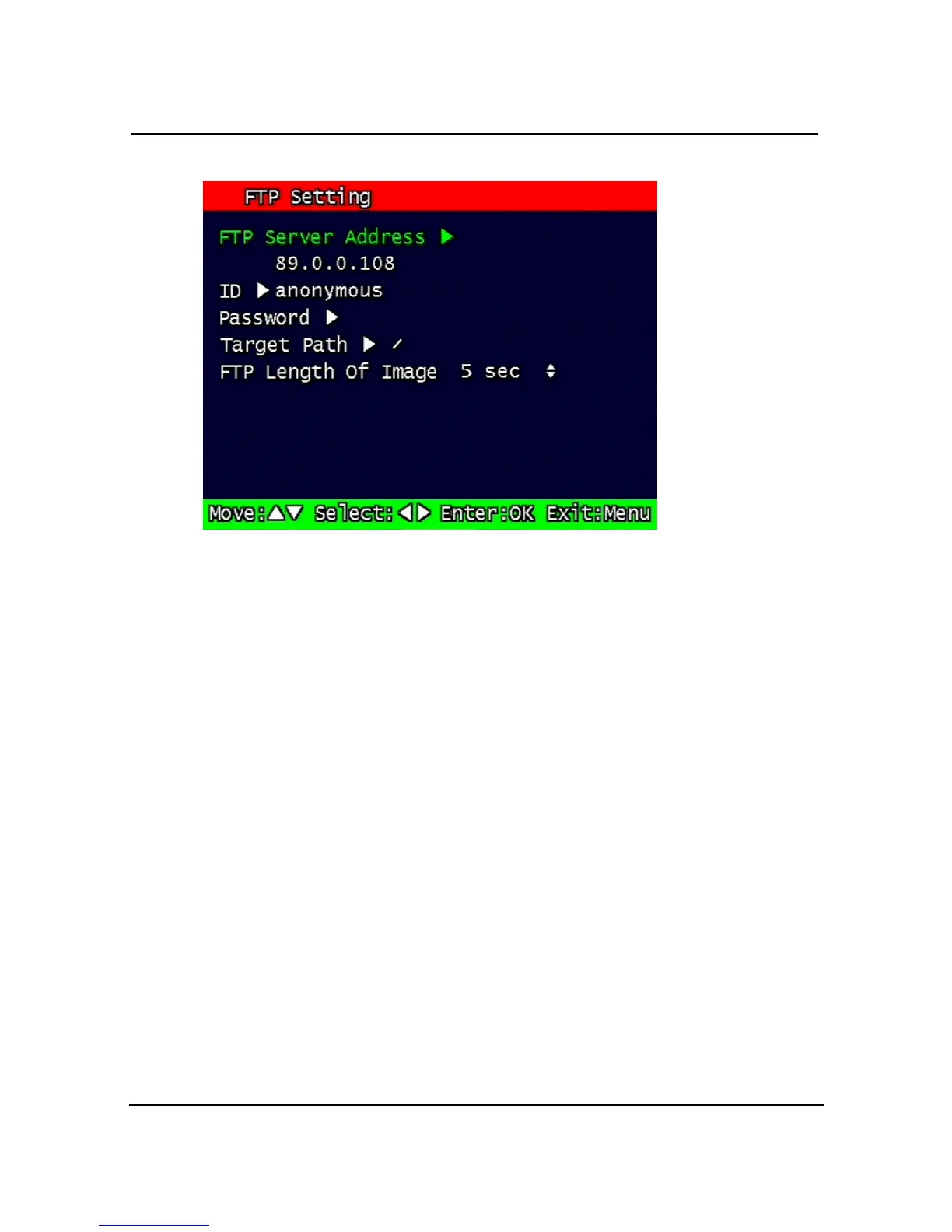
3.7.5. FTP Setting
Figure 3-15 FTP Setting
Enables the unit to transmit an assigned FTP Length of Motion picture to an FTP Server over
network when an event occurs. The event will be transmitted 15 seconds after the event
occurs.
3.7.5.1. FTP Server IP address
Configure the IP address of the FTP server. The number changes by moving left and right,
and then it moves to the next digit by pressing the OK button for setting up the next number.
Change the IP address of the FTP server to fast forward or backward by using
shuttle equipped in front panel.


 To Next Page