90
White: remaining par of HDD. Detailed HDD information will be activated on pushing this
icon.
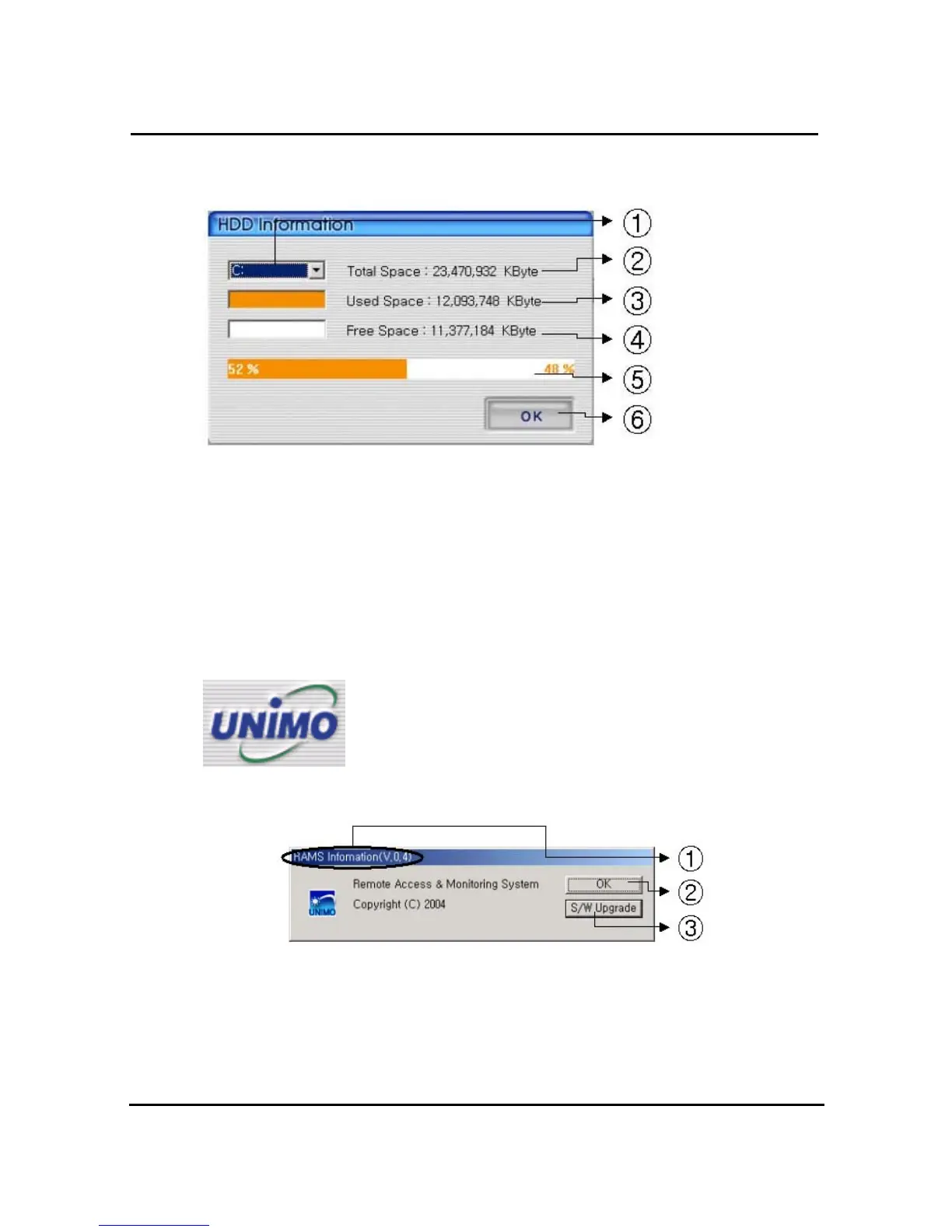
① Select hard disk
② It shows total capacity of HDD
③ It shows the used capacity of HDD used
④ It shows the capacity of HDD to be used
⑤ It shows the capacity of HDD used and to be used
⑥ Close the window
4.7.17. Check the program version
Click UNIMO Logo to check program version or do S/W upgrade of
DVR system.
① Display the name & version of program
② Close the RAMS information window
③ Display S/W update window of DVR system



 To Next Page