91
4.7.18. S/W upgrade of DVR
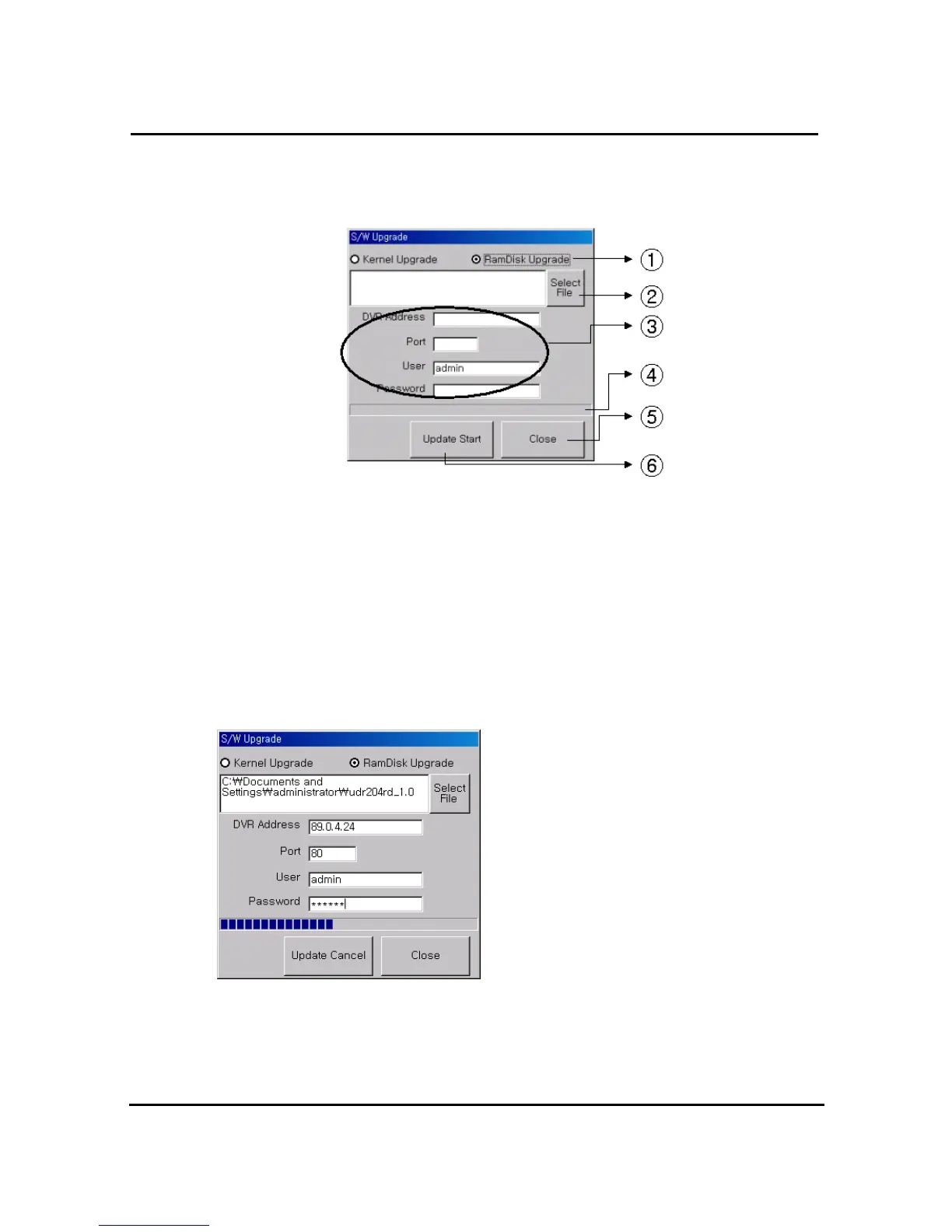
S/W upgrade window is activated on pushing S/W upgrade button in the program version
check screen
① : Select targeted files to upgrade
② : Select targeted files saved in local PC
③ : Enter targeted DVR information such as DVR address, Port, user, and password
(admin only)
④ : Indicator of targeted file’s transmission status
⑤ : Close upgrade window
⑥ : Transmit targeted files. After that, changed to upgraded cancel (cancel of upgrade
transmission)
=> Display status of SW Upgrade
4.7.19. Program minimizing
Rams program is minimized



 To Next Page