95
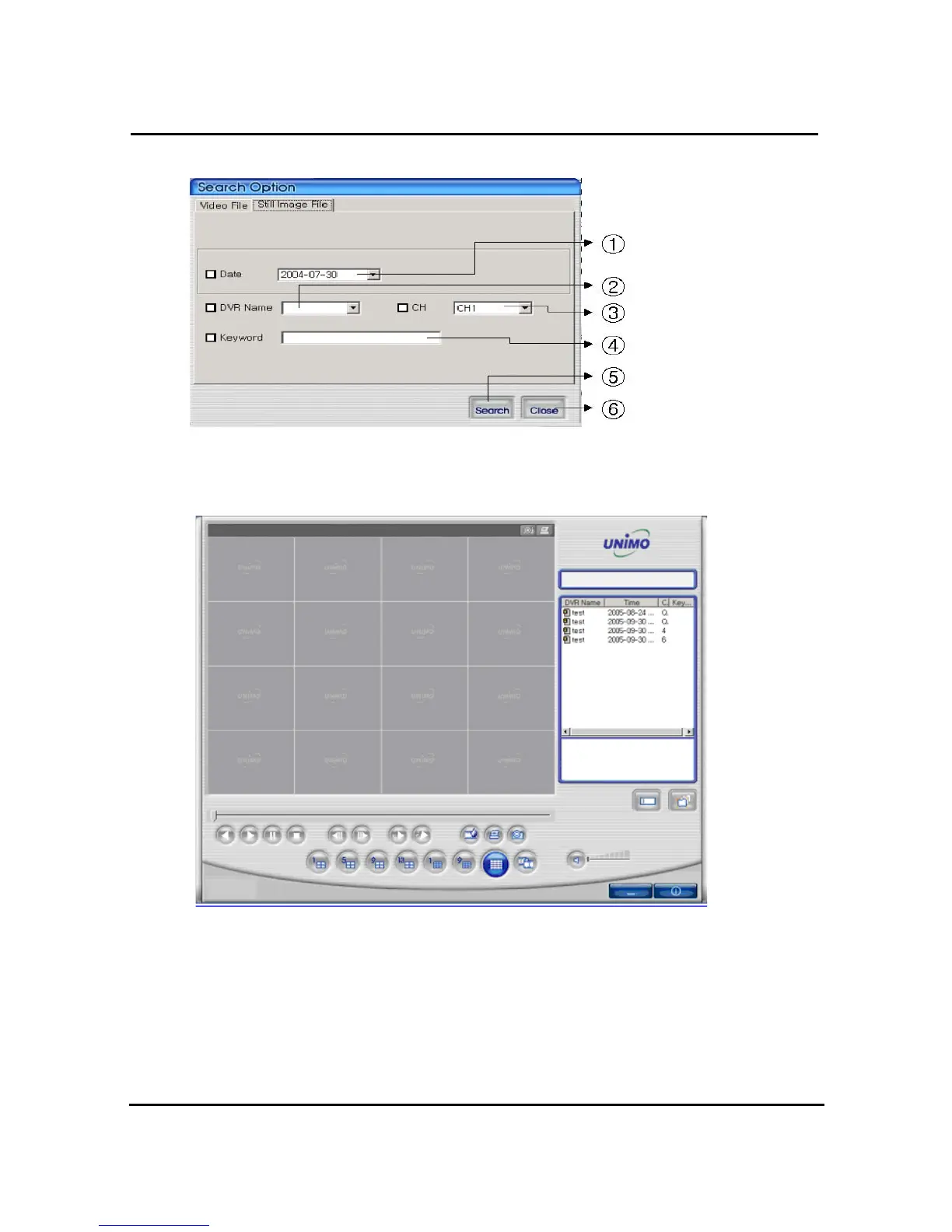
4.8.2.2. Search option for still image
① Enter targeted recording date for search ② Enter targeted DVR name for search
③ Enter targeted channel ④ Enter keyword to classification to list
⑤ Start to search accordingly ⑥ Close search option window
=> If there is nothing to special condition for searching, all still images saved in folder will be
displayed on search window after searched.



 To Next Page