Vigilant MX1-Au Operator Manual Document: LT0439
Page 23 October 2018 Issue 1.73
This chapter describes using the operator interface to investigate the
details of a fault condition, and to manage disables.
Refer to the page number listed in the following table for information on a
specific topic.
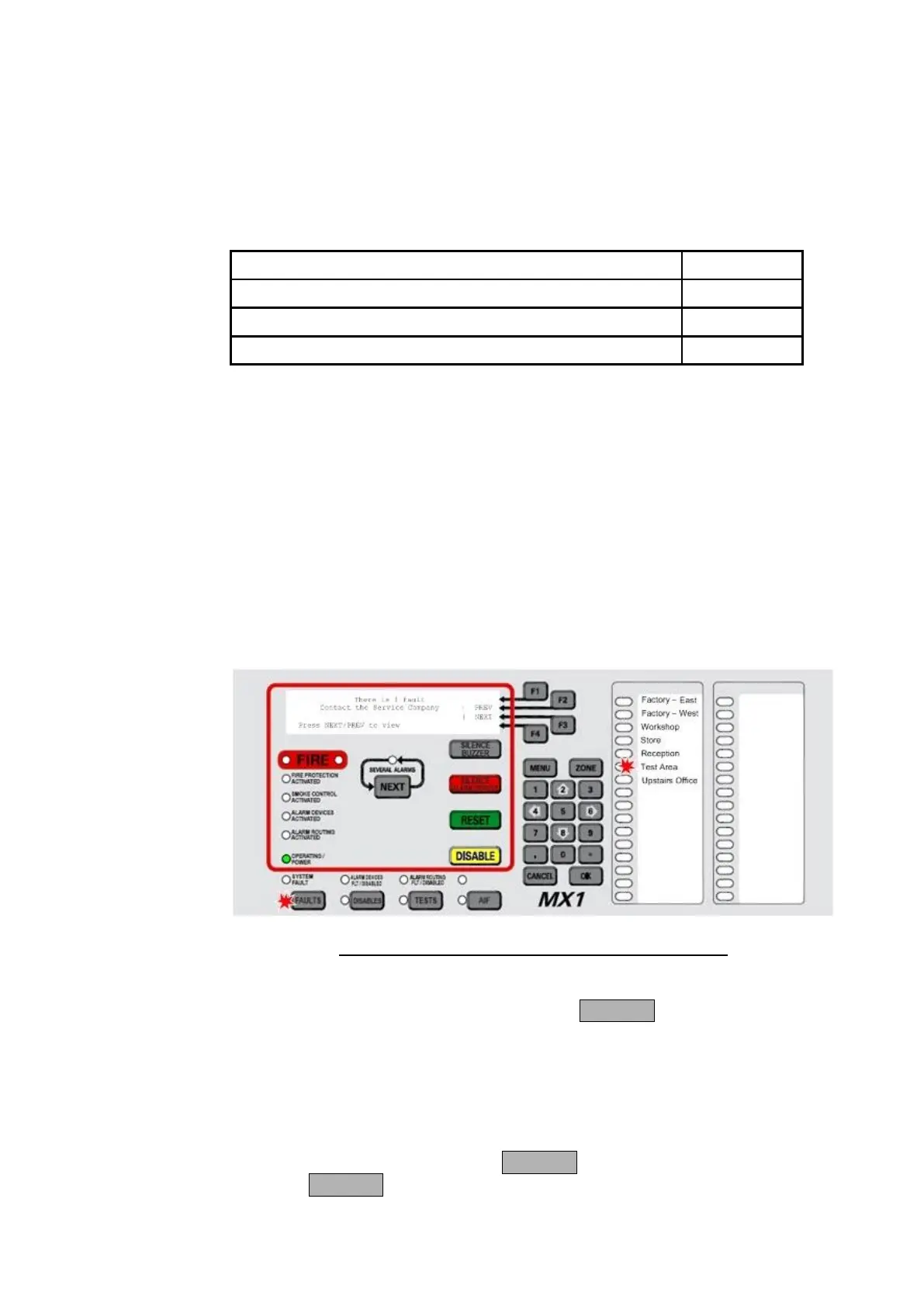
When a fault condition that has not been disabled is detected by the
MX1, the operator interface does the following:
The yellow FAULTS indicator lights.
If fitted, a yellow zone indicator will flash for a zone fault.
The buzzer sounds continuously (if configured).
The LCD displays the number of fault conditions present and may
show a fault action message, for example to call the service
company, as shown below:
Fig 3-1 – Operator Interface Showing Fault Condition
If a fault condition occurs on a disabled item then no indication is given,
but the fault(s) can be viewed by pressing FAULTS.
Faults should be assessed and repaired only by a trained and competent
operator. Otherwise, the service company should be called. Chapter 10
contains a fault finding guide.
If the Faults indicator is lit, press FAULTS to display the first item in fault.
Pressing FAULTS will work from most displays as well as the base
display.
How the
MX1
Indicates
the
Presence of
a Fault
Responding
to a Fault
Indication
Viewing the
Fault Details



 To Next Page