SCANNING WITH THE WIA INTERFACE 103
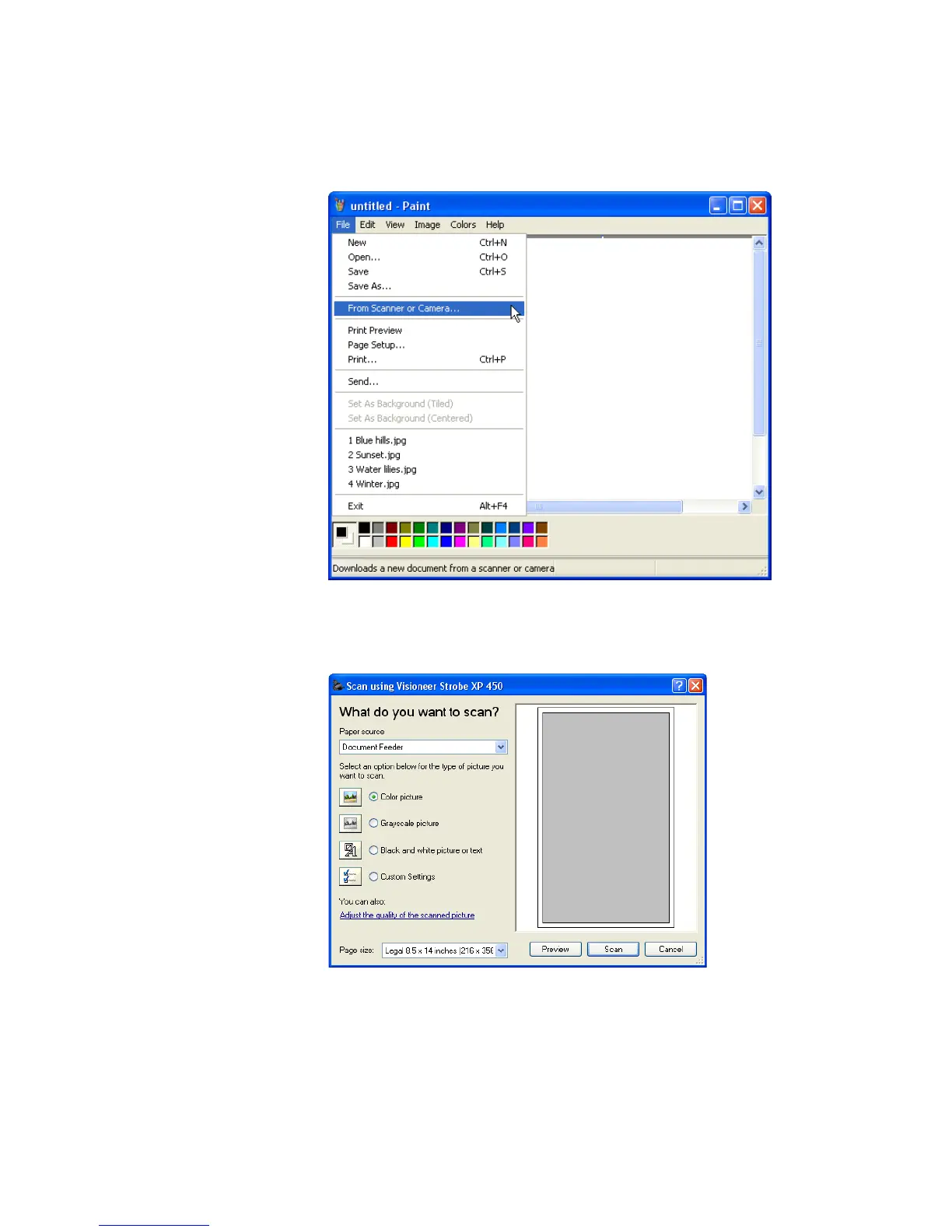
2. From the File menu choose From Scanner or Camera.
The scan window opens. Use this window to select scanning
options and start the scan process.
3. Click the button most appropriate for the item you’re scanning.
4. Select a paper size from the Page Size list.













 To Next Page