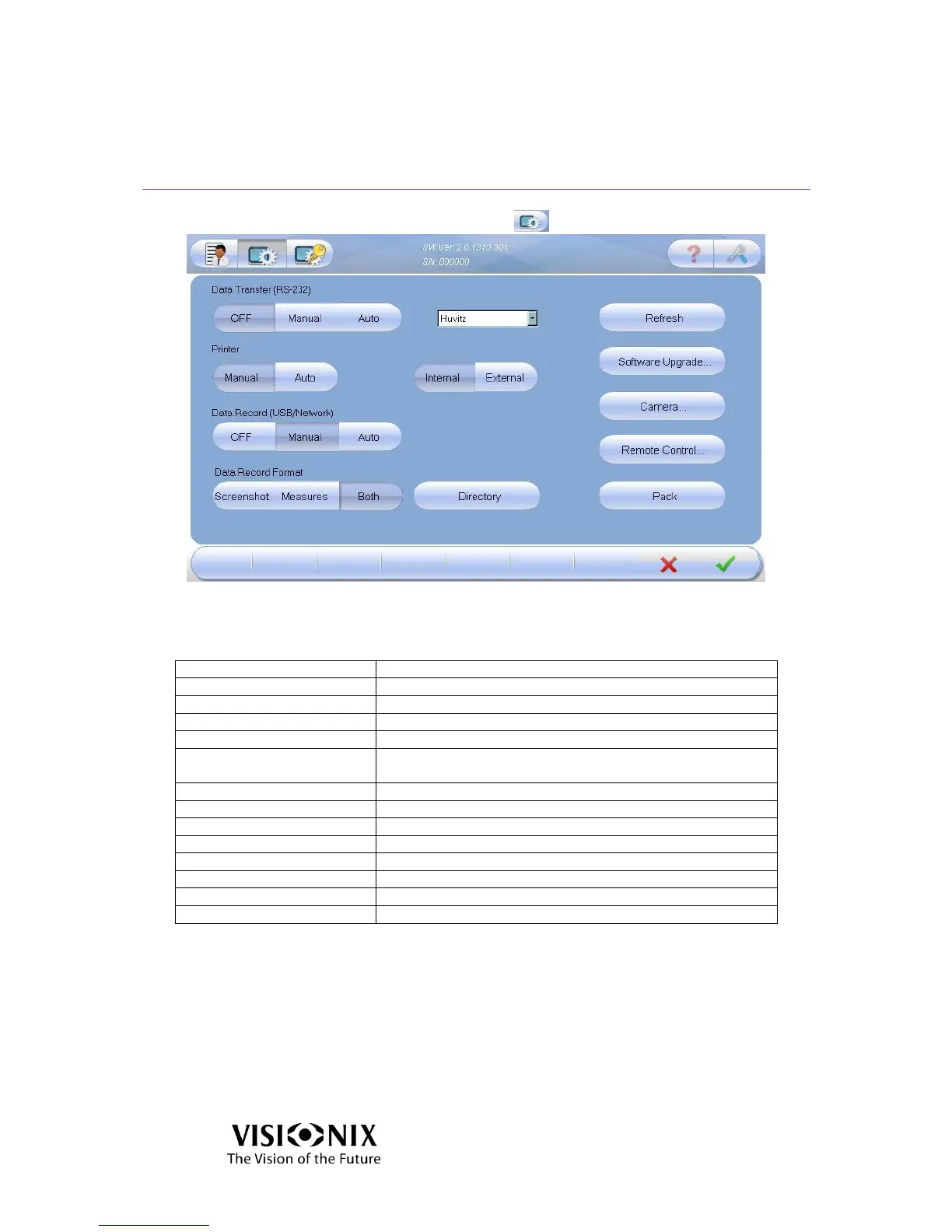
5.3 Advanced Settings
Click on the Advanced Settings button
5-2: Advanced Settings Screen
Table 5-2: Advanced Settings Screen Elements
The serial number of the product
Data Transfer (via RS-232)
Transfer the data to PC or phoropter etc.
Print automatically or manually
Printer – Internal/External
Print a screenshot of the Main screen from the VX40 or an
external printer
Data Record (USB/Network)
Export the data to a network or a USB
Export a screenshot, an image or both
Select the directory where you want to store the data
Initiate remote diagnostics and opens TeamViewer
Prepare the instrument prior to packing it



 To Next Page