EasyManua.ls Logo

Visionix VX40 - How to Measure a Frame?

Visionix VX40
53 pages
Print Icon
To Next Page IconTo Next Page
To Previous Page IconTo Previous Page
Loading...
How to?
VX40 User Guide
30 / 53
6.1 How do I measure a frame?
Go to frame interface
If the frame interface is not displayed:
Click on (frame interface button).
The frame holder moves to the center of the device.
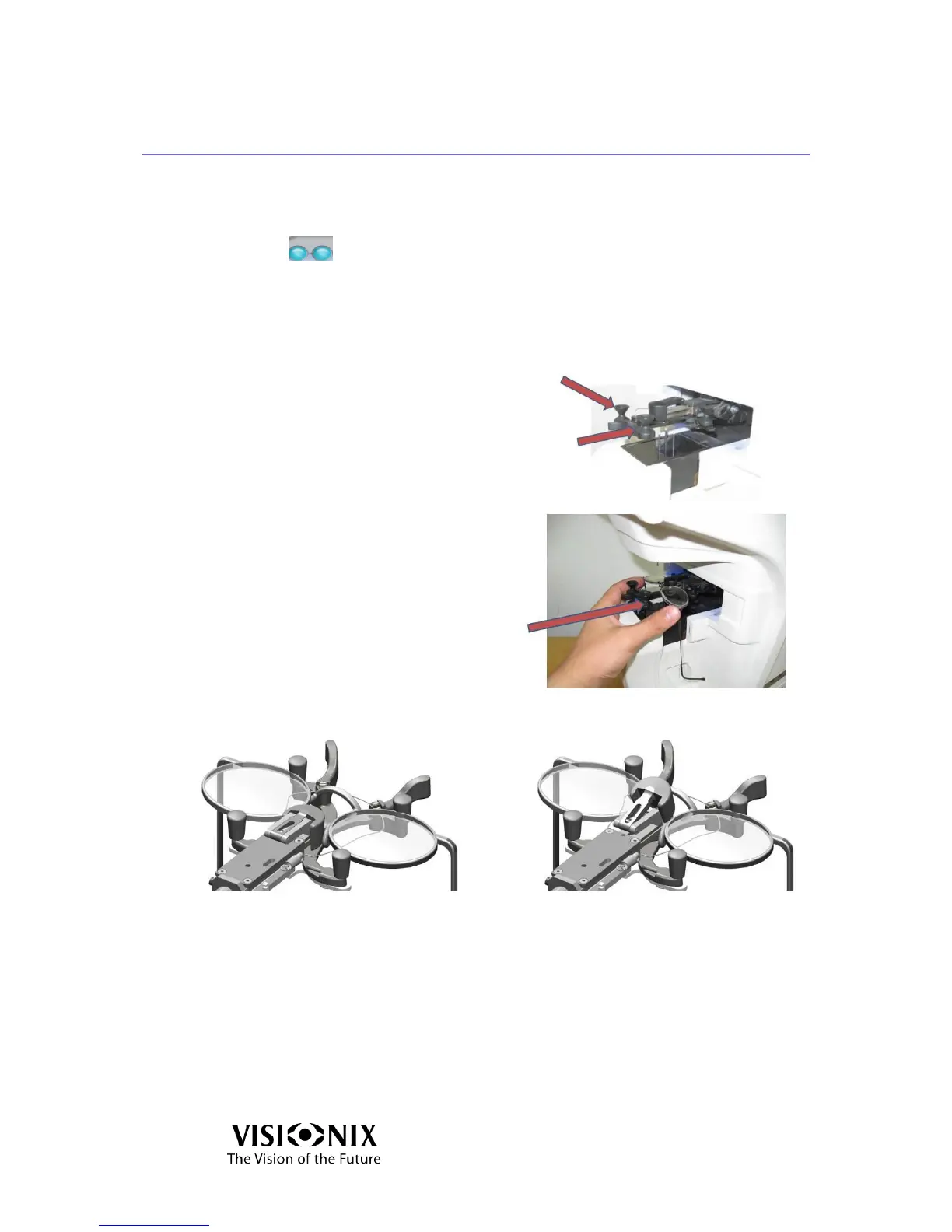
Place the frame
Position your fingers on either side
of the Frame Holder.
Push the sides of the Frame Holder
in the direction of the arrows until
you hear a “click”.
Place the frame in the holder by
pushing the knob in the direction of
the arrow.
Verify that the bridge of the frame is not higher than the level of the nose pad of
the Frame Holder.
Good
No good
Figure 6-1: Placing the Frame Holder

Table of Contents

Other manuals for Visionix VX40

Related product manuals