Note:
Depending on the setup configuration, you may be required to click the Data Export
button before selecting the Data Transfer button.
After the “handshake” between the two devices occurs and data transfer begins, a
beep will be emitted.
6.10 How do I export data?
Connection
If you are using a USB, connect it to the back of the VX40. See figure 3-2.
Settings
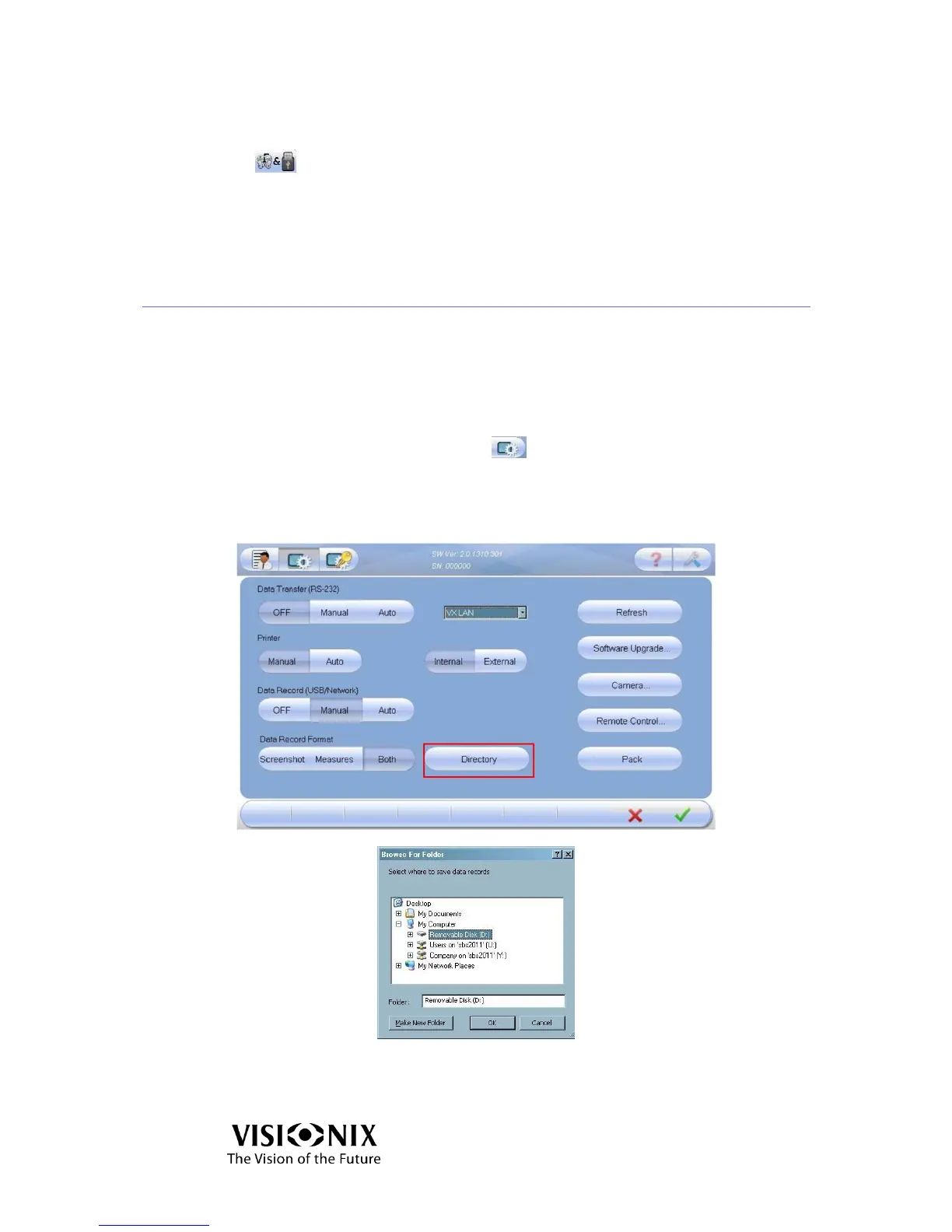
Click the Advanced Settings button .
Select a Data Record option (manual or auto).
Select the Data Record type (screenshot, images or both).
Click the Directory button to select where you want to store the data.
Figure 6-5: Browse For Folder Screen



 To Next Page