Instrument panels
Display unit 35
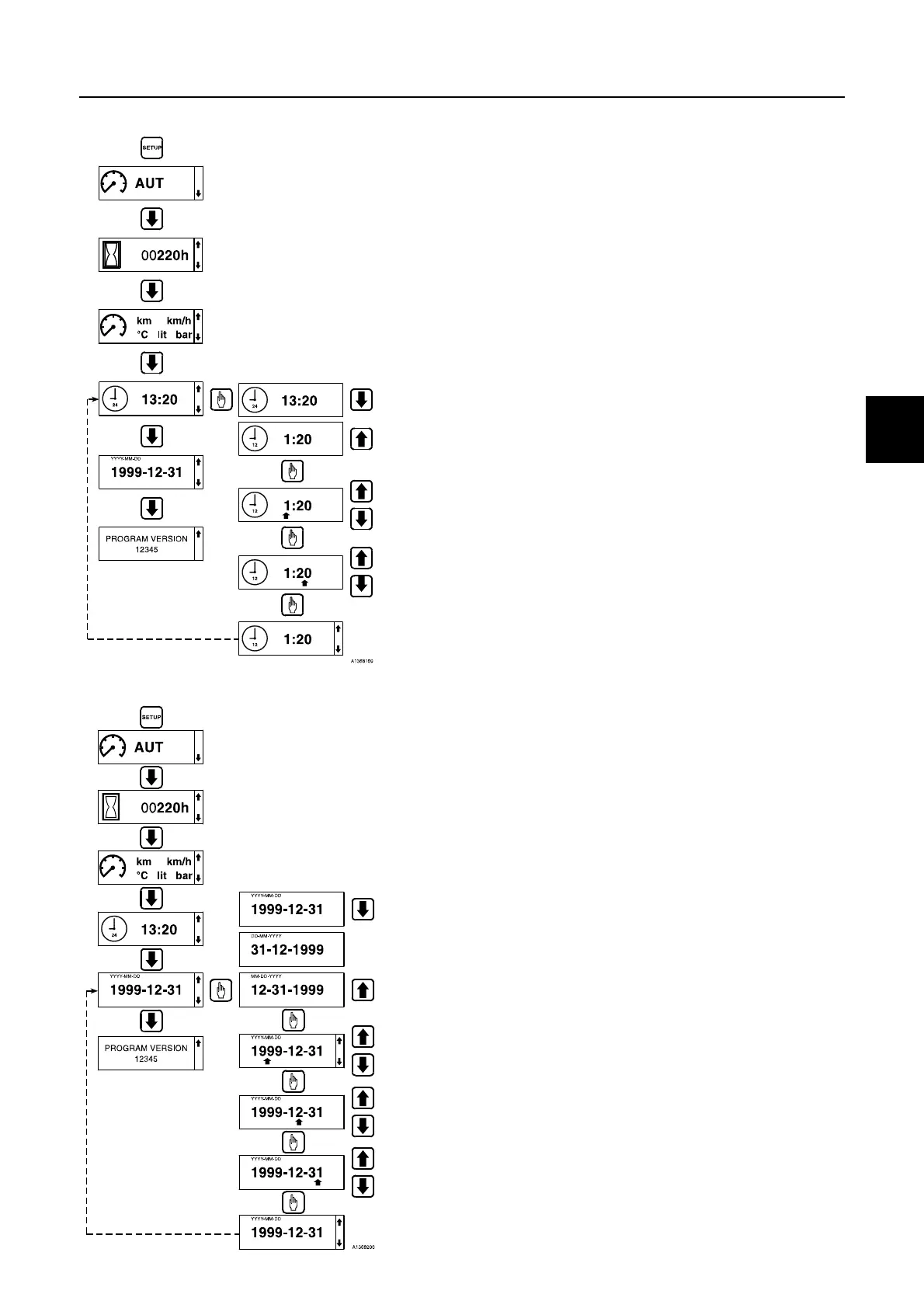
Setting time
1 Press the SETUP key.
2 Press the arrow down key to the time screen.
3 Press the select/acknowledge key.
4 Browse with the arrow keys to the required setting. (The setting
procedure may at any time be interrupted with the ESC key.)
24-hour display (13:20)
12-hour display (1:20)
5 Acknowledge with the select/acknowledge key.
6 Cursor is placed by hour. Set the hour(s) with the arrow keys.
7 Acknowledge with the select/acknowledge key.
8 Cursor is placed by minute. Set the minute(s) with the arrow
keys.
9 Acknowledge with the select/acknowledge key.
Setting date
1 Press the SETUP key.
2 Press the arrow down key to the date screen.
3 Press the select/acknowledge key.
4 Browse with the arrow keys to the required setting. (The setting
procedure may at any time be interrupted with the ESC key.)
Year-Month-Day
Day-Month-Year
Month-Day-Year
5 Acknowledge with the select/acknowledge key.
6 Cursor is placed by Year. Set the year with the arrow keys.
7 Acknowledge with the select/acknowledge key.
8 Cursor is placed by Month. Set the month with the arrow keys.
9 Acknowledge with the select/acknowledge key.
10 Cursor is placed by Day. Set the day with the arrow keys.
11 Acknowledge with the select/acknowledge key.



 To Next Page