Operation
6.8 Operating Status Indicator Codes
38
Operator’s Manual | RTLx-SC3 | 5100061327 | 09/2022 | [en-US]
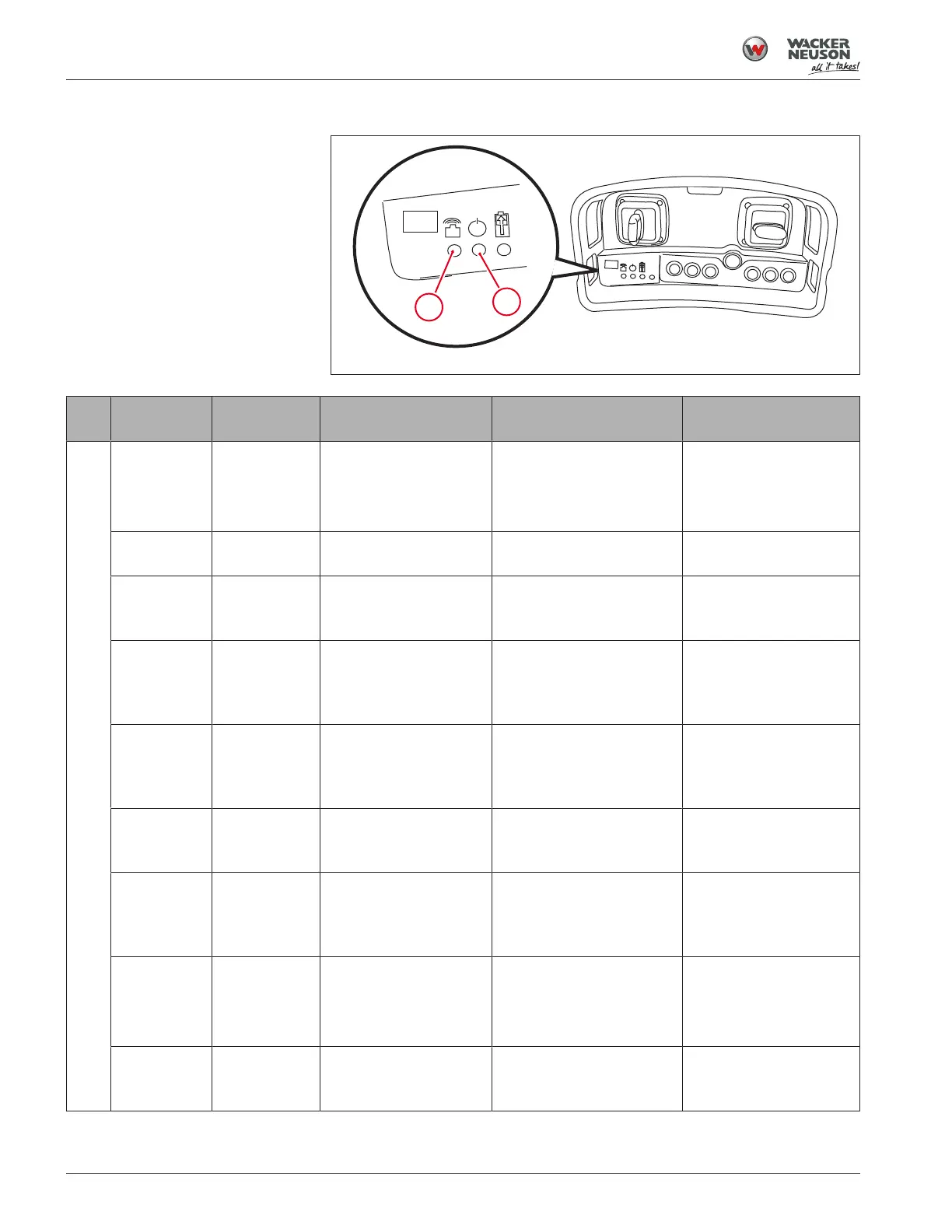
6.8 Operating Status Indicator Codes
Fig.11: Operating status indicator codes
Ref
Color and
appearance Status Transmitter function Cause Remedy
1 None Off Off No power: transmitter is
OFF.
No power: battery is dis-
charged.
Turn transmitter ON.
Check battery.
Green (blink-
ing slowly)
On (normal) Normal operation — —
Green
(steady)
Setup mode Awaiting joystick cali-
bration.
For further information,
see Calibrating the Joy-
sticks [}60].
For further information,
see Calibrating the Joy-
sticks [}60].
Green (blink-
ing rapidly)
Calibration
mode
Transmitter is in calibra-
tion mode, and the cali-
bration procedure can
be performed.
For further information,
see Calibrating the Joy-
sticks [}60].
For further information,
see Calibrating the Joy-
sticks [}60].
Red to green
to yellow (cy-
cling)
Most recent
joystick cali-
bration had an
error.
Machine operation may
still be possible de-
pending on amount of
usable data available.
Joystick(s) incorrectly cali-
brated. Middle position of
joystick(s) is not being de-
tected.
Recalibrate joysticks.
Red and
green (alter-
nating)
Undervoltage
fault
Weak signal communi-
cation.
Battery charge is low. Recharge or replace bat-
tery.
Red (flashing
every sec-
ond)
Undervoltage
fault
Transmission has
stopped. Transmitter
unable to control the
machine.
Discharged battery. Recharge or replace bat-
tery.
Red (blinking
rapidly)
Joystick cali-
bration is re-
quired
Transmitter unable to
control the machine.
Joysticks not calibrated Calibrate joysticks.
If calibration does not
solve the problem, con-
tact Product Support.
Red (steady) Near-field or
circuit board
error
No transmission: trans-
mitter unable to control
the machine.
Hardware fault. Contact Product Sup-
port.



 To Next Page