2787-2146 (/0000-00x0)Connection
34 Product manual | Version: 1.2.2
Power Supply Pro 2
Note
Only connect one conductor to each CAGE CLAMP
®
connection!
Only one conductor may be connected to each CAGE CLAMP
®
connection. Do not con-
nect more than one conductor on one single connection.
If more than one conductor must be routed to one connection, these must be connected
in an up-circuit wiring assembly, for example, using WAGO Through Terminal Blocks.
To connect the conductors, use an operating tool (see section Accessories) or an appro-
priate screwdriver.
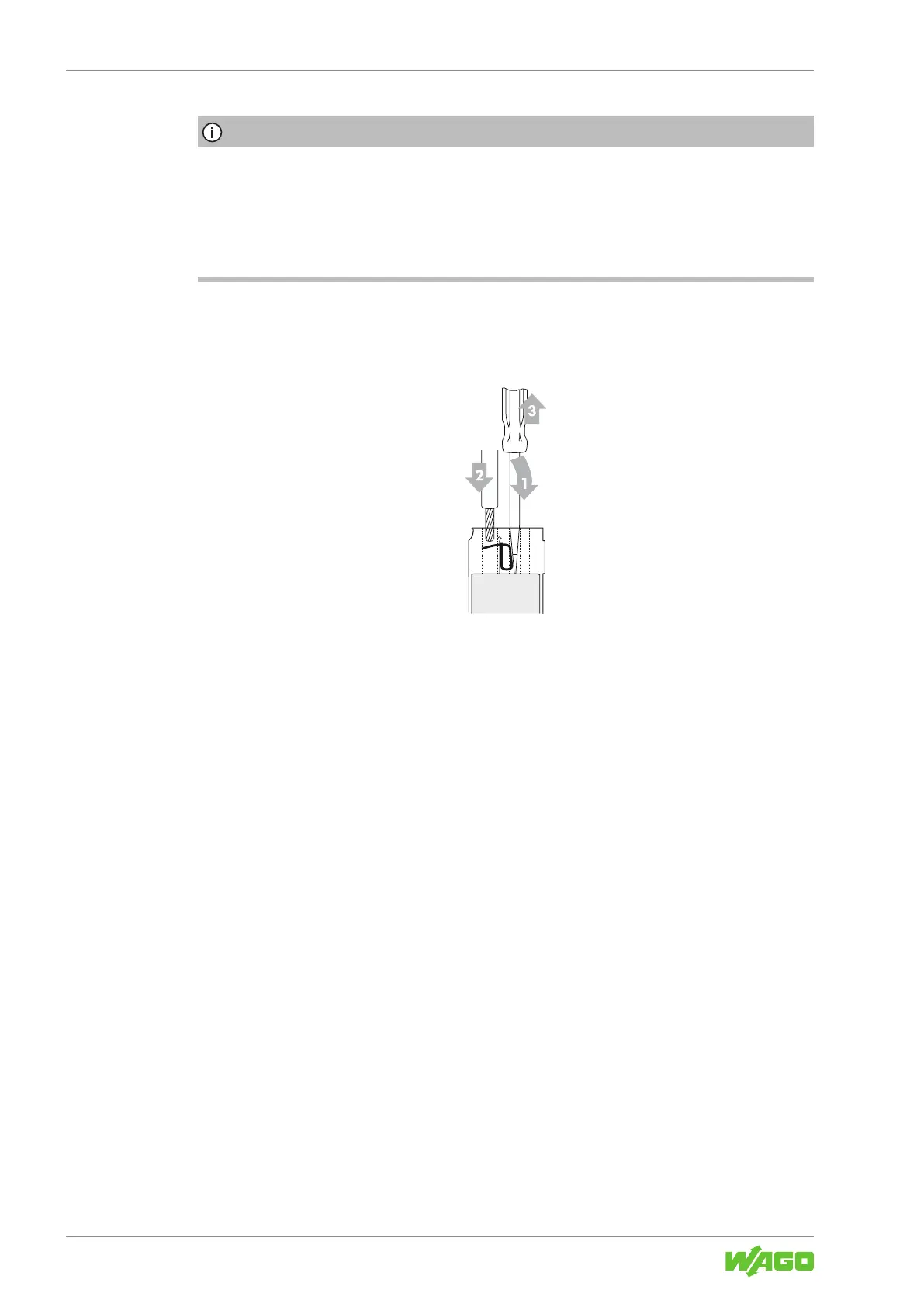
Perform the following steps to make the connection:
Figure17: Connect Conductor to CAGE CLAMP®
1. To open the CAGE CLAMP
®
, insert the operating tool into the opening above the
connection.
ð Once you hear a click, the CAGE CLAMP
®
is open.
2. Insert the conductor into the corresponding connection opening.
3. Remove the operating tool to close the CAGE CLAMP
®
.
ð The conductor is now securely clamped.



 To Next Page