2787-2146 (/0000-00x0) Notes on Operation
Product manual | Version: 1.2.2 67
Power Supply Pro 2
• Digital input
t
IECB
tECB
t0
t1
<100ms
I
OUT
/ I
N
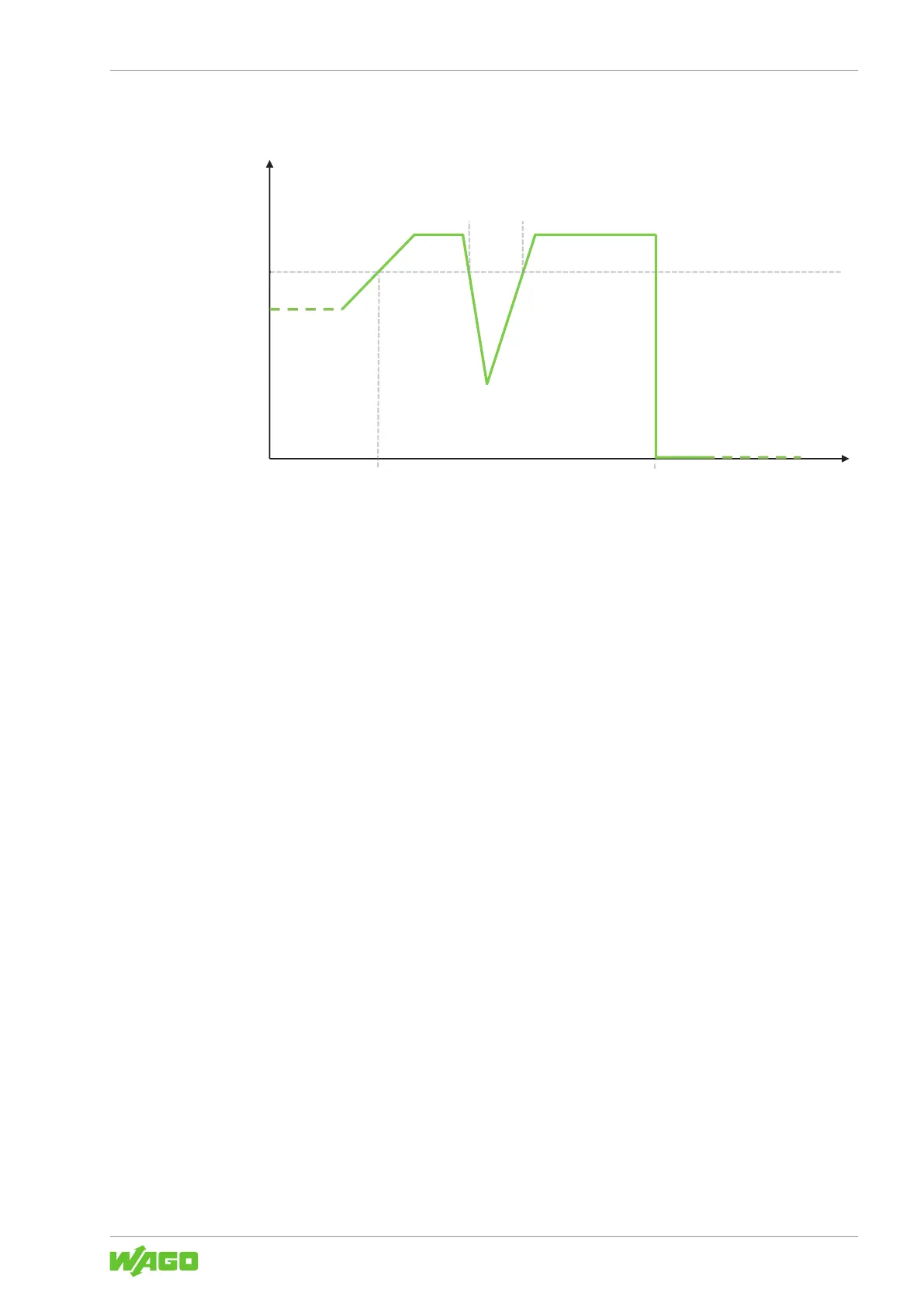
Figure42: “Electronic Circuit Breaker” Mode
11.6.5 “Latching Shutdown on Thermal Overload” Mode
In this mode, the output voltage is switched off in the event of excessive internal device
temperature. A corresponding “High Device Temperature” warning can, for example, be
transmitted via the WAGO Interface Configuration software or passed to a higher-level
controller via a connected 8communication module [}72]. To switch the output back
on, manual intervention is necessary. The following options are available for this:
• Communication interface
• Buttons
• Digital input
11.6.6 “Power Boost” Mode
This mode can be used in combination with the following modes:
• 8“Constant Current” Mode [}65]
• 8“Constant Current with Latching Shutdown” Mode [}65]
• 8“Electronic Circuit Breaker” Mode [}66]
In this mode, output current equal to 150% of the nominal output current is permitted for
5 seconds. The output is then switched off. To switch the output back on, manual inter-
vention is necessary. The following options are available for this:
• Communication interface
• Buttons
• Digital input
In combination with the 8“Constant Current” Mode [}65], the “Power Boost” Mode is
activated again after each pause.



 To Next Page