2787-2146 (/0000-00x0)Configuration
42 Product manual | Version: 1.2.2
Power Supply Pro 2
Pos. Section Description
5 Footer The footer indicates the status and interface of the active connec-
tion.
10.3.1 Menu Bar
The menu bar is divided into the “Backstage” and “Device” tabs (see also section
8Starting the Software [}38]).
10.3.1.1 “Backstage” Tab
The settings options on the “Backstage” tab are described in section 8Starting the
Software [}38].
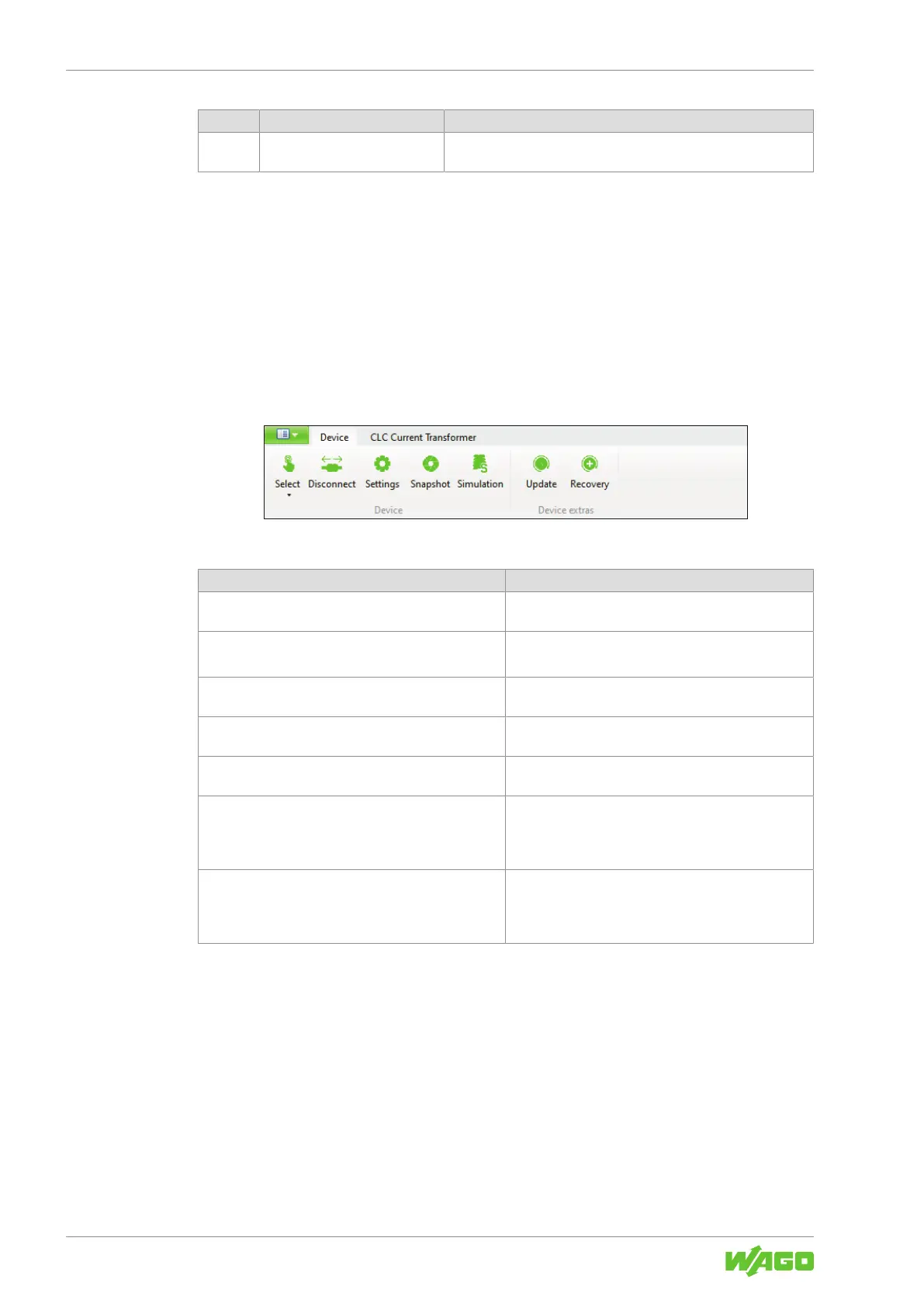
10.3.1.2 “Device” Tab
Figure24: “Device” Tab
Table53: “Device” Tab
Menu Item Description
Select Open the product selection to select a new product
(see also section 8Starting the Software [}38]).
Disconnect
Connect
Connects/disconnects the connected product to/from
the software
Settings Opens the “Settings” dialog. The dialog is described in
section 8Dialog: Settings [}42].
Snapshot Creates a snapshot of all parameters and measured
values, which can be stored as a CSV file.
Simulation Opens the “Simulation” dialog. The dialog is described
in section 8Dialog: Simulation [}52].
Update Performs a firmware update on the product.
You can get the current firmware update and corre-
sponding compatibility information from WAGO Tech-
nical Support.
Recovery Restores any firmware version.
This may be necessary if a current firmware update
has failed and a connection to the connected product
cannot be established.
10.3.1.2.1 Dialog: Settings
In this dialog, you can modify settings for the product. Two options are available:
• Online: With this option, the [Save to device] button writes the settings directly to the
product.
• Offline: With this option, the settings must be saved externally using the [Export] but-
ton. If a product is connected to the software later on, you can import these settings
into the software with the [Import] button and then write them directly to the product
with the [Save to device] button.
The settings can be made in the following sections:



 To Next Page