2787-2146 (/0000-00x0) Configuration
Product manual | Version: 1.2.2 41
Power Supply Pro 2
10.3 Overview
Once the connection has been successfully established between the product and the
software, additional sections appear in the software window.
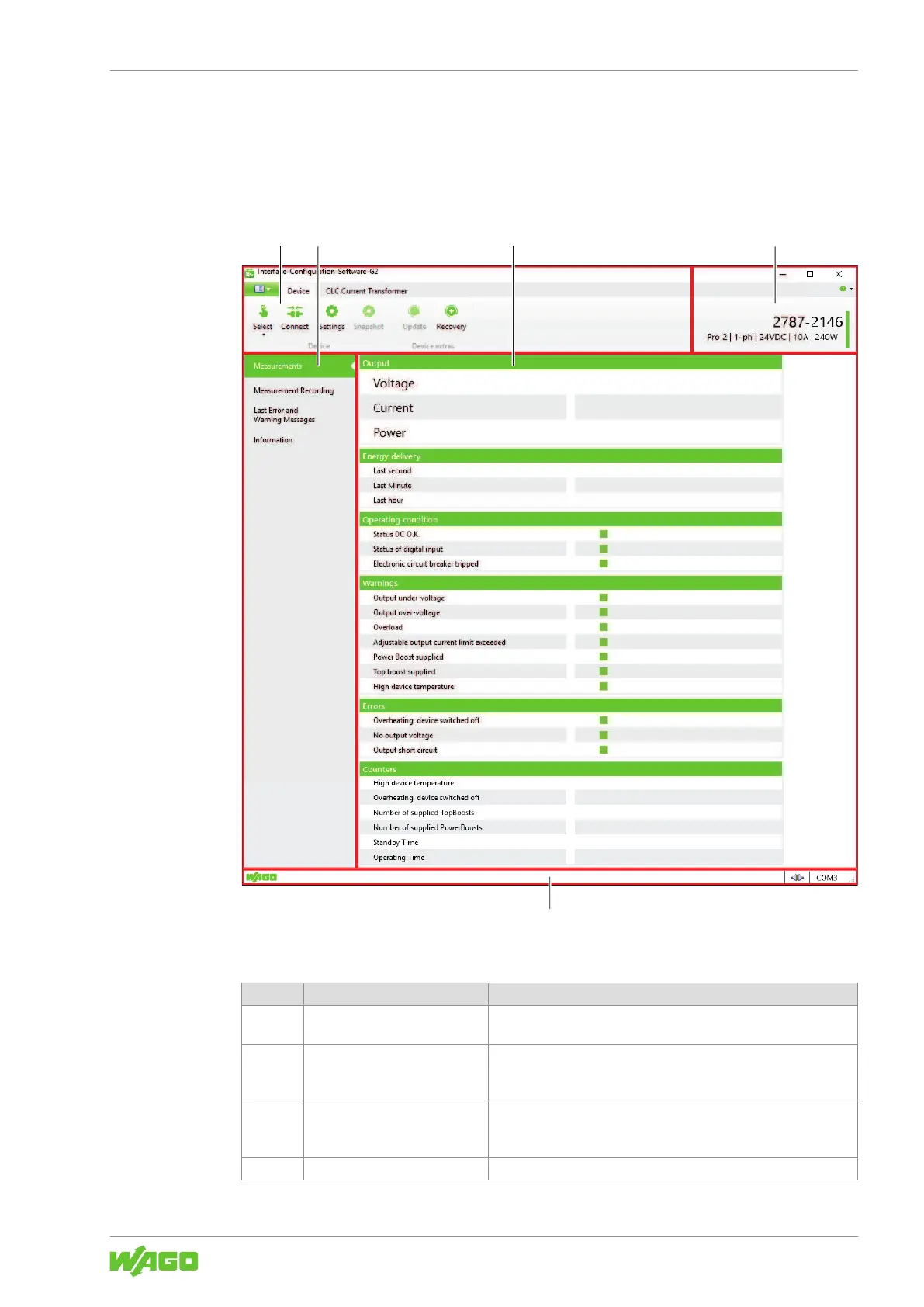
The following figure provides an overview of all the sections:
Figure23: “Graphical User Interface” Overview
Table52: Legend for the “Graphical User Interface” Overview
Pos. Section Description
1 Menu Bar The menu bar contains general software settings options. You
can find more information in section Menu Bar.
2 Main Menu The main menu contains individual tabs that contain different dis-
play sections. You can find more information in section Main
Menu.
3 Display Section The Display section shows parameter settings and recorded time
series in graphical form. You can find more information in section
Display Section.
4 Product Information This section contains information on the connected product.



 To Next Page