2787-2146 (/0000-00x0)Configuration
40 Product manual | Version: 1.2.2
Power Supply Pro 2
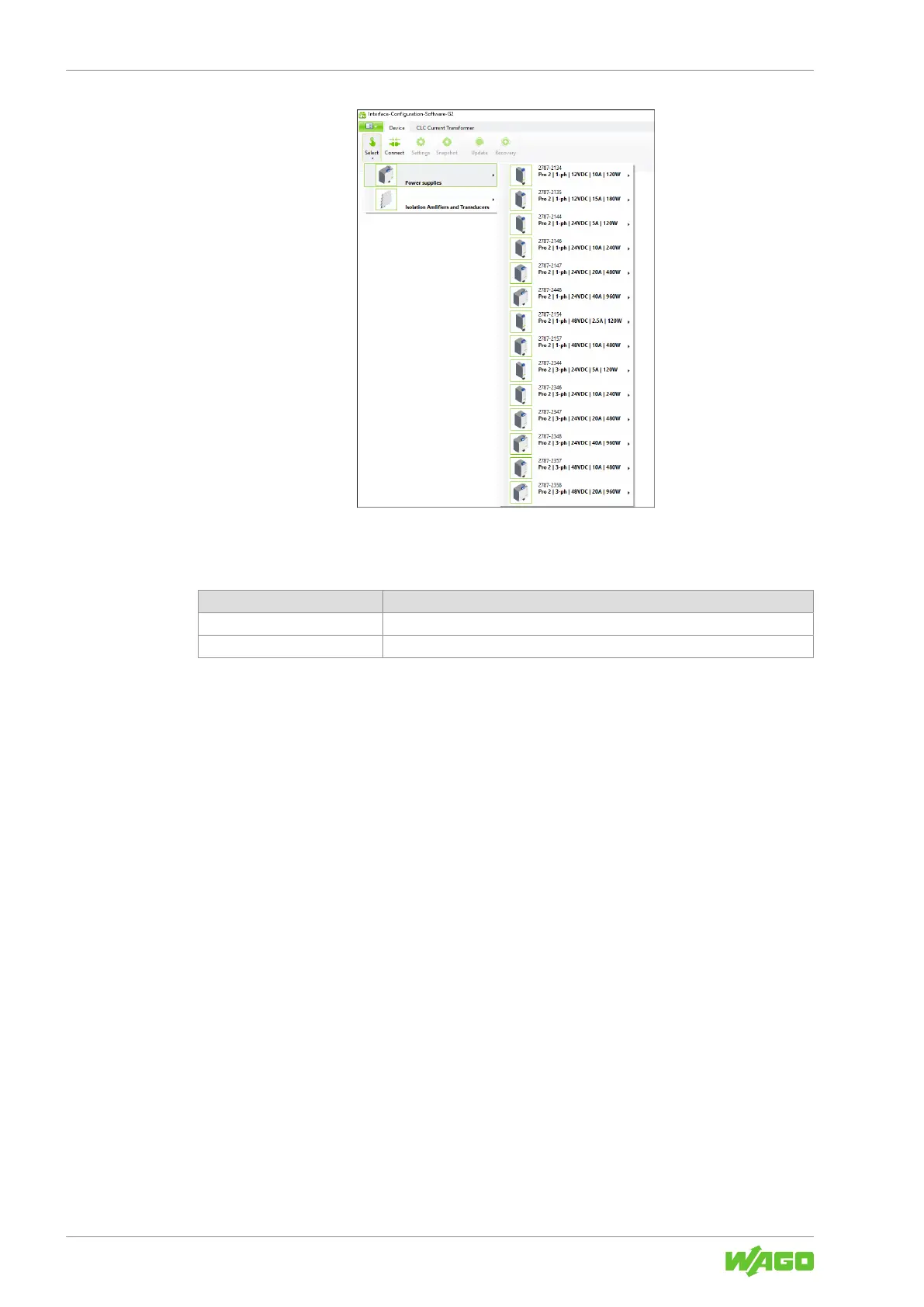
Figure22: “Device” Tab – “Selection” Menu Item
Only two menu items are initially available on this tab:
Table51: “Device” Tab
Menu Item Description
Select Selects the product to connect to the software.
Connect Connects the selected product to the software.
The other menu items are not available until you have established the connection be-
tween your product and the software (see section 8Menu Bar [}42]). The Settings
menu item is an exception; this menu item is available as soon as a product has been
manually selected or automatically detected by the software (see the following steps).
The settings you have to make on this tab depend on whether you are configuring your
product offline or online:
Offline Configuration
For offline configuration, make the following settings:
1. Select the Select menu item.
2. Select the product you use.
ð Your product has been set up in the software.
You can now use the software to configure your product offline (see section Dialog: Set-
tings).
Online Configuration
If your product is already connected to the computer online, you can immediately select
the Connect menu item. The software automatically detects which product is connected.
Your product is connected to the software. You can now use the software to address,
configure and evaluate your product.



 To Next Page