2787-2146 (/0000-00x0)Configuration
52 Product manual | Version: 1.2.2
Power Supply Pro 2
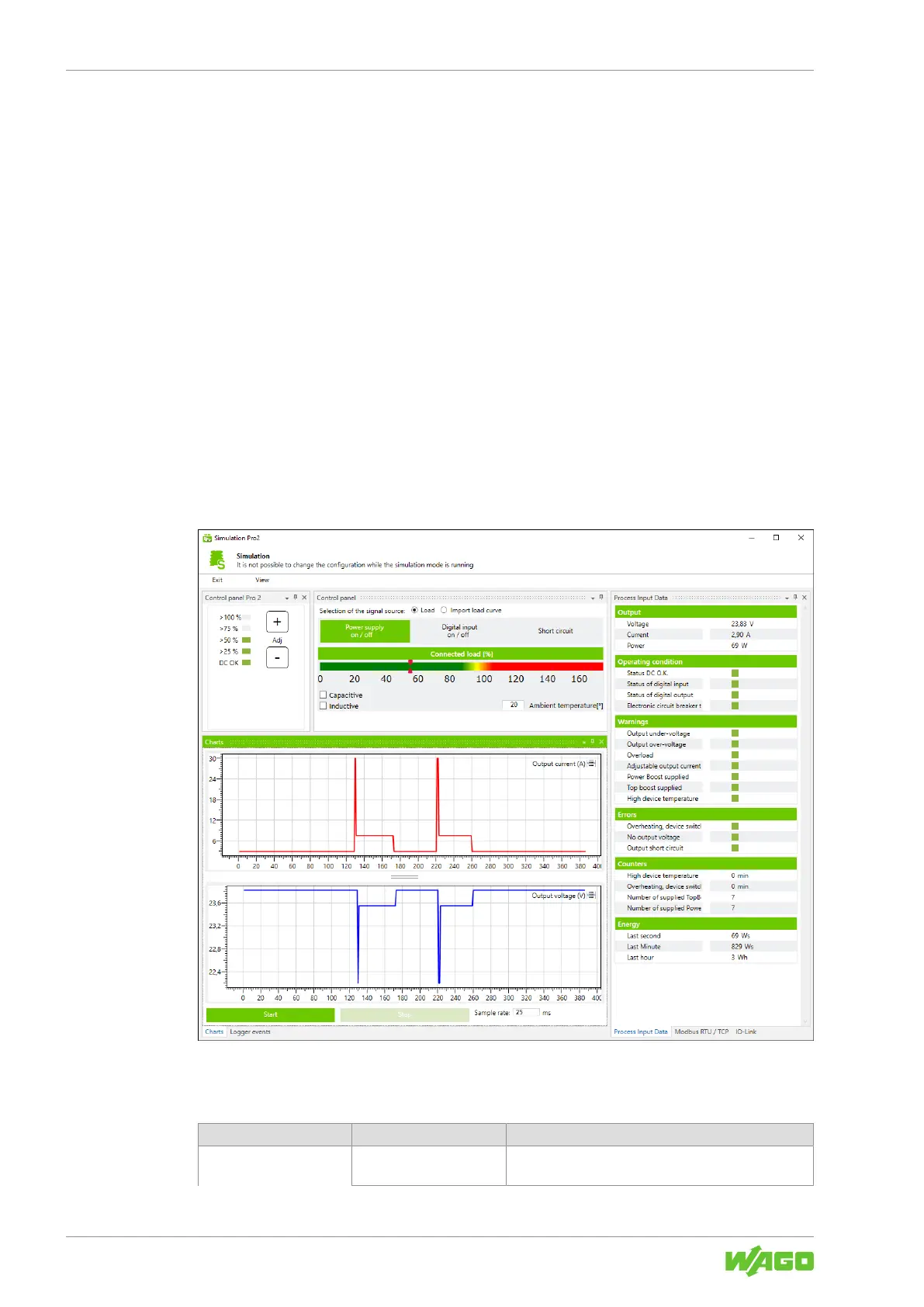
10.3.1.2.2 Dialog: Simulation
In this dialog, you an adjust the individual setting options of a WAGO Power Supply Pro 2
on the software side. No physical WAGO Power Supply Pro 2 is required. The individual
setting options are used exclusively for simulation and test purposes and are not trans-
ferred to any connected WAGO Power Supply Pro 2.
The simulation has the following advantages:
• Get to know the full range of functions:
All existing operating states can be simulated.
• Visual display of operating states, warnings and errors:
All operating states, warnings and errors can be displayed visually.
• Identify the optimal setting options:
Optimal setting options for a specific load behavior can be identified.
• View the register of communication models:
The specific registers and corresponding content of all existing Communication Mod-
ules can be viewed.
The dialog is made up of individual areas (“operation panels”) that differ depending on
their function. The operation panels themselves have a function-specific structure and
can be arranged as desired, highlighted in detail and shown or hidden.
Figure31: Dialog: Simulation
The dialog is explained below.
Table60: Dialog: Simulation:
Area Settings Option Description
General
Setting Options
[Exit] Closes the dialog.



 To Next Page