2787-2146 (/0000-00x0)Configuration
54 Product manual | Version: 1.2.2
Power Supply Pro 2
Area Settings Option Description
[Short circuit] Generates a short circuit.
Capacitive If the checkbox is selected, the load has a capacitive
component.
Inductive If the checkbox is selected, the load has an inductive
component.
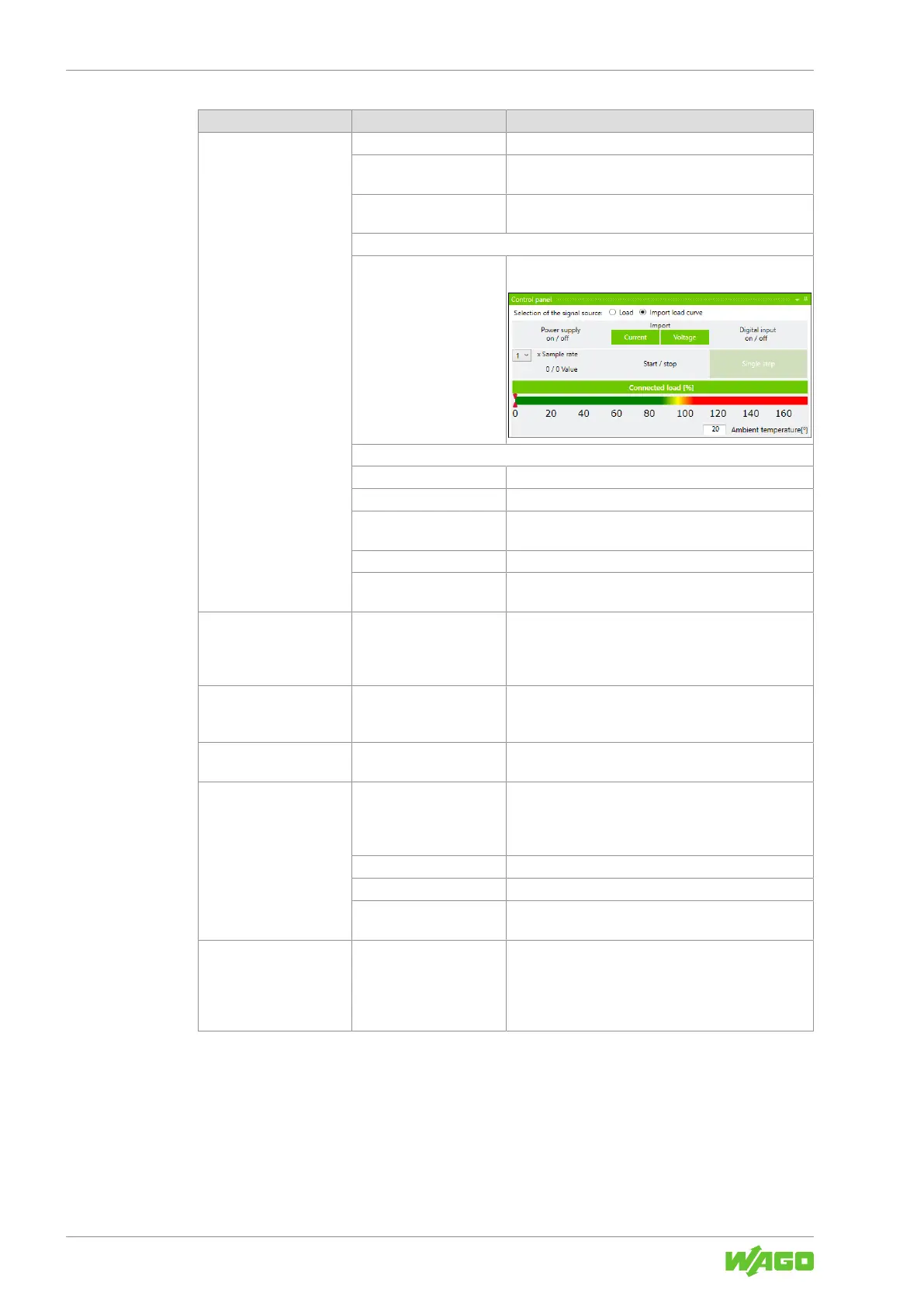
“Import Load Curve” View
Selection of the signal
source: Import load
curve
If the checkbox is selected, you can import the load as
an external load profile in csv. format.
The following specific settings options are available:
[Current] You can import an existing load profile (current).
[Voltage] You can import an existing load profile (voltage).
Sample rate You can select the frequency with which the imported
load profile should be scanned.
[Start/Stop] Starts and stops the imported load profile.
[Single step] Samples the imported load profile in single steps. Indi-
vidual points can thus be examined more closely.
“Process Input Data”
Operation Panel
– Shows operating states, warnings and errors.
General information on operating states, warnings and
errors is explained in the Section 8Display Section:
Measurements [}56].
“Modbus RTU/TCP”
Operation Panel
– Shows events and measured values from a plugged-in
Modbus RTU Communication Module or a Modbus
TCP Communication Module.
“IO-Link”
Operation Panel
– Shows events and measured values from a plugged-in
IO-Link Communication Module.
“Charts”
Operation Panel
Displays profiles of output voltage and output current.
General information on the profiles of measured values
is explained in the Section 8Display Section: Mea-
surement Recording [}58].
[Start] Starts recording.
[Stop] Stops recording.
Sample rate You can enter the recording cycle for the measured
values (unit: ms)
“Logger events”
Operation Panel
– Displays the last accumulated error and warning mes-
sages.
General information on accumulated error and warning
messages is explained in the Section 8Display Sec-
tion: Last Error and Warning Messages [}60].



 To Next Page