EasyManua.ls Logo

Wang 200 Series - Microcontrol Board Battery

Default Icon
122 pages
Print Icon
To Next Page IconTo Next Page
To Previous Page IconTo Previous Page
Loading...
4 . 6
Parts
Replacement
MICRDCDNTRDL
4.6.2
MicroControl
Board
Battery
To
Remove
CAUTION
Prior
to
performing
any
parts
replacement, the system
administrator should
be
present.
When the board is removed from
the card
cage
and
the
battery
is
replaced, the
on
board
configuration file retention is
disabled; requiring the
configuration file
to
be
reloaded.
II
Remove MicroControl board
from system.
(•4.
6. 1 )
II
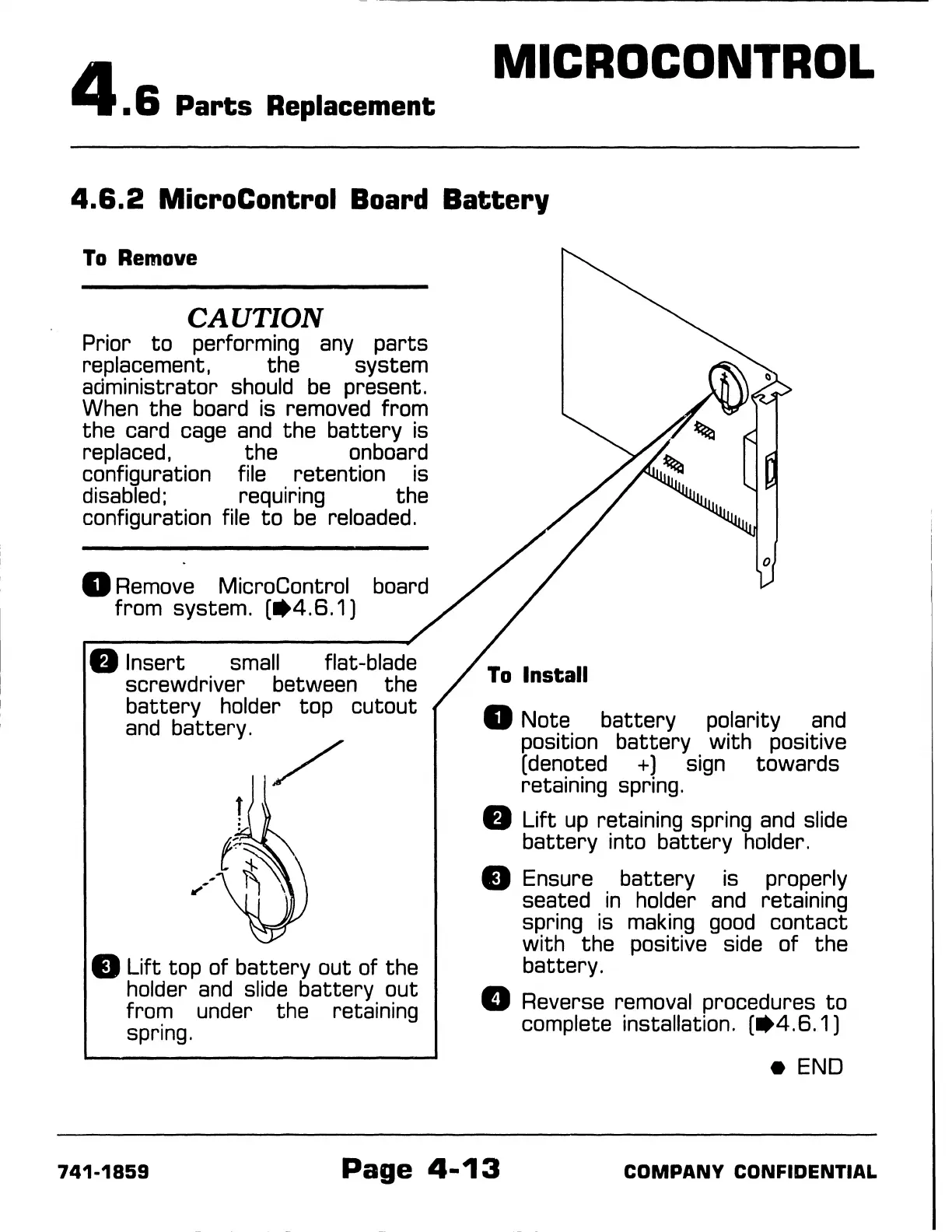
Insert small
screwdriver between the
battery
holder top
cutout
and
battery.
II
Lift
top of
battery
out of the
holder
and
slide
battery
out
fror:n
under the retaining
spring.
II
Note
battery
polarity
and
position
battery
with positive
(denoted +) sign towards
retaining spring.
a
Lift
up
retaining spring
and
slide
battery
into
battery
holder.
11
Ensure
battery
is properly
seated
in
holder
and
retaining
spring is
making
good
contact
with the positive side
of
the
battery.
D Reverse removal procedures
to
complete installation.
(•4.6.1)
e END
741-1859
Page
4-13
COMPANY
CONFIDENTIAL
-------------------
- -

Table of Contents

Related product manuals