4 . 5 Troubleshooting
MICROCONTROL
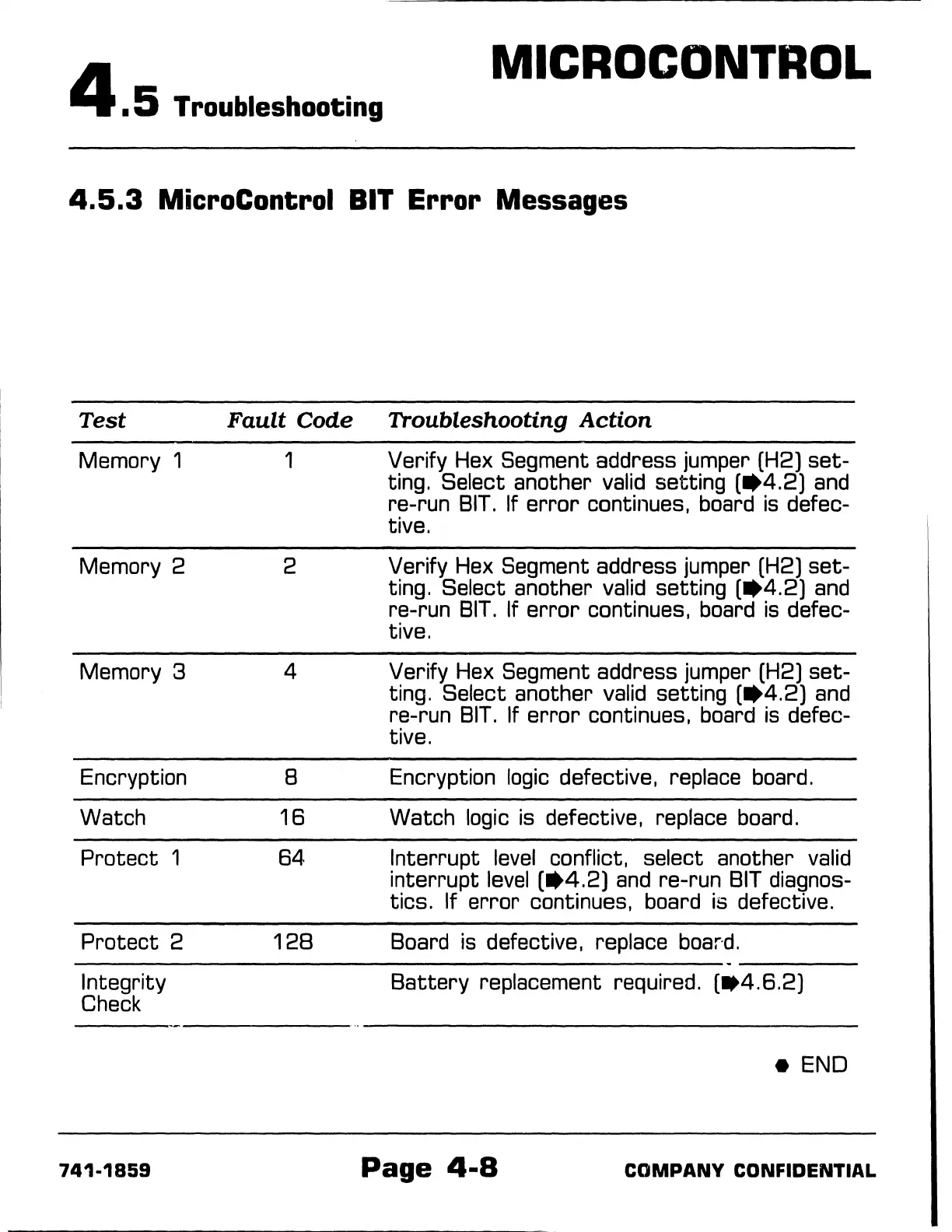
4.5.3
MicroControl
BIT
Error Messages
Test
Memory 1
Memory 2
Memory 3
Encryption
Watch
Protect
1
Protect
2
Integrity
Check
741-1859
Fault
Code
Troubleshooting
Action
1 Verify Hex Segment address jumper (H2)
set-
ting. Select another valid setting
(•4.2)
and
re-run
BIT.
If
error
continues, board
is
defec-
tive.
2 Verify Hex Segment address jumper (H2)
set-
ting. Select another valid setting
(•4.2)
and
re-run
BIT.
If
error
continues, board
is
defec-
tive.
4 Verify Hex Segment address jumper (H2)
set-
ting. Select another valid setting
(•4.2)
and
re-run
BIT.
If
error
continues, board
is
defec-
tive.
8 Encryption logic defective, replace board.
16
Watch logic is defective, replace board.
64
Interrupt
level
conflict, select another valid
interrupt
level
(•4.2)
and
re-run
BIT
diagnos-
tics. If
error
continues, board is defective.
128
Board
is
defective, replace
boar·d.
Battery
replacement required.
(lt4.6.2)
e END
Page
4-8
COMPANY
CONFIDENTIAL



 To Next Page