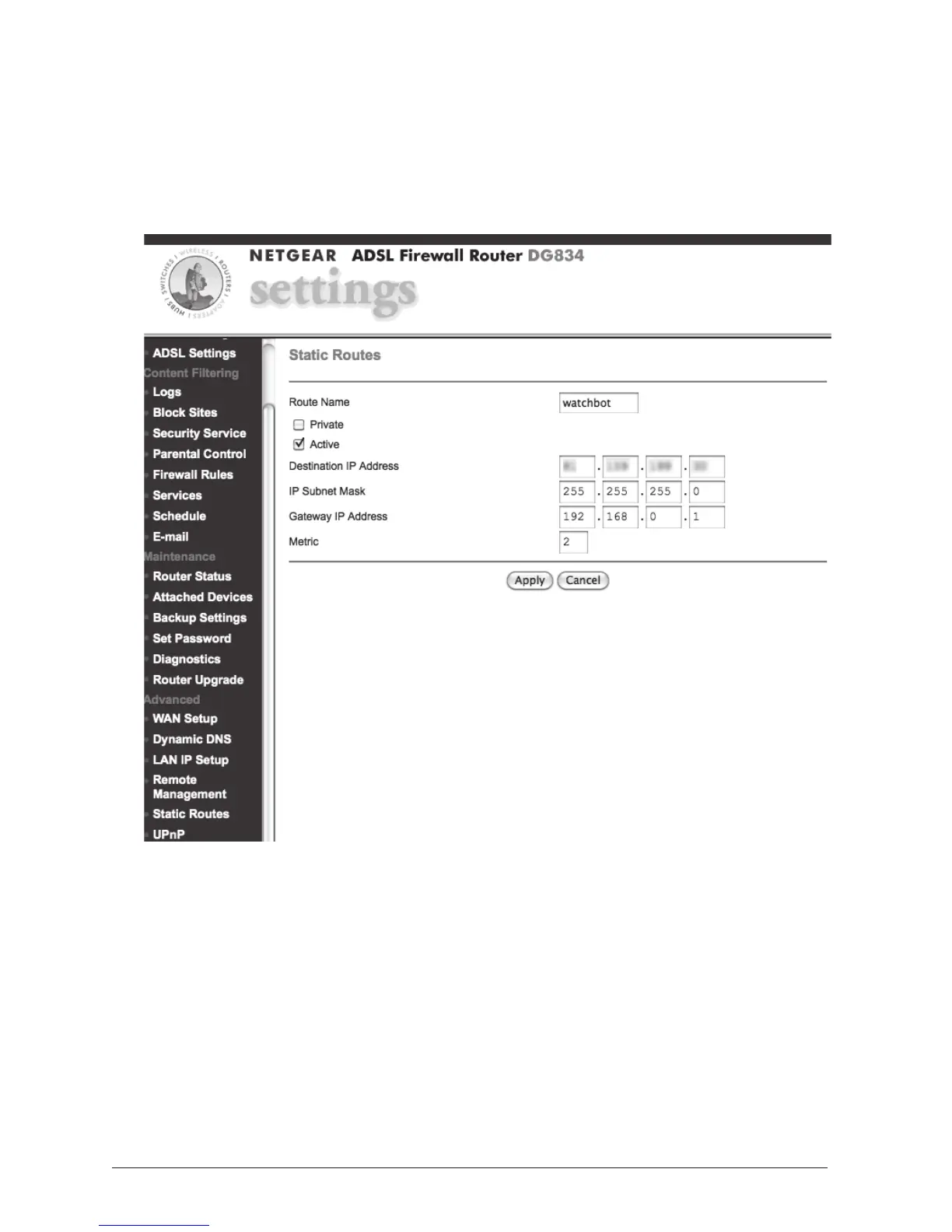
5. Go to 'Static Routes', and click ADD. Complete this page as
below. Please Note: Substitute your own camera's 'Destination IP
Address'. This is displayed when visiting http://www.watch-bot.net in
your browser. This external IP may change if your camera is reset or
powered off. This Static Routes step may be skipped however, and is
left here as an extra step should you need it.
CLICK APPLY. You should see the page below displayed:



 To Next Page