Flow Cell Maintenance 21
3
Procedure
To remove the 2996 Detector flow cell:
1. Set the flow to 0.0 mL/min.
2. Power off the solvent delivery system or pump to avoid exposure to chemicals.
3. Use the 5/16-inch wrench to disconnect the fluidic lines at the front of the detector.
4. Lift up the 2996 detector front cover and pull the front cover from the detector
chassis.
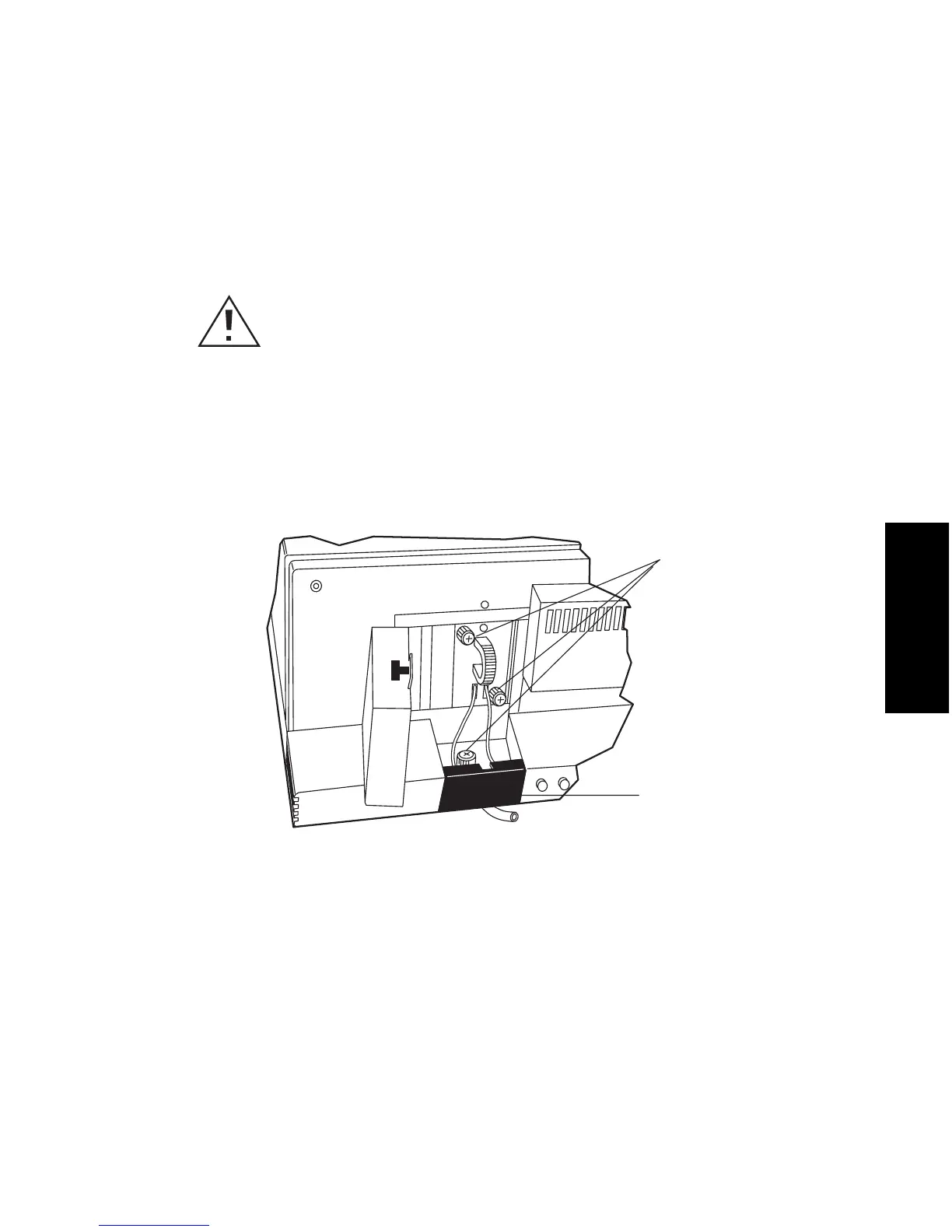
5. Open the flow cell access door by pulling the black thumbtab, then pull the door
gently toward you (Figure 3-1).
Figure 3-1 Removing the Flow Cell Assembly
6. Use the Phillips screwdriver to loosen the three thumbscrews that hold the flow
cell assembly to the optics bench and the thumbscrew that secures the bracket
holding the fluidic connections, then detach the bracket.
7. Pull the flow cell assembly gently toward you to remove it from the detector
(Figure 3-2).
Caution: To avoid the possibility of leaking mobile phase, do not disconnect
the inlet or outlet fluidic lines while there is pressure in the chromatographic
system. Always vent your system before disconnecting fluidic lines.
TP01462
Thumbscrews
Holding Flow
Cell Assembly
and Bracket
Fluidic Connections
(Inside Bracket)
Thumbscrews
Holding Flow
Cell Assembly
and Bracket



 To Next Page