4-20 Maintaining and Troubleshooting the Waters 515 Pump
7. Remove the pump head as described in the “Replacing the plunger seals”
on page 4-9.
8. Use the 1/2-inch open-end wrench to remove the inlet check housing
from the pump head.
9. Remove the cartridge from the housing and replace it with a new
cartridge.
Tip: To help keep the cartridge sealed within the housing, moisten it
with methanol during installation.
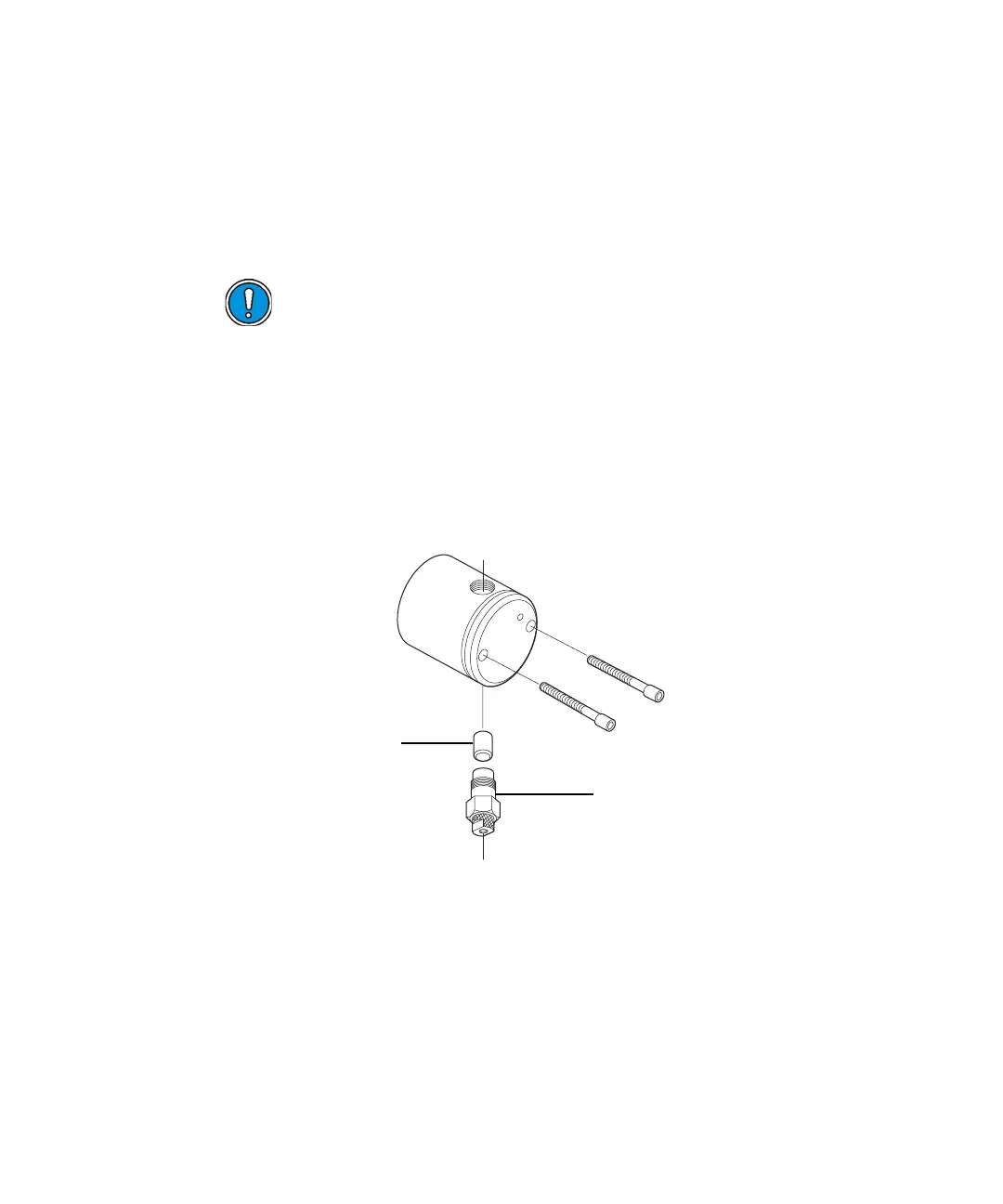
Check valve housing and check valve cartridge
10. With the check valve housing held upright to prevent the cartridge from
falling out, hand-tighten the housing into the pump head. Tighten the
check valve another 1/2-turn with the 1/2-inch wrench.
11. Reinstall the pump head as described in “Replacing the plunger seals”
on page 4-9.
Caution: The arrow printed on the check valve cartridge indicates
the direction in which it will allow liquid to flow. Therefore, its
direction is critical for proper operation. For all check valve
assemblies, the arrow should point upward when installed on the
pump.
Check valve cartridge
Check valve housing



 To Next Page