Call from mobile station
Why?
!
See if the mobile station can originate a call.
!
Proper call setup is a requirement for further tests.
Requirements
!
Mobile station is registered ("idle updated") and not in a
call.
How?
!
Dial a number on the mobile and press SEND key on
mobile, or push the PTT. The mobile initiates a call on
the main control channel and is then handed off to the
selected traffic channel slot. The display shows "Traffic
channel" on the left-hand side and measurement results
on the right-hand side.
"
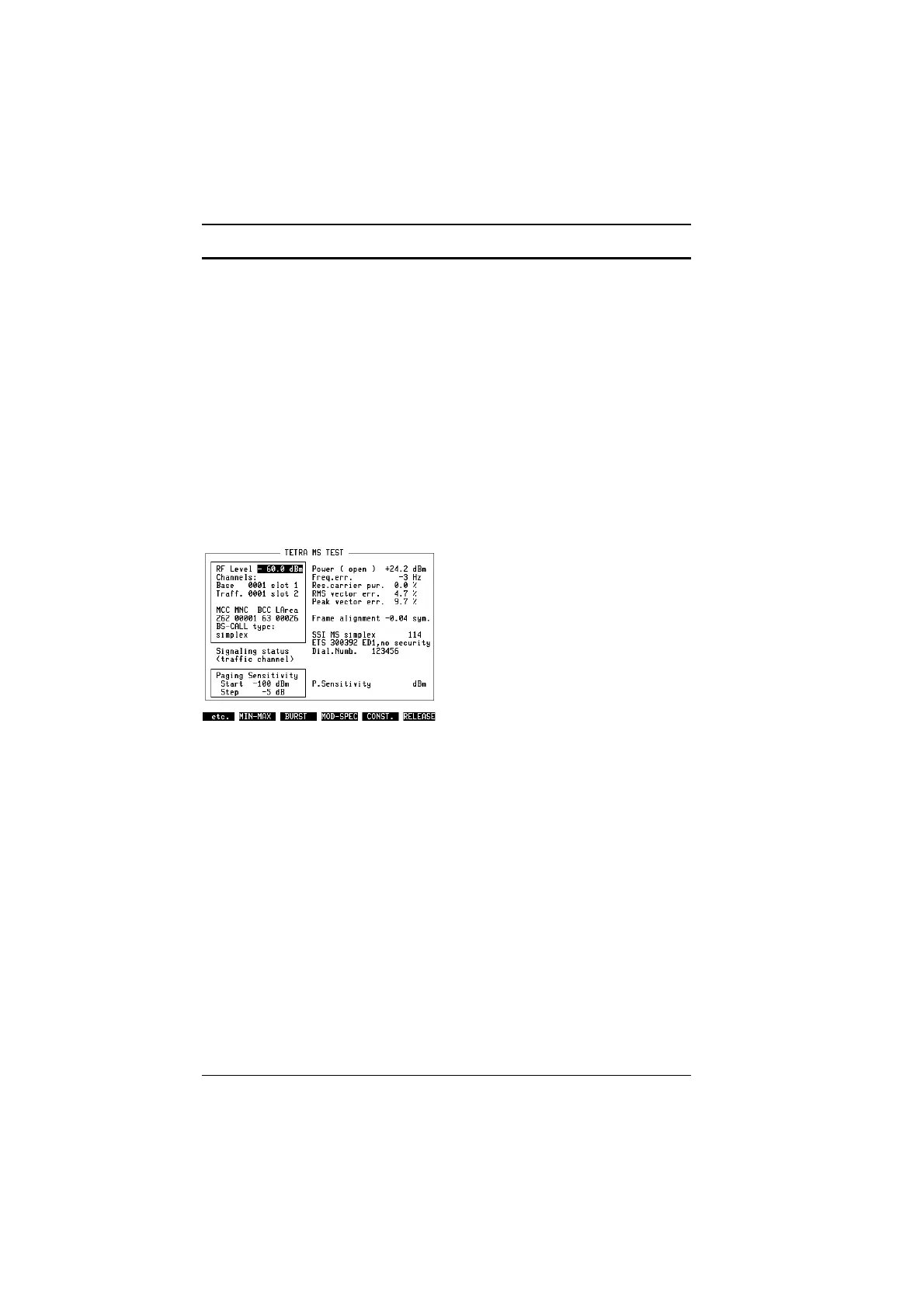
You may originate a call to a group or to an individual subscriber, in full or
semi-duplex mode. The dialed number is indicated on the right-hand side of the
screen (Fig. 10.10).
"
In semi-duplex mode, keep PTT pressed in order to maintain the call and to see
measurement results.
Fig. 10.10:
An MS-originated has been established, the
dialed number is displayed along with meas-
urement results.
TETRA MS Test Modes of operation
10-24



 To Next Page