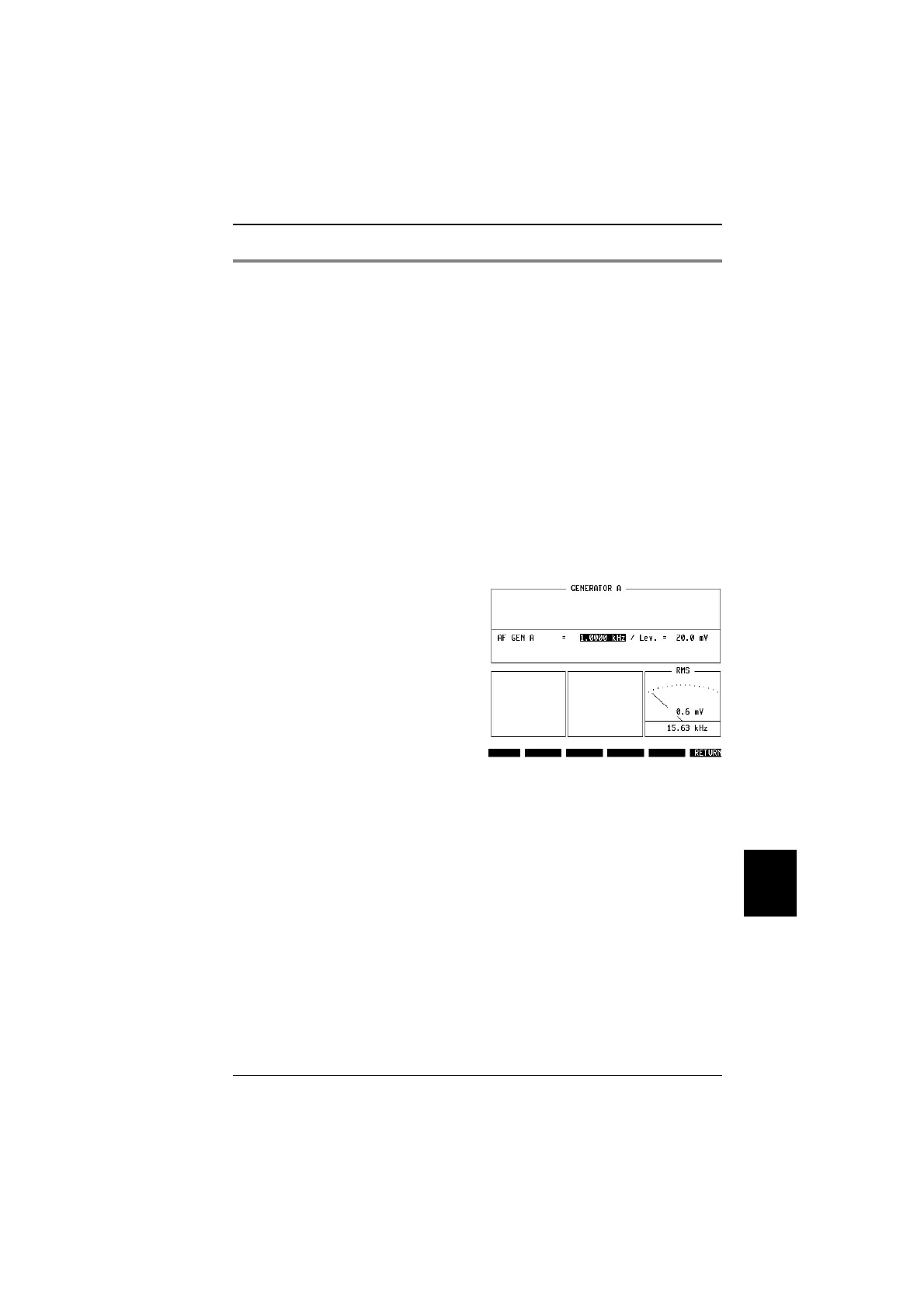
AF signal generator and voltmeter access
Why?
!
Some parts, eg the microphone and loudspeaker, may
require adjustments based on analog AF signals and
respective measurements while the mobile station is
transmitting on a traffic channel.
Requirements
!
Mobile station is on traffic channel (
{MS_Call}
or
{BS_Call}
pressed before).
!
Screen shows basic test mask.
How?
!
Press
{ETC}
, then AUDIO softkey.
!
Set frequency and voltage level of the sinusoidal AF
signal to be transmitted by the STABILOCK 4032, and
take signal from the MOD GEN outlet at the front.
!
Use the VOLTM input connector to feed a sinusoidal AF
signal into the STABILOCK 4032, and see measured
frequency as well as power level on the right-hand
display.
!
Select
{RETURN}
to get back to RF quality measurements
on basic test mask.
Fig. 10.24:
The AF mask allows to setup an audio signal
on the MOD GEN connector, and to perform
analog measurements presented at the
VOLTMeter connector. Both are BNC type
connectors which can be found on the front
panel.
10
Measurements TETRA MS Test
10-41



 To Next Page