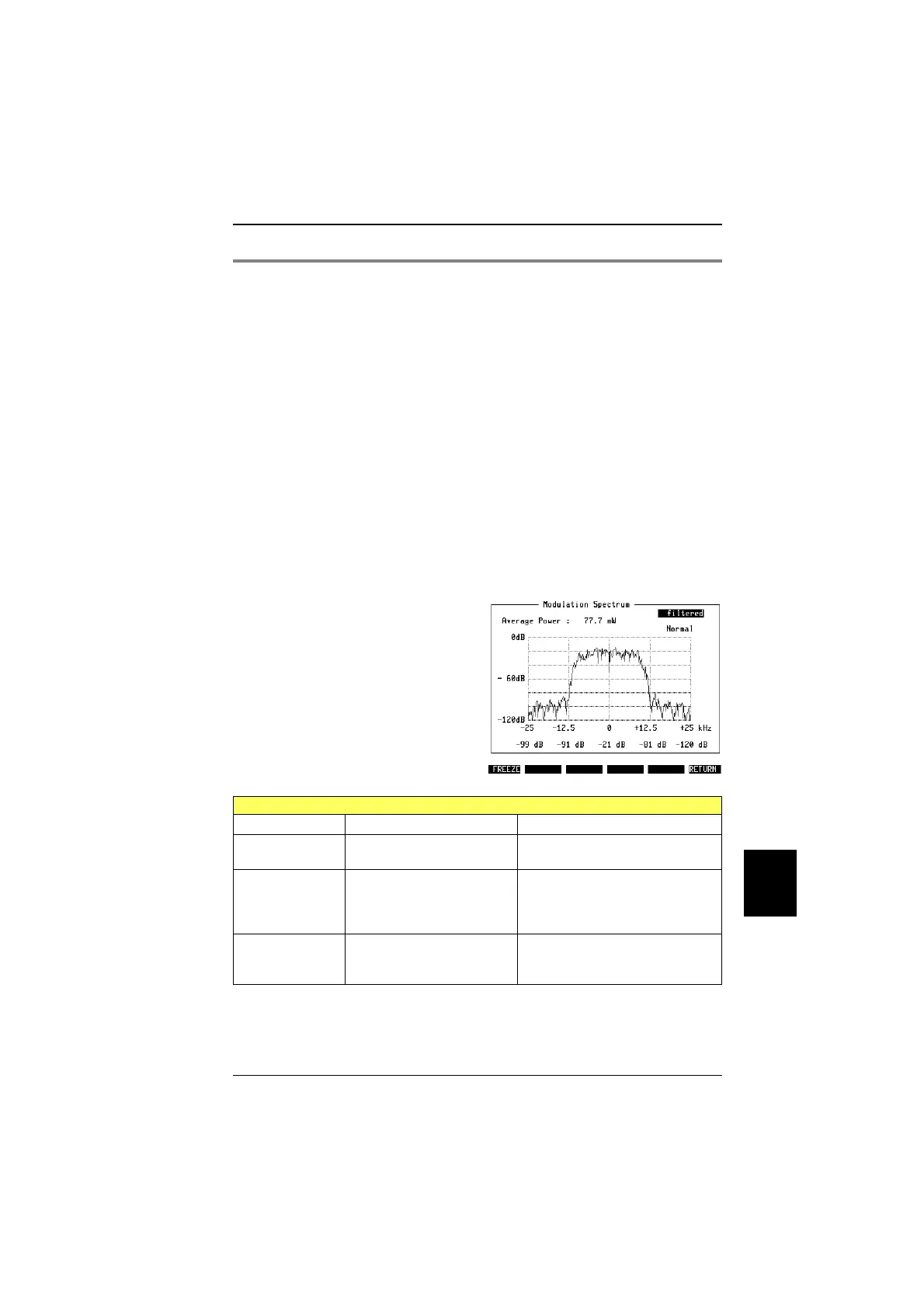
Modulation spectrum
Why? Test whether the modulation spectrum of the mobile main-
tains the permissible levels within the 25 kHz channel
spacing (otherwise there is adjacent channel interference).
Requirements Quality measurements must have been started, either by
pressing MEASURE or by pressing one of the CALL keys.
How?
!
Press
{MOD-SPEC}
key.
!
Select in the scroll field at the top whether the modula-
tion spectrum is to be shown unfiltered (you see the
signal on the input of the test set) or filtered (after the
receive filter).
!
Move the cursor to the field below and select – using the
[UNIT/SCROLL]
– whether you want to see normal measure-
ments (burst by burst), or averaged measurements, or a
peak measurement (Max Hold).
!
Press
{FREEZE}
to stop updating the measurement re-
sults, then use
{CONTIN}
to continue.
!
Press
{RETURN}
to get back to quality measurements on
basic test mask.
Test results under remote control
IEEE Command String position Result
RESULt1 12345678901234567890
aaaaaaaaa;**********
a = TX power (incl. dimension)
* = Reserved
RESULt2 12345678901234567890
aaaaa;bbbbb;ccccc;**
a = Rel. power at –25 kHz
b = Rel. power at –12.5 kHz
c = Rel. power at 0 kHz
* = Reserved
RESULt3 12345678901234567890
aaaaa;bbbbb;********
a = Rel. power at +12.5 kHz
b = Rel. power at +25 kHz
* = Reserved
Fig. 10.22:
Modulation spectrum, with power over the
burst. The values below the graph indicate
the relative power at the frequencies offset
by 0, ±12.5 kHz, ±25 kHz from the centre
frequency. Current settings are filtered
measurement and normal display which can
be changed, e.g. to averaged measure-
ments.
10
Measurements TETRA MS Test
10-37



 To Next Page