General Preparations
Hardware and firmware compatibility
Normally, if you ordered a new system or an upgrade to TETRA, you get your
STABILOCK with all the necessary hardware and firmware installed. If this is the
case, you can skip this section and proceed to Loading System Software.
If you want to run the TETRA system software on a unit where you do not know
exactly whether it is prepared for TETRA, or if you encounter serious problems
while running the TETRA system software, make sure the following conditions
are met.
Call up the STATUS mask:
[AUX]
+
{DEF.SET}
+
{STATUS}
.
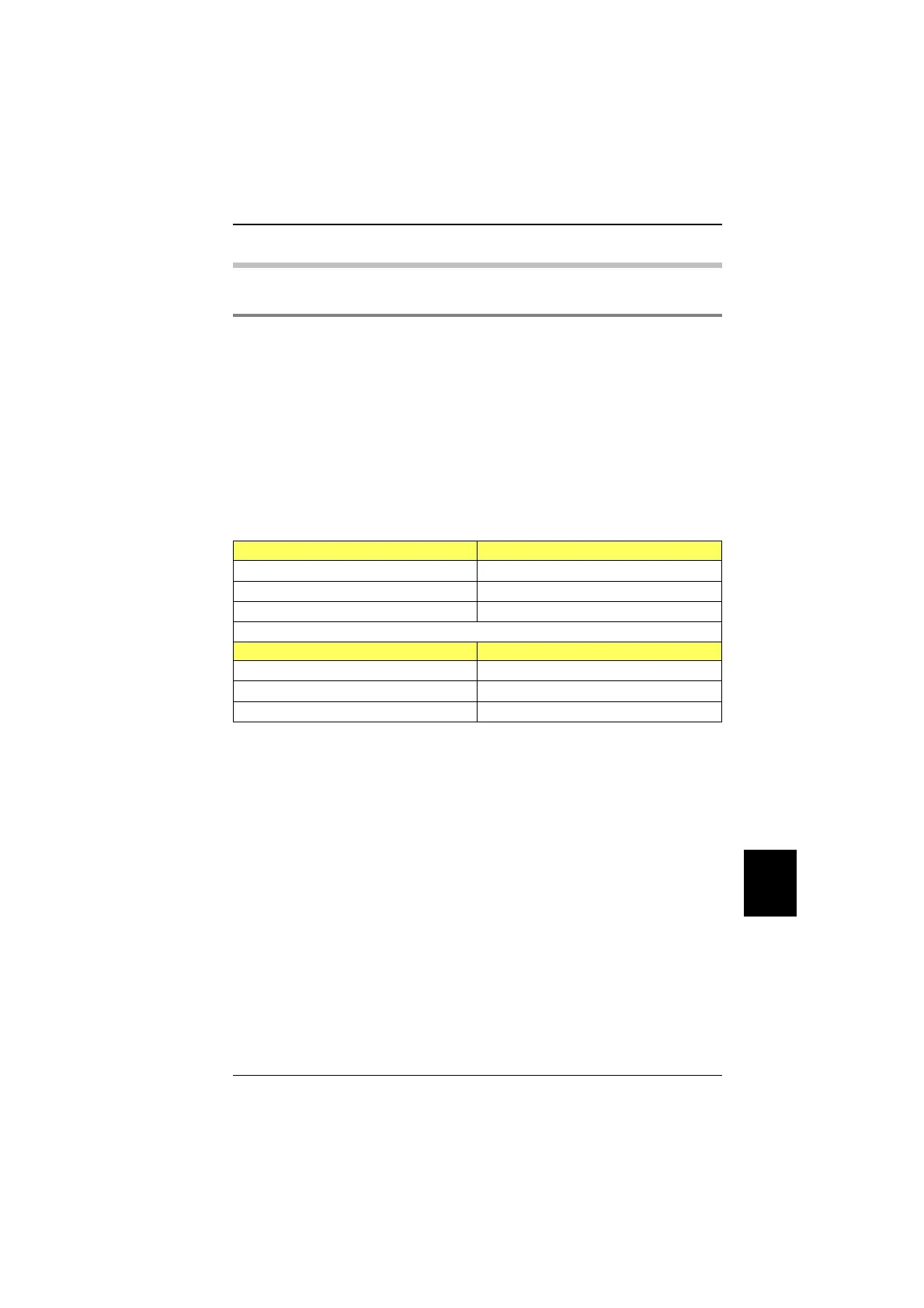
Check the status of the related firmware versions (SOFTWARE VERSIONS):
STABILOCK 4031 without FEX STABILOCK 4032 without FEX
Host-MCU ≥ 4.14 Host-MCU ≥ 6.14
CRT-MCU ≥ 2.59 CRT-MCU ≥ 2.59
RF/AF-MCU ≥ 3.07 RF/AF-MCU ≥ 5.07
STABILOCK 4031 with FEX STABILOCK 4032 with FEX
Host-MCU ≥ 4.14 Host-MCU ≥ 6.14
CRT-MCU ≥ 2.59 CRT-MCU ≥ 2.59
RF/AF-MCU ≥ 4.13 RF/AF-MCU ≥ 6.13
Make sure the STATUS mask shows DIG-MCU: D-AMPS
Call up the OPTIONS mask. It must show either Duplex + I/Q: installed
or Duplex + FEX: installed.
10
General Preparations TETRA MS Test
10-7



 To Next Page