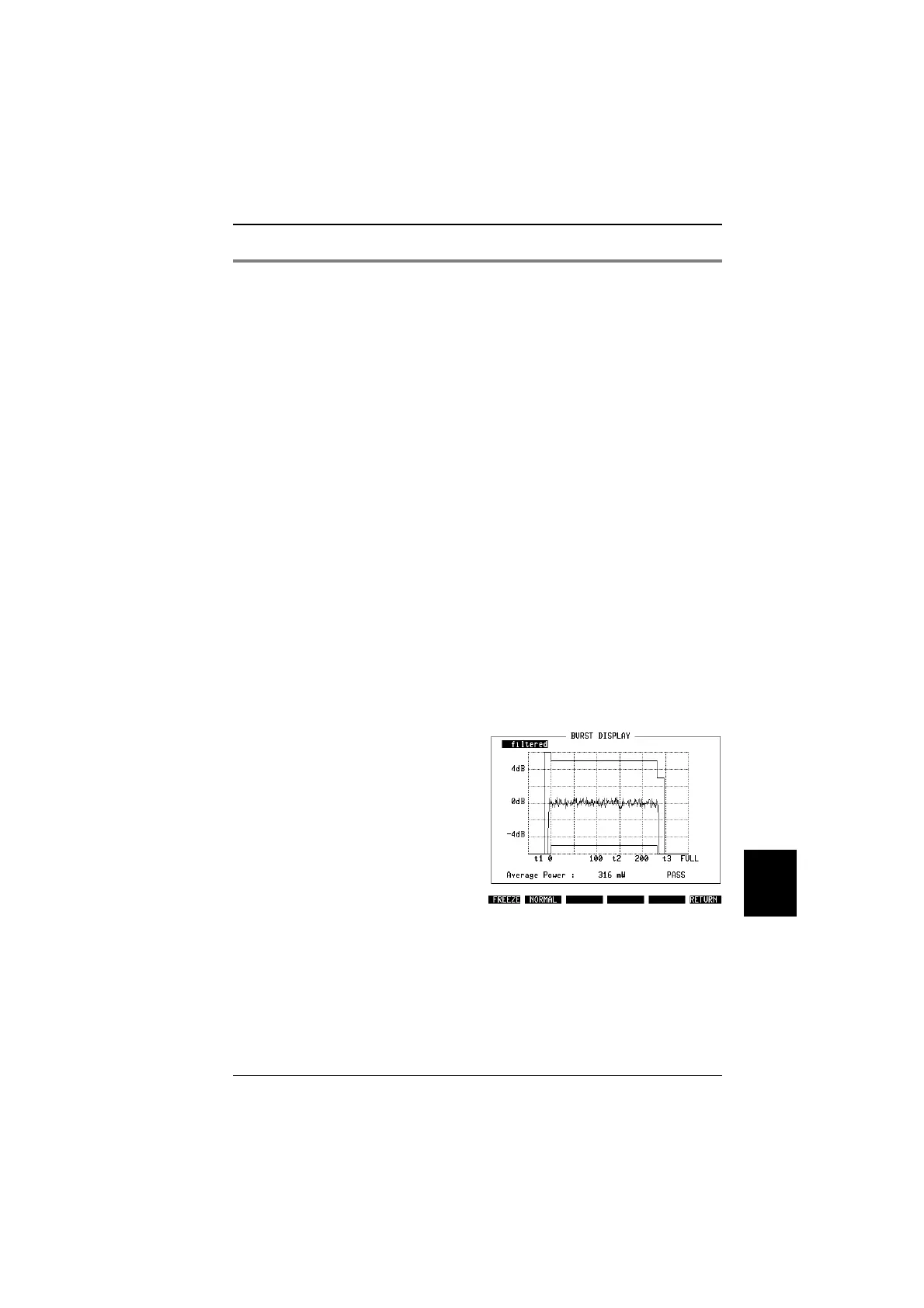
Power versus time
Why?
!
Visual assessment of the burst.
!
Measurement of transmit power during the burst.
!
Test whether the mobile ramps up and down correctly at
the burst edges.
Requirements
!
Quality measurements must have been started, either
by pressing
{MEASURE}
or by pressing one of the CALL
keys.
How?
!
Press
{BURST}
.
!
The display can be toggled between filtered and unfil-
tered measurements. The term "filtered" refers to the
TETRA filter which is usually required. If you want to see
the "raw" data, you can switch to the unfiltered data
display using
[UNIT/SCROLL]
key.
!
Press
{ZOOM}
to see a close-up of the active part of the
burst (see Fig. 10.19).
!
Press
{FREEZE}
to stop updating the measurement re-
sults, then use
{CONTIN}
to continue.
!
Select
{RETURN}
to get back to quality measurements on
basic test mask.
The display shows the power at each symbol’s decision point (or point of
maximum effect), which is the centre of the symbol.
A PASS/FAIL indication is given depending on whether the power signal fits into
the template. The template itself is user-selectable ie if you require a different
template layout, define your own corner points on the DEF.SET mask.
"
Note that only the upper 40 to 50 dB of the rising and falling edges are displayed.
After call setup, only normal uplink bursts from a traffic channel are displayed. In
MEASURE mode, with BURST selected in the DEF.SET mask, the STABILOCK
can measure and display either full-slot bursts or half-slot bursts (control uplink
bursts).
Fig. 10.19:
Burst power zoomed to the range from –4 dB
to +4 dB.
10
Measurements TETRA MS Test
10-33



 To Next Page