Constellation display
Why?
!
Test the modulation characteristics of the mobile. For
this purpose, the test set offers fast visual judgement of
the modulation quality with the constellation display
(graphical representation of the modulation quality) plus
comprehensive indication of the measured figures on
the numerical display.
Requirements
!
Quality measurements must have been started, either by
pressing
{MEASURE}
or by pressing one of the CALL keys.
How?
!
Press
{CONST}
key. The screen changes to the constella-
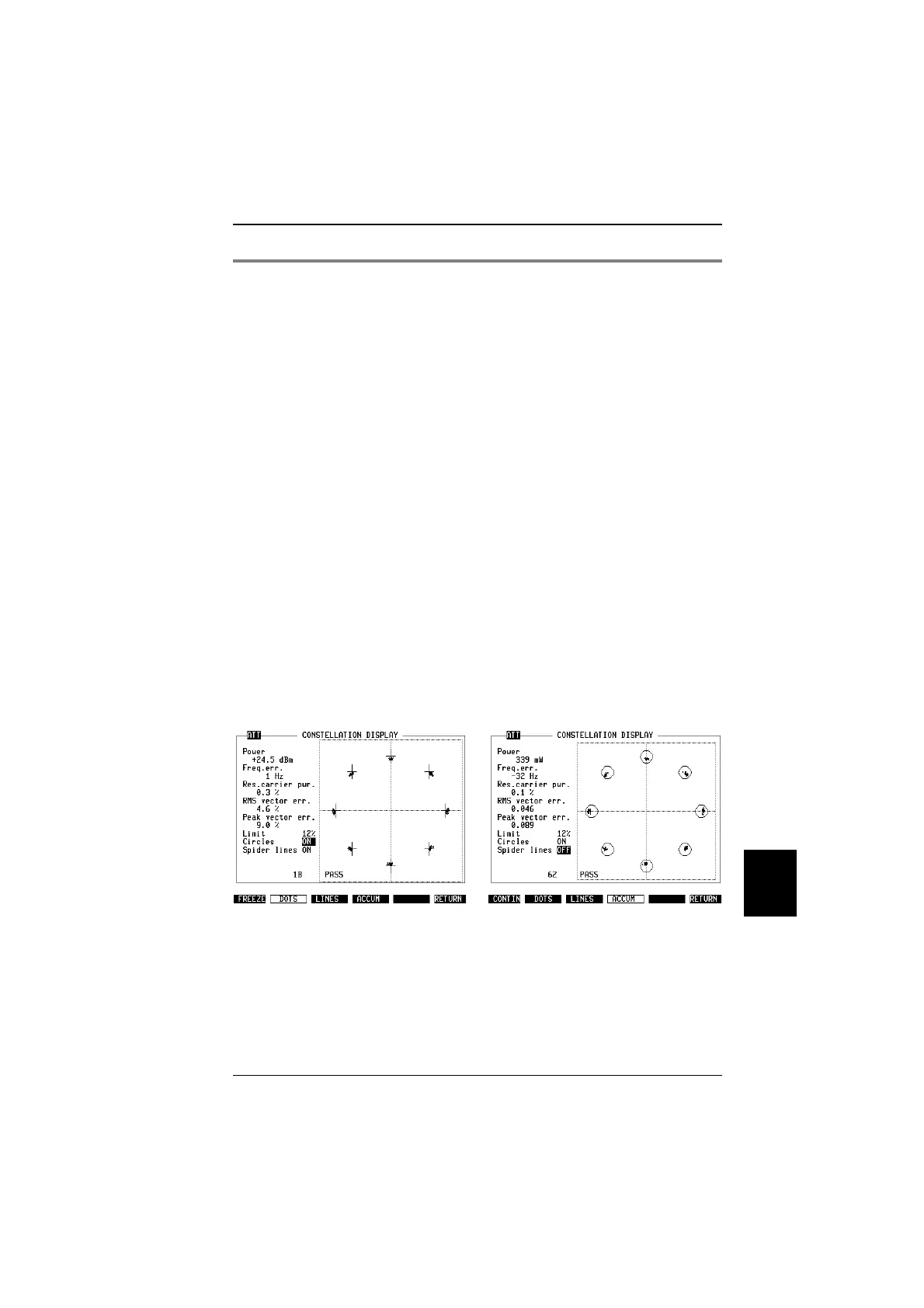
tion display (Fig. 10.20).
!
In the Limit entry field, you can set a percentual range
(5% to 30% in steps of 1%) for measurement deviation
from ideal values. The circles are displayed if you set the
Circles entry field to ON and if ACCUM mode is selected
(see Fig. 10.21).
!
In the Spider lines entry field, you can toggle the display
of spider lines on and off. The spider lines aer small
crosses marking the positions of the respective nominal
points (Fig. 10.20).
!
Use the softkeys
{DOTS}
,
{LINES}
or
{ACCUM}
, respectively,
to select different display modes (as explained in the box
below).
!
Press
{FREEZE}
to stop updating the measurement re-
sults, then use
{CONTIN}
to continue.
!
Select
{RETURN}
to get back to quality measurements on
the basic test mask.
Fig. 10.20: Constellation display (can be
selected using the
{CONST}
after measure-
ments have been started on the basic test
mask). On the left-hand side, there are use-
ful numerical results; see section "Quality
measurements" for explanations.
Fig. 10.21: Circles according to the user-
defined limit show you where the peak vec-
tor error fails.
10
Measurements TETRA MS Test
10-35



 To Next Page