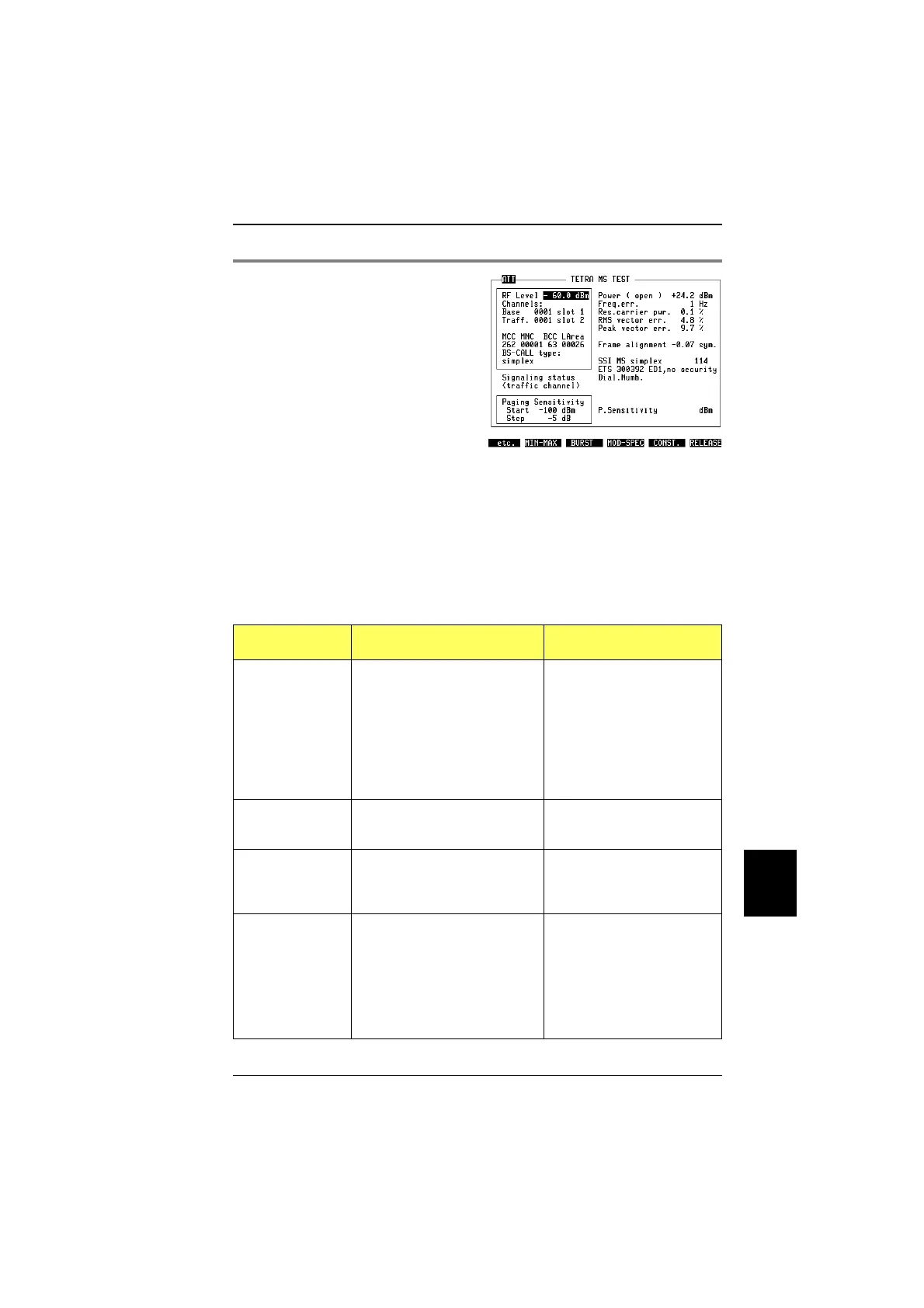
Quality measurements from the basic mask
"
The expression ATT on the left-hand side of the mask title line points to a
preattenuation setting >0.0 dB, entered in the mask GENERAL PARAMETERS
(key sequence
[AUX]
+
{DEF.PAR}
). A preattenuation setting will affect the RF level
setting as well as the TX power calculation on the basic mask and all subsequent
TETRA measurement masks.
On the right-hand side of the TETRA basic mask, you can see some result fields.
In the case of transmitter measurements, the following fields are frequently
updated with measurement results:
Result field Meaning MS limit according to
TETRA specifications
Power This field shows the RF power as
received at the input connector of
the STABILOCK. If burst
measurements have been
selected, this value is the
average power over the burst,
calculated at the decision points
of the symbols ie in the middle of
each symbol.
The power may vary by
±2.0 dB at the highest and by
±2.5 dB at all other levels from
the nominal value. The
nominal level can be set in
5 dB steps from 15 dBm to
45 dBm (depending on the
power class of the mobile
station).
Freq.err. The frequency deviation from the
nominal carrier frequency is
presented in Hertz (Hz).
±0.2 ppm, ie ±76 Hz at a
frequency of 380 MHz.
Res.carrier
pwr.
This is the power offset from the
origin (in the I-Q plane). It is
displayed as a percentage of the
nominal power.
5%
RMS vector err. The vector error is the magnitude
of the vector from the ideal
vector position (in the I-Q plane)
to the measured point. The RMS
vector error expresses an
average over the whole burst
(or the portion of the continuous
signal that is measured).
0.100
Fig. 10.18:
In call mode, quality measurements are fre-
quently updated on the right-hand side of the
screen. More results are available using the
softkeys. Finally, the call can be finished
using the Release softkey.
10
Measurements TETRA MS Test
10-31



 To Next Page