TRACE: Protocol display
This mode allows for an offline trace of the protocol (signalling) between the
STABILOCK and the MS. The STABILOCK has some built-in sequences that are
required to register the MS with the network, set up a call, and to release the
channel after the test. The STABILOCK captures the transmitted and received
messages to an internal buffer and displays them when the test is stopped. This
means that once the tracing is stopped and the results are viewed, no further
messages are added to the display.
The supported signalling procedures are the same as in the call mode, see
section "REGISTER: Setting up a call": Registration (location update), Call
by MS, Call by BS, and Release.
The following steps are required to start the trace:
•
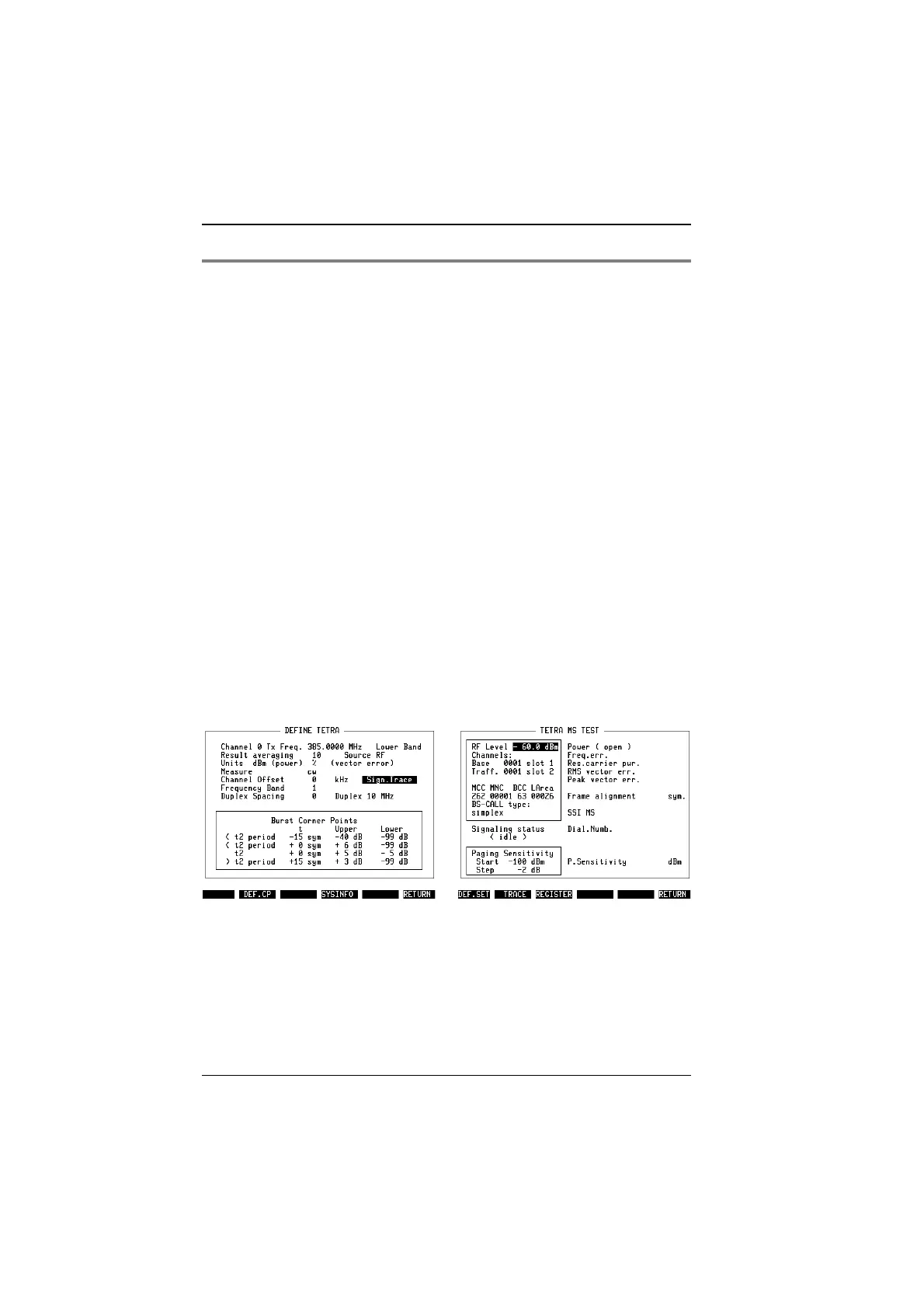
On the DEF.SET mask, the scroll field on the right hand side of the Channel
Offset field can be in either of two states: Sign.Trace or Measurements. Use
the
[UNIT/SCROLL]
key to switch to Sign.Trace (see Fig. 10.14).
•
Make sure other relevant parameters on the DEF.SET mask are set accord-
ingly: Channel 0 TX Frequency, Lower/Upper Band, Source, and Duplex
spacing.
Back on the basic mask, the softkey description changes to allow for Registration
but not for asynchronous measurements or for the T1 generator. Push the
{REGISTER}
key to start the Location Update procedure (see Fig. 10.15). This is the
initial procedure required for all subsequent procedures such as call setup.
"
RF measurements are not possible in trace mode.
Fig. 10.14: Before you can start tracing the
protocol, you need to switch from measure-
ments to signalling trace.
Fig. 10.15: In trace mode, the softkeys
allow you to start a signalling procedure (eg
Registration). The TRACE key should be
pressed afterwards.
TETRA MS Test Modes of operation
10-28



 To Next Page