Once that you do not want to perform any new procedure but want to view the
signalling exchange up to this point, push the
{TRACE}
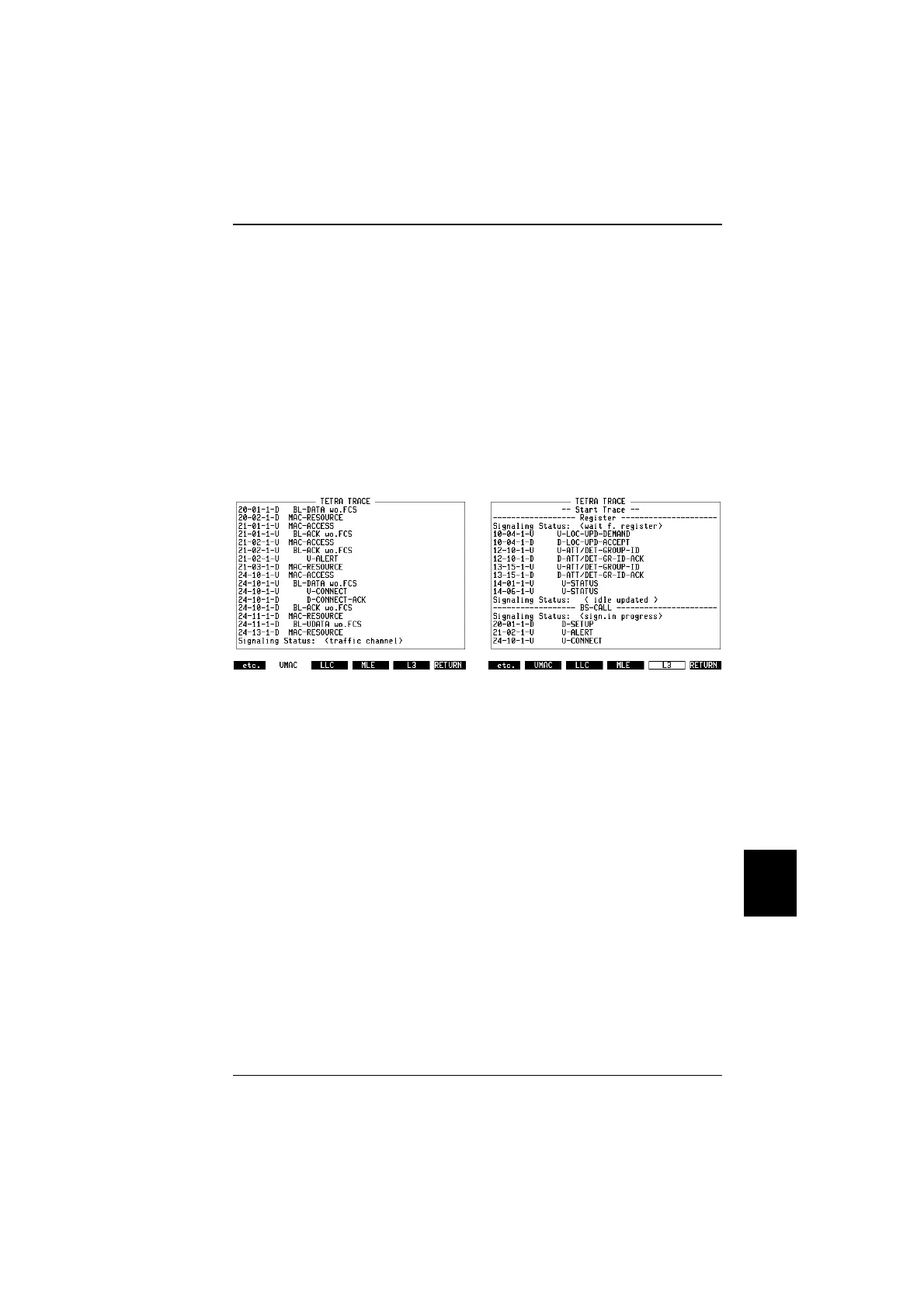
key. The trace display
appears with a time stamp of each message, the direction (D for downlink, ie the
message is sent by the STABILOCK, or U for uplink), and the name of the
message. The message naming follows that of the TETRA air interface standard.
See Fig. 10.16 for an example.
The message names from the different layers are displayed; supported layers are
Upper MAC (UMAC), Logical Link Control (LLC), Mobile Link Entity (MLE), and
Layer 3 (L3) including Mobility Management MM and Circuit Mode Control Entity
CMCE. Display of one and the same radio interface message on up to four
different layers leads to a high number of messages on the screen. The
STABILOCK provides filters so that only the upper layers are visible. The default
filter is UMAC ie all messages are displayed. An example of a L3 trace is shown
in Fig. 10.17.
The trace may be longer than fits onto the screen. In order to scroll line by line,
move the Cursor-Left and Cursor-Right keys. To skip a whole page, use the
Cursor-Up and Cursor-Down keys.
The whole trace can be printed to the default printer (the printer settings can be
adjusted on the General Parameters mask). If an appropriate printer is attached,
you can generate a print-out by pushing the keys
{etc.}
,
{PRNT_ALL}
.
Fig. 10.16: After performing a signalling
routine, the Trace softkey can be pressed
and the exchange of signalling messages is
shown.
Fig. 10.17: Lower layer information can be
suppressed by pushing a softkey for the
higher layers, eg L3.
10
Modes of operation TETRA MS Test
10-29



 To Next Page