Statistical evaluation (Min-Max)
Why?
!
Read the average value of measurement results.
!
Identify short-term deviations.
Requirements
!
Quality measurements must have been started, either
by pressing MEASURE or by pressing one of the CALL
keys.
How?
!
Press
{MINMAX}
key.
!
Press
{FREEZE}
to stop updating the measurement re-
sults, then use
{CONTIN}
to continue.
!
Press
{RESET}
to re-start the averaging process and the
minimum and maximum value hold.
!
Select
{RETURN}
to get back to quality measurements on
basic test mask.
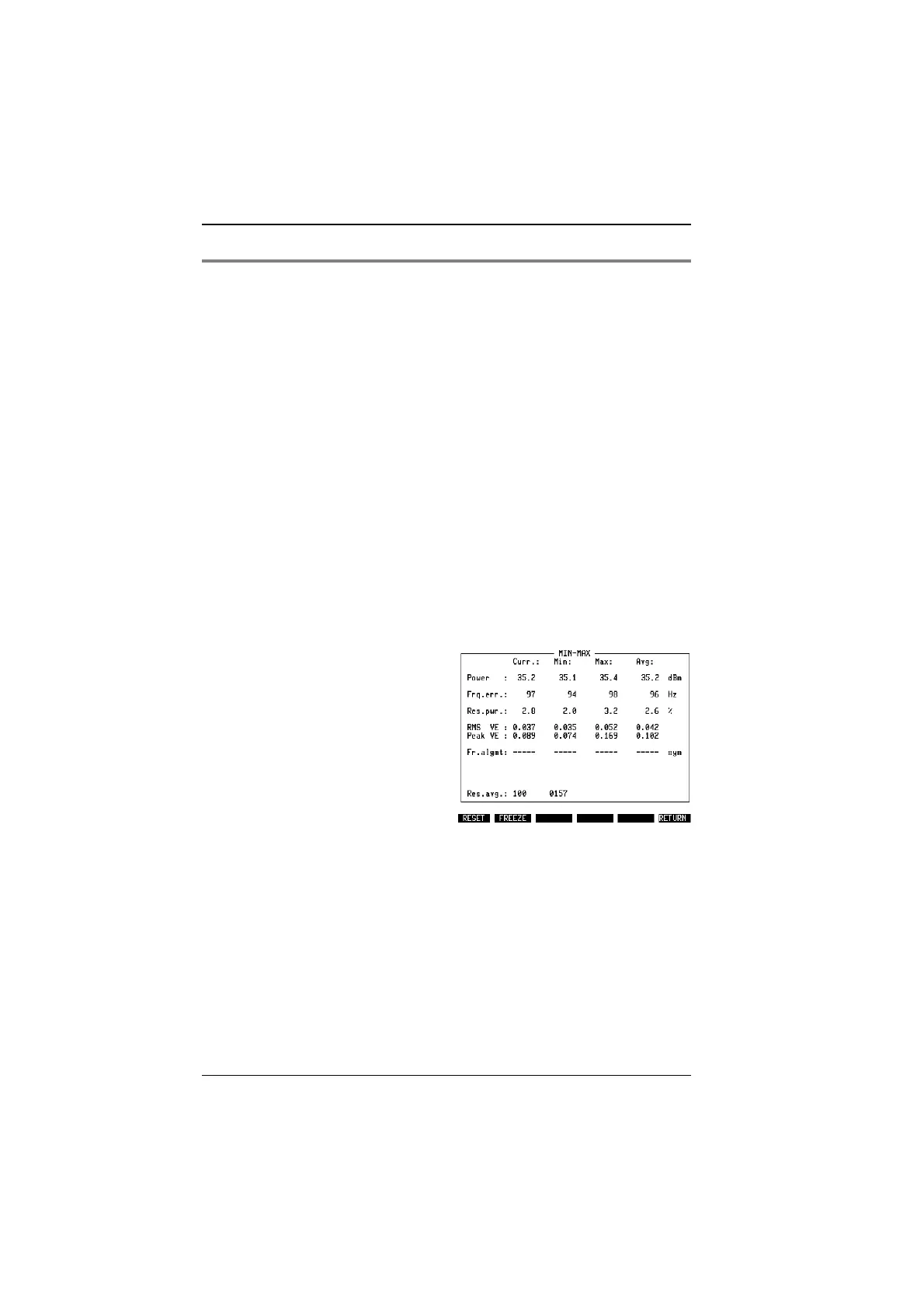
The Min-Max screen (see Fig. 10.23) shows all the different numerical measure-
ments with current (recent) results in the left-hand column. The two columns in
the middle indicate the minimum and maximum results achieved since either the
statistical measurements were invoked or since the
{RESET}
key was last pressed.
The last N values are averaged and the result is displayed in the right-hand
column. The value N can be set in the DEF.SET mask (see parameter "Result
averaging" in section "Basic parameters in DEF.SET").
"
While running in remote mode multiple measurements will be done until the number
of "Res.avg." is reached. The parameter "Result averaging" can be changed in the
DEFINE TETRA mask.
Fig. 10.23:
Typical Min-Max screen. The averaging
takes place over the last 100 measurements
as displayed in the bottom line (Res.avg). In
this example, 157 measurements were taken
since the start of the test.
TETRA MS Test Measurements
10-38



 To Next Page