11
WebdynSunPM – User guide — Version 1.0
5 Quick Start
The purpose of this chapter is to describe how to quickly get started with the WebdynSunPM
product. The product must therefore be set to its default factory configuration and switched off.
5.1 Starting up the product
The WebdynSunPM concentrator power supply accepts power from 12 to 24V. As soon as the
product is powered up, it starts up. There is no need to press the "Power" button.
5.2 Accessing the embedded web interface
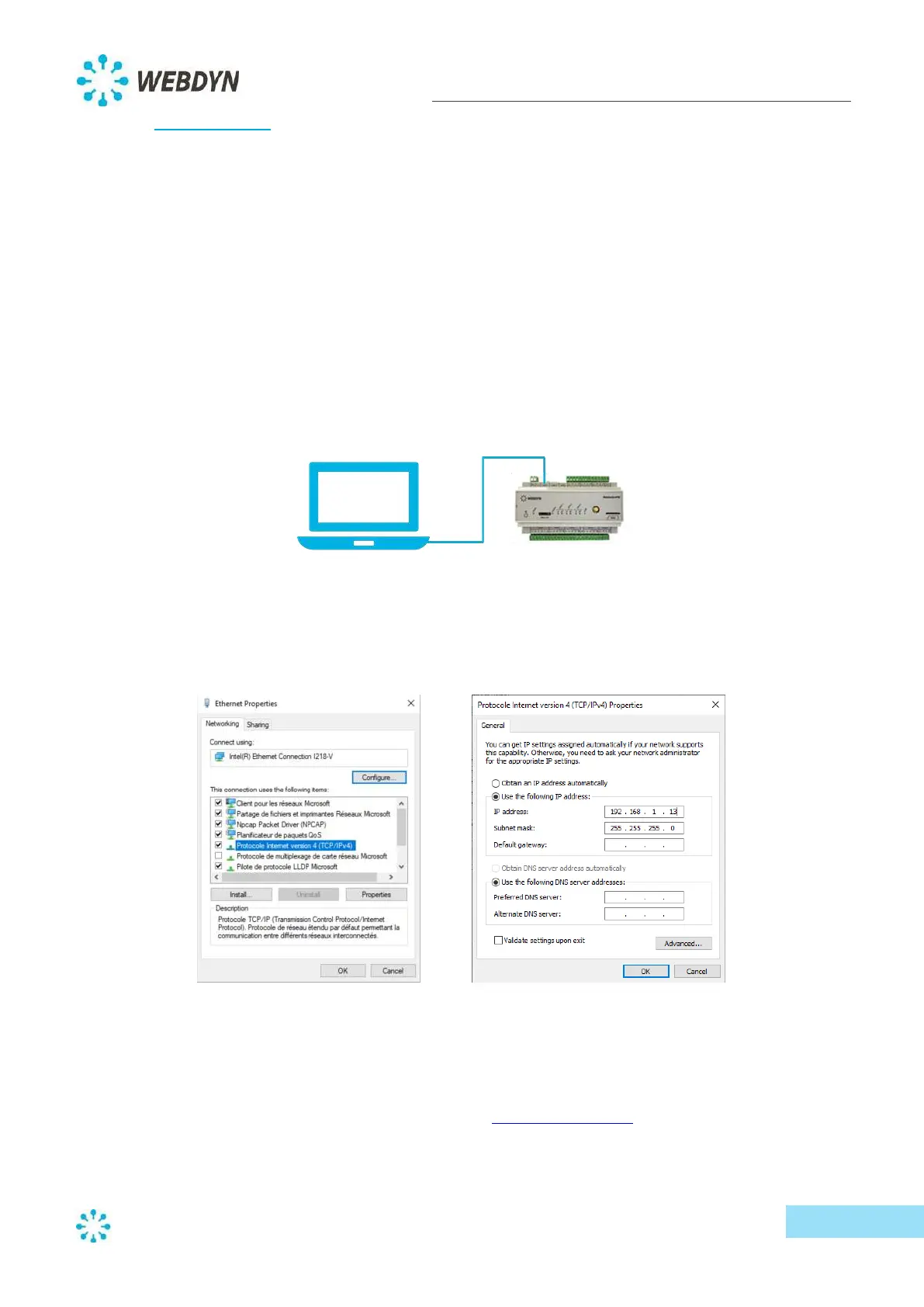
To access the web interface of your WebdynSunPM concentrator, your computer must be physically
connected to LAN port 1 of the concentrator and have network settings that are compatible with
those of the concentrator.
- Connect an Ethernet cable from your computer to the "LAN 1" port of your concentrator.
- Configure your computer's Ethernet connection with the following network settings:
o IP address: 192.168.1.13
o Subnet mask: 255.255.255.0
The web interface of the WebdynSunPM concentrator is compatible with mainstream web browsers:
Chrome (version 72.0 and higher); Firefox (version 65.0 and higher); and, Internet Explorer (version
11 and higher).
- Open your web browser and type the address: http://192.168.1.12



 To Next Page