13
WebdynSunPM – User guide — Version 1.0
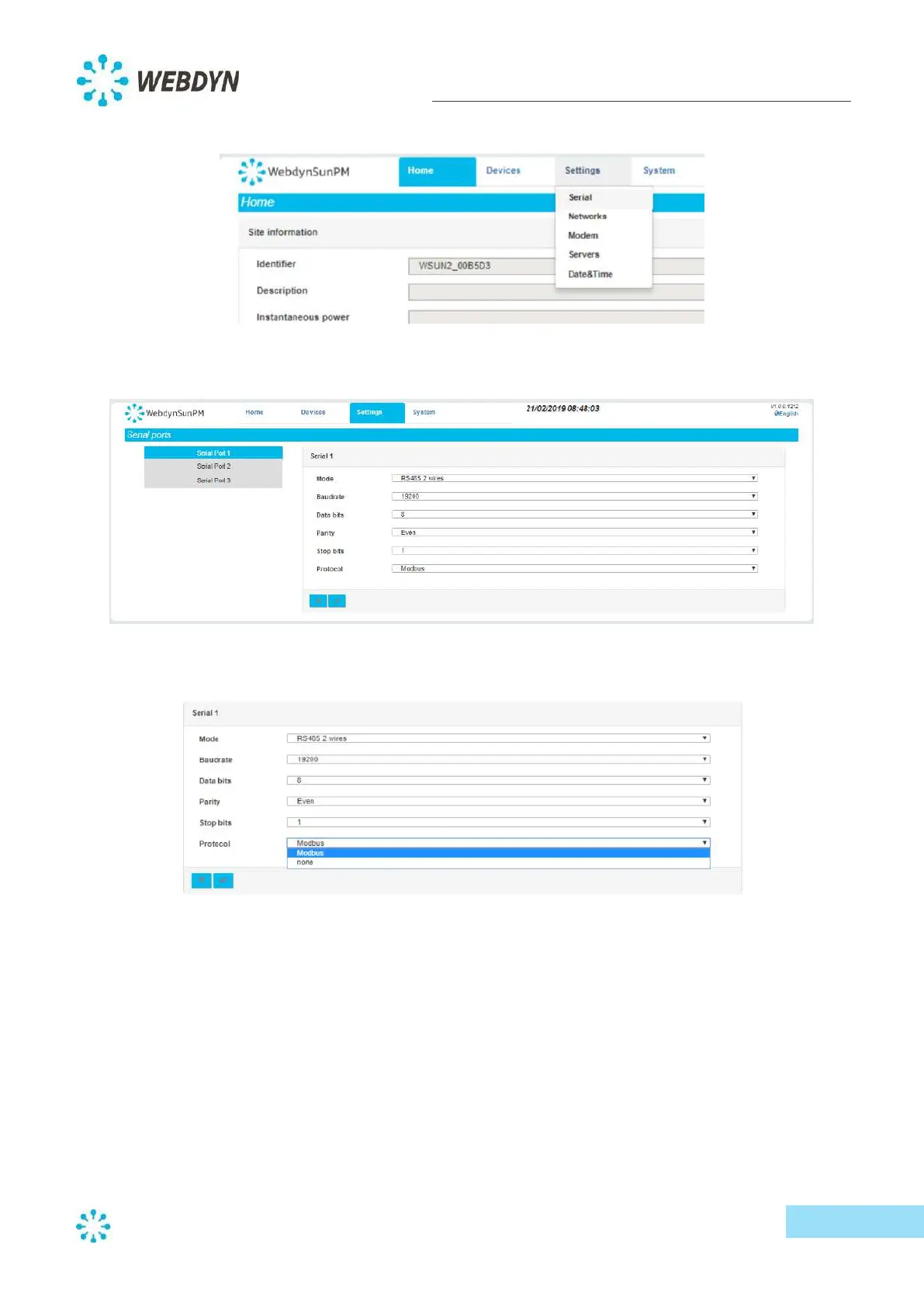
- From the "Settings" menu, select "Serial".
- A left sidebar will appear. From the sidebar, click on the serial port you wish to configure.
- Select the communication protocol to apply to your serial port.
Each serial protocol has its own characteristics. However, in most cases, you will need to set the port
parameters (speed, data bits, parity etc.). All these parameters must be the same for all bus devices.
5.3.2 Network settings
The WebdynSunPM concentrator has two Ethernet ports and can therefore be integrated with two
different networks. You can configure these networks via the "Settings" menu, and then the
"Networks" submenu. If you don’t need to configure any IP devices and the connection to the
information system (IS) is through a modem, skip this step.
- From the "Settings" menu, select "Networks", then choose the port you wish to configure.



 To Next Page