17
WebdynSunPM – User guide — Version 1.0
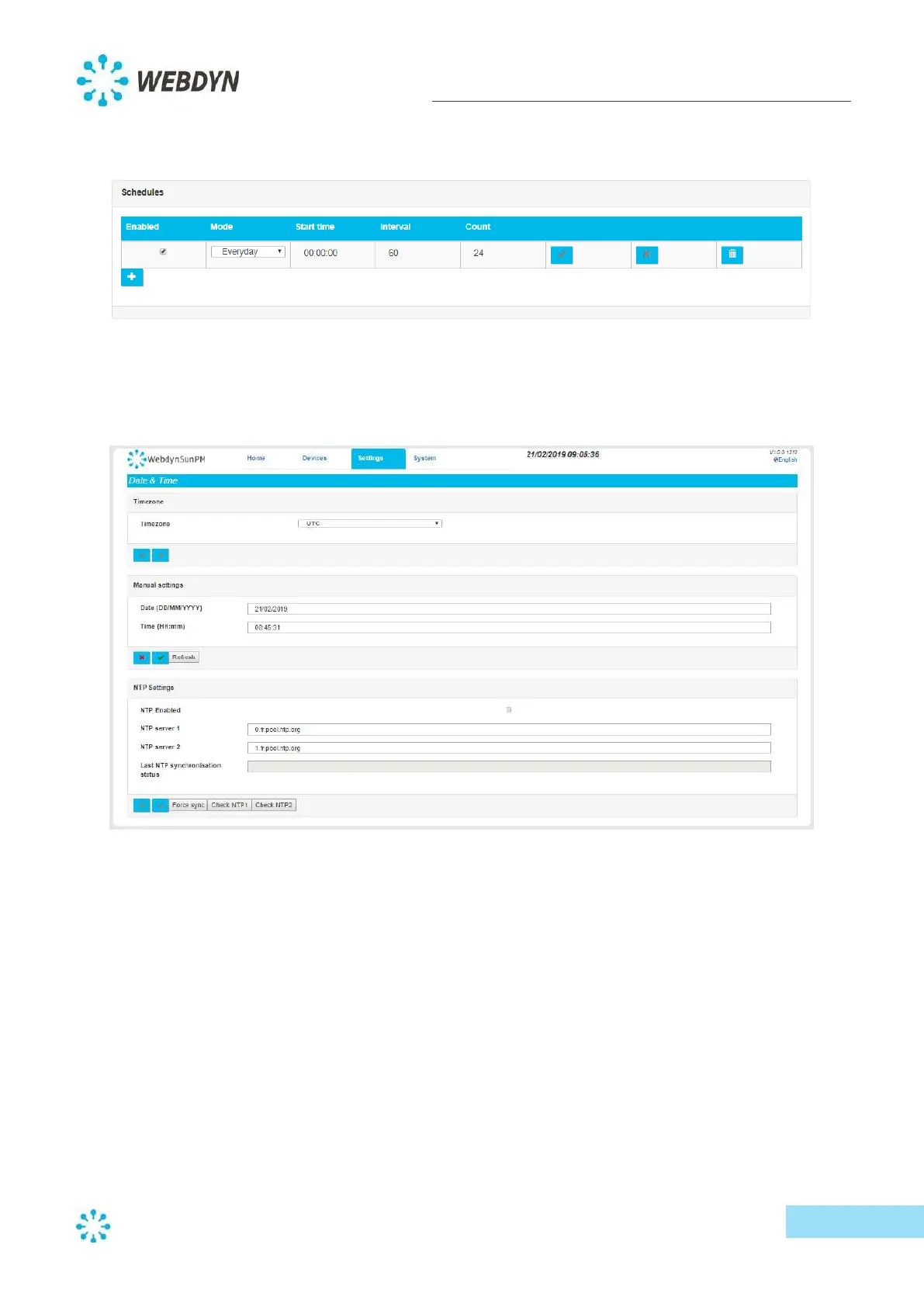
o For an hourly upload every day of the week, activate the schedule and set the
parameters as follows:
5.3.5 Date and time configuration
You can configure the product’s date and time from the product settings. From the "Settings" menu
select "Date&Time".
Start by selecting the time zone. This is used to trigger schedules, as well as to timestamp data and
alarms.
You can set the time of the WebdynSunPM concentrator either manually or via an NTP server.
To set the date and time manually, enter a date in the "Date (DD/MM/YYYY)" field using the
"DD/MM/YYYY" format, or click on the "Refresh" button to use your computer's time.
Note that the format must include two digits for day, two digits for month and four digits for year.



 To Next Page